
Minecraft datapacks — page 99
2,540 itemsData packs: list


No Endermite
Disable Endermite in Minecraft by preventing its spawning and removing any that appear in the worldInstallOn a server

Super Sheep Bombard
A legend from dark ages, where sheeps controlled the world...InstallOn a server

Vegan Life
Play Minecraft as a vegan. No more meat, fish or wool farming. Just love.InstallOn a server

Villagers drop egg
This data pack means that when you kill a villager, he will drop his egg. This will make it easier for you to bring villagers to your base.InstallOn a server

Swift Harvest Datapack, Crops Replant Themselves
Auto replant for farming: break a grown crop and it sows itself again from one seed of the drop. Wheat, carrots, potatoes, beetroot and nether wart. Server-side datapack - no mod, nothing for players to install.InstallOn a server
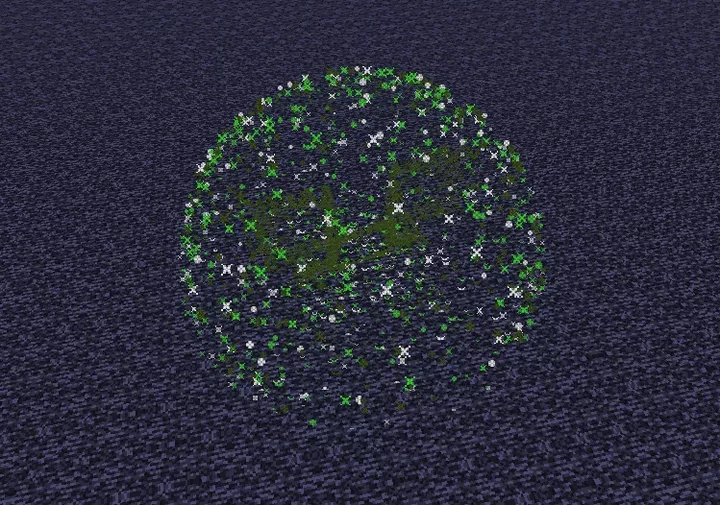
Creeper Fireworks
Prevents world damage by replacing creeper explosions with fireworks, while still damaging players and mobs.InstallOn a server

Skeletons With Tipped Arrows
Skeletons have a chance of spawning with random tipped arrows.InstallOn a server

Invisible Light Block
Allow you to craft invisible light blockInstallOn a server
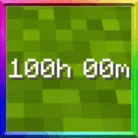
Playtime Counter
A simple playtime counter display above your hotbar that will tell you the current world playtime, useful for Survival & Hardcore world and 100 days challengesInstallOn a server

Upgrade Everything
Allows you to upgrade all types of tool and armour in the smithing table!InstallOn a server

Keep Sleeping Bags + Compasses
Adds sleeping bags from the comforts mod and compasses (from nature's and explorer's compass mods) to the list of kept itemsInstallOn a server

Uncraftable items Craftable
Adds crafting recipes for some uncraftable items.InstallOn a server

HiddenOres
Stone, Deepslate, and Netherrack now drop ores!InstallOn a server

Deadline
A Minecraft datapack that implements a Deadline game. First 1 hour of resource gathering and then a hunger game.InstallOn a server

Trashapack
A data pack that enables players to clean up trash from their inventory.InstallOn a server

Reload Feedback
Adds a basic feedback message to the /reload commandInstallOn a server

EpicFight X Kimetsu No Yaiba Compatability
Allows Epic Fight to be used with the Kimetsu No Yaiba modInstallOn a server
Better Combat Compat
Adds compat between Better Combat and many mods!InstallOn a server

Zombie Proof Doors
Zombie Proof Doors is a Datapack for Minecraft that prevents Zombies from intruding into your buildings by breaking doors. Unlike many predecessors, it handles all types of door-busting Zombies.InstallOn a server

Chest Village
This time I present you "Chest Village" Data pack. this datapack just add a new type of village in the minecraft. new village type like village plans it's village chest. this chest village is different type of village. version from 1.16 to latestInstallOn a server
Only Survival Mode
A very simple data pack that only allow survival modeInstallOn a server

Craftable Mushrooms
Simple Mod/Datack That Adds Recipes For Mushrooms and Mushroom blocks.InstallOn a server

ID System
Gives any player a unique score on a scoreboard. Could be useful for other datapacks.InstallOn a serverFAQ
How is a datapack different from a mod?
A datapack uses the game's own tools: it changes recipes, loot, structures and advancements. A mod changes the game's code and can add something genuinely new — a block, a mob, an interface. A datapack doesn't need a loader to work.
How do I install a datapack?
Click “Install” and Millida Launcher will add the datapack to the world you choose. To do it manually, put the archive in the datapacks folder inside the world folder and rejoin the world.
Does a datapack work on a server?
Yes, on a regular server without mods: the datapacks folder sits inside the server's world folder. Players don't need to install anything on their clients.
What is a data pack?
A set of files that changes the game with its own tools: recipes, loot, world generation, advancements and command functions. It works from version 1.13 without mods or loaders and is installed into a specific world.
Are there data packs for world generation?
Yes, it is one of their most common jobs: new biomes, terrain, caves and structures. Generation only changes in chunks that have not been created yet, so such a data pack is best added when creating a new world.
Minecraft datapacks
A datapack changes the game's rules without touching its code: crafting recipes, loot tables, world structures, advancements, command functions. The game supports all of this natively since 1.13, so a datapack needs neither Forge nor Fabric — it's installed into a specific world and works on the vanilla client and a regular server.
Data packs do different jobs: some change world generation — biomes, terrain and structures, others add mechanics, challenges and horror events, and others are made for servers — economy, ranks, command-based minigames. Generation applies only to new chunks, so such packs are added when a world is created. On Millida Hosting a data pack goes onto the server with the On a server button on its page.
That's the main difference from mods: a datapack doesn't show up in the mod list, and it can't add anything the game doesn't have at all — you can't make a new block with its own model this way. On the other hand, it doesn't clash with other packs, doesn't need updating when you switch loaders and doesn't stop you from playing with friends on a regular server. Installing a datapack is simple: put the archive in the datapacks folder inside the world folder, then reload the world or run the reload command. The card lists the game version, author and license, and all releases are gathered in one place.