
Minecraft datapacks — page 98
2,540 itemsData packs: list


Copper Tech - Redstone tweaks
Replaces some Redstone components' materials with Copper!InstallOn a server

Easy Creafting
Simple and convenient synthesis methods are what we need, and I com true. 简单方便的合成方式是我们所需要的,而我,将它做了出来InstallOn a server

Horse Traps (Re-Created)
Adds the new zombie horse trap and recreates skeleton horse trap.InstallOn a server

Disable TNT
This datapack disables TNT and mob grief.InstallOn a server

Purpose of Copper
Why there's so many copper if there's no use for it?InstallOn a server

Repurposed Structures - Environmental Compat
Make RS structures have Environmental blocksInstallOn a server

Craftable Name Tags
Makes name tags craftable from a crafting table.InstallOn a server

Create Mob Egg
Do you want to get a mob egg in survival? With this data pack, you can do anything!InstallOn a server

no more mistake
this data_pack allows to change stairs, walls back to blocks and moreInstallOn a server

Enchantment Extraction
Enchantment Extraction lets you recover enchantments from tools and weapons you no longer want, so valuable enchants are never wasted.InstallOn a server

Genetic Animals - Alex's Mobs Compat Datapack
This datapack creates more compat between Alex's Mobs (AM) and Genetic Animals (GA), allowing AM animals to target GA animals and accept GA items as foodInstallOn a server

Better Cave Worlds Updated
Datapack that creates Cave Worlds, continuing support by Wujinjun. Original datapack by Klinbee.InstallOn a server

Armor Effect
Gives an effect when putting on a certain armor or itemInstallOn a server

More Recipes by Selah
A collection of over 50 types of crafting recipes to help reduce the grind while keeping the game feeling vanilla. Actual recipe count is over 300.InstallOn a server
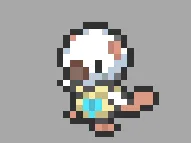
Eclipse Pixelmon Pack
This is a datapack for Pixelmon thats adds custom pokemon that i madeInstallOn a server

LifeSteal PVP
Datapack for modified LifeSteal heart systemInstallOn a server

Weight & Training
A strength training datapack that adds weight to equipment.InstallOn a server

Vanilla Home Teleport
A lightweight datapack that adds personal /sethome and /home to vanilla Minecraft using /trigger, no plugins and no mods required.InstallOn a server

Toolbag
Store your hotbar inside a bundle! Then swap between saved hotbars using the custom bundle enchantment, "Toolbag."InstallOn a server
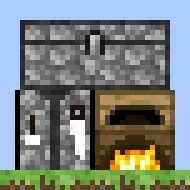
Wooden furnace,stone chest and stone crafting table
I made a wooden furnace, a stone chest, and a stone crafting table. Also, this is my first project, so please take care of it.InstallOn a server

Hardcore Revival
A highly customizable revival datapack for multiplayer hardcore.InstallOn a server

No Ravager
Disable Ravager in Minecraft by preventing its spawning and removing any that appear in the worldInstallOn a server

Fast Crafts
Add tons of recipes to Minecraft to craft stuff fasterInstallOn a serverFAQ
How is a datapack different from a mod?
A datapack uses the game's own tools: it changes recipes, loot, structures and advancements. A mod changes the game's code and can add something genuinely new — a block, a mob, an interface. A datapack doesn't need a loader to work.
How do I install a datapack?
Click “Install” and Millida Launcher will add the datapack to the world you choose. To do it manually, put the archive in the datapacks folder inside the world folder and rejoin the world.
Does a datapack work on a server?
Yes, on a regular server without mods: the datapacks folder sits inside the server's world folder. Players don't need to install anything on their clients.
What is a data pack?
A set of files that changes the game with its own tools: recipes, loot, world generation, advancements and command functions. It works from version 1.13 without mods or loaders and is installed into a specific world.
Are there data packs for world generation?
Yes, it is one of their most common jobs: new biomes, terrain, caves and structures. Generation only changes in chunks that have not been created yet, so such a data pack is best added when creating a new world.
Minecraft datapacks
A datapack changes the game's rules without touching its code: crafting recipes, loot tables, world structures, advancements, command functions. The game supports all of this natively since 1.13, so a datapack needs neither Forge nor Fabric — it's installed into a specific world and works on the vanilla client and a regular server.
Data packs do different jobs: some change world generation — biomes, terrain and structures, others add mechanics, challenges and horror events, and others are made for servers — economy, ranks, command-based minigames. Generation applies only to new chunks, so such packs are added when a world is created. On Millida Hosting a data pack goes onto the server with the On a server button on its page.
That's the main difference from mods: a datapack doesn't show up in the mod list, and it can't add anything the game doesn't have at all — you can't make a new block with its own model this way. On the other hand, it doesn't clash with other packs, doesn't need updating when you switch loaders and doesn't stop you from playing with friends on a regular server. Installing a datapack is simple: put the archive in the datapacks folder inside the world folder, then reload the world or run the reload command. The card lists the game version, author and license, and all releases are gathered in one place.