Craft XP Bottle
by Jodek · ModrinthAdds a crafting reicpe for the bottle o' enchanting
Adds a crafting reicpe for the bottle o' enchanting
Make netherite tools and armour easy to craft like all the other armour and tools for lazy people.
Crafting ores from a specific type of stone and the ore itself
Adds Bedrock Golem in minecraft without replacing the original iron golem.
A datapack that lets you turn dirt into diamonds!
A Datapack to re-color any color-variant vanilla block
Chainmail Armor is now craftable using actual Chains! A vanilla-friendly datapack that fills the armor gap and gives the Chain item a much-needed purpose.
Adds a craftable book with both Infinity and Mending, bypassing vanilla restrictions.
Adds the ability to craft dirt paths from dirt blocks, making terrain customization easier
A strength training datapack that adds weight to equipment.
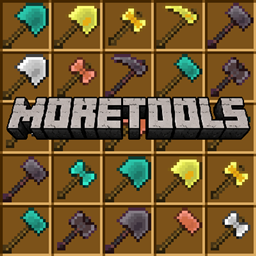
Add 4 type of new tools to minecraft
Make RS structures have Environmental blocks
Disable Guardian in Minecraft by preventing its spawning and removing any that appear in the world
A data pack that removes Create: Gunsmithing's steel recipes to prioritize Alloyed's steel
Disable Bee in Minecraft by preventing its spawning and removing any that appear in the world
Adds the new zombie horse trap and recreates skeleton horse trap.
With the datapack would crafte easier and better.
Adds a Wither Skeleton Raid in Bastion Remnant, just like a village raid.
Disable Hoglin in Minecraft by preventing its spawning and removing any that appear in the world
This adds a new TARDIS interior to Dalek Mod and is designed for what daleks would likely use.
Changes all the Rails' recipes to include Copper!
Reintroduces the enchanted golden apple recipe which was removed in Minecraft 1.9
Disable Piglin in Minecraft by preventing its spawning and removing any that appear in the world
When exposed to the sun you get sunburns and take damage
A datapack uses the game's own tools: it changes recipes, loot, structures and advancements. A mod changes the game's code and can add something genuinely new — a block, a mob, an interface. A datapack doesn't need a loader to work.
Click “Install” and Millida Launcher will add the datapack to the world you choose. To do it manually, put the archive in the datapacks folder inside the world folder and rejoin the world.
Yes, on a regular server without mods: the datapacks folder sits inside the server's world folder. Players don't need to install anything on their clients.
A set of files that changes the game with its own tools: recipes, loot, world generation, advancements and command functions. It works from version 1.13 without mods or loaders and is installed into a specific world.
Yes, it is one of their most common jobs: new biomes, terrain, caves and structures. Generation only changes in chunks that have not been created yet, so such a data pack is best added when creating a new world.
A datapack changes the game's rules without touching its code: crafting recipes, loot tables, world structures, advancements, command functions. The game supports all of this natively since 1.13, so a datapack needs neither Forge nor Fabric — it's installed into a specific world and works on the vanilla client and a regular server.
Data packs do different jobs: some change world generation — biomes, terrain and structures, others add mechanics, challenges and horror events, and others are made for servers — economy, ranks, command-based minigames. Generation applies only to new chunks, so such packs are added when a world is created. On Millida Hosting a data pack goes onto the server with the On a server button on its page.
That's the main difference from mods: a datapack doesn't show up in the mod list, and it can't add anything the game doesn't have at all — you can't make a new block with its own model this way. On the other hand, it doesn't clash with other packs, doesn't need updating when you switch loaders and doesn't stop you from playing with friends on a regular server. Installing a datapack is simple: put the archive in the datapacks folder inside the world folder, then reload the world or run the reload command. The card lists the game version, author and license, and all releases are gathered in one place.