
Minecraft datapacks — page 81
2,540 itemsData packs: list


Heaven Dimension
A new peaceful dimension with new biomes and structures. Fly up with elytra to teleport!InstallOn a server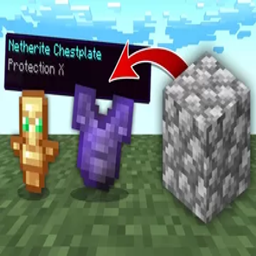
OP Cobblestone
Minecraft, but... Cobblestone drops OP Loot! 1.21.4!InstallOn a server

Any Hat
Simple hat datapack ! Wear any item as a hat with a trigger command. It is easy to use and secure hat datapack for servers. Is updated and supports all versions 1.16-26.3 /hat (/trigger hat) vanilla,InstallOn a server
SVM Powers (Super Powers)
SVM Powers is a Super Power datapack adding a variety of abilities, new structures, mobs, items and more!InstallOn a server

Fair Fishing Loot
Changes the vanilla fishing loot to make it more fair. AFK Fish farm lootInstallOn a server

No Phantom
Disable Phantom in Minecraft by preventing its spawning and removing any that appear in the worldInstallOn a server

X-Mountains
This datapack removes the 256 height limit to the new mountains (and world) generation of the overworld.InstallOn a server
[SBW] Marbled's Arsenal armor compatibility
Allows Marbled's Arsenal armor to benefit from the armor system of the Superb Warfare mod.InstallOn a server

Auto Graves Lite
A minimalist, lag-free death protection system. Get private coordinates, a visible particle beacon, and "frozen" item despawn timers without bulky grave entities.InstallOn a server
Drive-By-Wire: Craftable
Datapack that makes drive by wire blocks craftable in survival with vanilla blocksInstallOn a server

OreFix
ore generation overhaul: only spawns next to airInstallOn a server

No Bat
Disable Bat in Minecraft by preventing its spawning and removing any that appear in the worldInstallOn a server
Mana and Artifice loot caches for Twilight Forest
more magic loot for your adventuresInstallOn a server

CBTN
Cook Big Things Now! Smelt iron, gold, and copper raw ore blocks to get an iron, gold, or copper block.InstallOn a server

Craftasaddle
Now part of the game! This changes the recipe to add copper and string if you feel the current one is too basic.InstallOn a server
Mini-boss Boss Bars [Configuration Datapack]
A configuration datapack for the Mini-boss Boss Bars mod that allows you to configure whichever boss you choose to not show their boss bar.InstallOn a server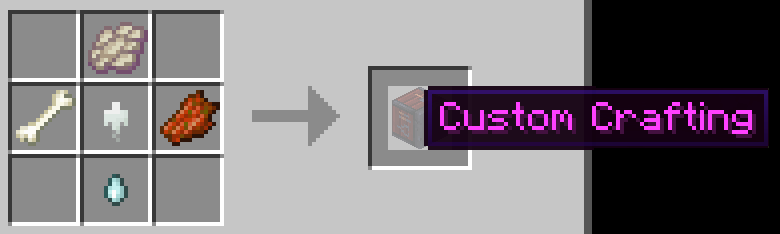
End Remastered Datapack
End Remastered Datapack overhauls the way players open the End Portal, requiring players to collect 12 special eyes of ender from various sources hidden throughout the Minecraft universe, encouraging more exploration and adventure.InstallOn a server

Repurposed Structures - PneumaticCraft: Repressurized Compat
Add PneumaticCraft houses to RS VillagesInstallOn a server

Player head drops
Make players drop their head when dying from a player or notInstallOn a server

WobblyHearts
Lose a heart on death, get one upon eating an Enchanted Golden Apple!InstallOn a server

SwapArmor
Do you need to quickly change your armor? With this datapack you can easily change your armor with an armor stand.InstallOn a server
Cobblemon: Natural Spawning Tumblestone
All Tumblestone from the Cobblemon mod now spawn naturally in the worldInstallOn a server
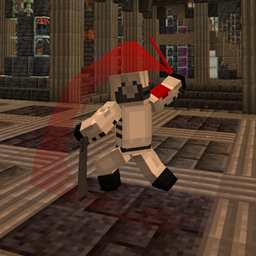
Weapons of Metal Gear (Mine Gear Rising: Revengence + Epic Fight/Weapons of Miracles)
Rules of Nature!InstallOn a serverFAQ
How is a datapack different from a mod?
A datapack uses the game's own tools: it changes recipes, loot, structures and advancements. A mod changes the game's code and can add something genuinely new — a block, a mob, an interface. A datapack doesn't need a loader to work.
How do I install a datapack?
Click “Install” and Millida Launcher will add the datapack to the world you choose. To do it manually, put the archive in the datapacks folder inside the world folder and rejoin the world.
Does a datapack work on a server?
Yes, on a regular server without mods: the datapacks folder sits inside the server's world folder. Players don't need to install anything on their clients.
What is a data pack?
A set of files that changes the game with its own tools: recipes, loot, world generation, advancements and command functions. It works from version 1.13 without mods or loaders and is installed into a specific world.
Are there data packs for world generation?
Yes, it is one of their most common jobs: new biomes, terrain, caves and structures. Generation only changes in chunks that have not been created yet, so such a data pack is best added when creating a new world.
Minecraft datapacks
A datapack changes the game's rules without touching its code: crafting recipes, loot tables, world structures, advancements, command functions. The game supports all of this natively since 1.13, so a datapack needs neither Forge nor Fabric — it's installed into a specific world and works on the vanilla client and a regular server.
Data packs do different jobs: some change world generation — biomes, terrain and structures, others add mechanics, challenges and horror events, and others are made for servers — economy, ranks, command-based minigames. Generation applies only to new chunks, so such packs are added when a world is created. On Millida Hosting a data pack goes onto the server with the On a server button on its page.
That's the main difference from mods: a datapack doesn't show up in the mod list, and it can't add anything the game doesn't have at all — you can't make a new block with its own model this way. On the other hand, it doesn't clash with other packs, doesn't need updating when you switch loaders and doesn't stop you from playing with friends on a regular server. Installing a datapack is simple: put the archive in the datapacks folder inside the world folder, then reload the world or run the reload command. The card lists the game version, author and license, and all releases are gathered in one place.