
Datapacks for Minecraft Java — page 7
2,543 itemsData packs: list


Caves & Canyons
Save your surface, find your underground adventure!InstallOn a server

Hardening Catalyst Rebalance | Datapack
Makes game-breaking items unable to be used with the Hardening CatalystInstallOn a server

MCDA x RPG Series
Adds compatibility with armor tiers of RPG Series mods and MC Dungeons ArmorsInstallOn a server

Tiered Spellbooks
Makes certain spellbooks from the RPG Series and unofficial addons become tiered, requiring to craft them.InstallOn a server

Gamer Axe Rebalance | Datapack
Rebalances the damage of the Gamer Axe while using Better CombatInstallOn a server

Mob Captains
Rare and strong mobs will spawn, dropping illegally enchanted gearInstallOn a server

Traveler's Comfort | Datapack
Adds compatibility between Traveler's Backpacks and Comforts.InstallOn a server

Nadymons3
A cobblemon addon giving a model to my favorite unmodeled pokemonsInstallOn a server

Cobblemon: Liberty Garden
Unleash the power of victory as Victini returns to the world of blocks, bringing good fortune to those who find it.InstallOn a server

Mc Dungeons - All the Smites
This Datapack Adds Smite to all Greatswords, Hammers and anything that looks like a mace.InstallOn a server

Clumps
Merge experience orbs and instant pickup experience orbs to reduce lag!InstallOn a server

Typewriter Day Counter
Adds an RPG like daycounter, displaying at the start of each day with a typewriter effect. [Vanilla Refresh]InstallOn a server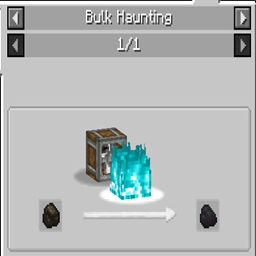
Create: Charcoal Bulk Haunting
Charcoal to Coal Recipe for CreateInstallOn a server

Supplementaries Compat
Adds compatibility between Supplementaries and many mods!InstallOn a server
Create: Create: Dreams n' Desires - No Diamond Recipes
Removes the recipe for Diamond Shards with the Dreams n' Desires ModInstallOn a server

Repurposed Structures - Better Jungle Temples Compat
Change RS Temples to be in Better Jungle Temple's styleInstallOn a server
Create: Easy Stone Generators - No Obsidian Gen
Removes the recipe for Obsidian Generators with the Easy Stone Generators ModInstallOn a server

Dungeons and Taverns Desert Temple Overhaul
Overhauls Desert Temples with 4 Variants using new loot tables alongside the Vanilla Loot Tables. The chests at the TNT trap can now turn into exits leading into underground buried rooms for archeologyInstallOn a server

NoRollback
Remove (annoying) rollbacksInstallOn a server

Ultris: Boss Expansion
Explore 8 new and exciting bosses to take on across your world, with new structures, items, and stories for you to unravel.InstallOn a server

Alm's Recipe Addons
This Datapack adds recipes to Mariums Soulslike Weaponry, Vanilla, Eldritch End, Mythic Upgrades and End RemasteredInstallOn a server

X Ray (no cheats)
Find ores in mines faster and easier.InstallOn a server

Dungeons and Taverns Nether Fortress Overhaul
This Mod Overhauls the Nether Fortress with 1 guaranteed spawner, the fortress inside hallways having decoration and blaze spawners found in and outside the fortressInstallOn a serverFAQ
How is a datapack different from a mod?
A datapack uses the game's own tools: it changes recipes, loot, structures and advancements. A mod changes the game's code and can add something genuinely new — a block, a mob, an interface. A datapack doesn't need a loader to work.
How do I install a datapack?
Click “Install” and Millida Launcher will add the datapack to the world you choose. To do it manually, put the archive in the datapacks folder inside the world folder and rejoin the world.
Does a datapack work on a server?
Yes, on a regular server without mods: the datapacks folder sits inside the server's world folder. Players don't need to install anything on their clients.
What is a data pack?
A set of files that changes the game with its own tools: recipes, loot, world generation, advancements and command functions. It works from version 1.13 without mods or loaders and is installed into a specific world.
Are there data packs for world generation?
Yes, it is one of their most common jobs: new biomes, terrain, caves and structures. Generation only changes in chunks that have not been created yet, so such a data pack is best added when creating a new world.
Datapacks for Minecraft Java
A datapack changes the game's rules without touching its code: crafting recipes, loot tables, world structures, advancements, command functions. The game supports all of this natively since 1.13, so a datapack needs neither Forge nor Fabric — it's installed into a specific world and works on the vanilla client and a regular server.
Data packs do different jobs: some change world generation — biomes, terrain and structures, others add mechanics, challenges and horror events, and others are made for servers — economy, ranks, command-based minigames. Generation applies only to new chunks, so such packs are added when a world is created. On Millida Hosting a data pack goes onto the server with the On a server button on its page.
That's the main difference from mods: a datapack doesn't show up in the mod list, and it can't add anything the game doesn't have at all — you can't make a new block with its own model this way. On the other hand, it doesn't clash with other packs, doesn't need updating when you switch loaders and doesn't stop you from playing with friends on a regular server. Installing a datapack is simple: put the archive in the datapacks folder inside the world folder, then reload the world or run the reload command. The card lists the game version, author and license, and all releases are gathered in one place.