Epic Spartan Weaponry
by ArtisticAxolotl · ModrinthCustom Datapack for Spartan Weaponry and Epic Fight Mod compatibility.
Updated March 13
Custom Datapack for Spartan Weaponry and Epic Fight Mod compatibility.
Allows shears to have looting - Shearing drops more items when there is looting on shears
A compatibility datapack for Thalassophobia, makes all mobs generate correctly in Big Globe
An overhaul to the generation of the nether that aims to make the dimension feel more coherent and immersive while preserving the claustrophobic, vertical feeling of the vanilla nether!
Minecraft's unOfficial Day Counter data pack.
Adds many new special names, like Jeb_ or Dinnerbone, to give to mobs!
Makes Evokers from raids not drop totems
A compatibility datapack that places the Majrusz's Progressive Difficulty Enderium ore in the generation of Big Globe
Sends a message in chat when a player goes AFK
Ever want to heal by crouching and standing still? Take a rest and you will start to regenerate health.
The old core Data Pack for Kult Craft.
Standalone, updated translations for all of Patbox's mods. Works as Data pack and resource pack
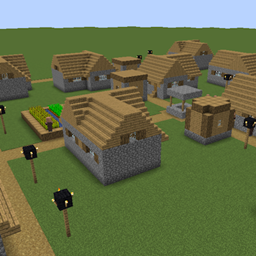
The villages from the old versions are back!
Compatibility between Big Globe and L_Ender's Cataclysm that ensures the correct generation of personalized world structures.
earn as many achievement points as possible to beat your friends!
Datapack adding a /trigger home command, fully customizable ! (v2.0 : new multi-home system !)
A compatibility datapack for It Takes a Pillage or It Takes a Pillage Continuation, makes all structures generate correctly in Big Globe
Mine the same type of blocks that are connected with each other together. Fully customizable and compatible with modded blocks.
A compatibility datapack for Aquamirae, makes all structures generate correctly in Big Globe
A Minecraft worldgen datapack aiming to expand on the Nether's desolation while encouraging the player to explore vast expanses.
Duplicate Sherds with 2 bricks!
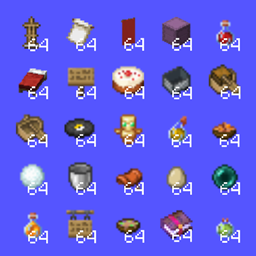
Stack size of 64 for all items!
This add-on is intended to add Lugia into your Cobblemon world! Search deep oceans for this mystical legendary!
New enchantment for chestplates that protects you from projectiles!
A datapack uses the game's own tools: it changes recipes, loot, structures and advancements. A mod changes the game's code and can add something genuinely new — a block, a mob, an interface. A datapack doesn't need a loader to work.
Click “Install” and Millida Launcher will add the datapack to the world you choose. To do it manually, put the archive in the datapacks folder inside the world folder and rejoin the world.
Yes, on a regular server without mods: the datapacks folder sits inside the server's world folder. Players don't need to install anything on their clients.
A set of files that changes the game with its own tools: recipes, loot, world generation, advancements and command functions. It works from version 1.13 without mods or loaders and is installed into a specific world.
Yes, it is one of their most common jobs: new biomes, terrain, caves and structures. Generation only changes in chunks that have not been created yet, so such a data pack is best added when creating a new world.
A datapack changes the game's rules without touching its code: crafting recipes, loot tables, world structures, advancements, command functions. The game supports all of this natively since 1.13, so a datapack needs neither Forge nor Fabric — it's installed into a specific world and works on the vanilla client and a regular server.
Data packs do different jobs: some change world generation — biomes, terrain and structures, others add mechanics, challenges and horror events, and others are made for servers — economy, ranks, command-based minigames. Generation applies only to new chunks, so such packs are added when a world is created. On Millida Hosting a data pack goes onto the server with the On a server button on its page.
That's the main difference from mods: a datapack doesn't show up in the mod list, and it can't add anything the game doesn't have at all — you can't make a new block with its own model this way. On the other hand, it doesn't clash with other packs, doesn't need updating when you switch loaders and doesn't stop you from playing with friends on a regular server. Installing a datapack is simple: put the archive in the datapacks folder inside the world folder, then reload the world or run the reload command. The card lists the game version, author and license, and all releases are gathered in one place.