Phytons Hearts
by Phyton · ModrinthSurvival Friendly Items that Add or Remove Hearts and Health permanently! Fully configurable Settings!
Survival Friendly Items that Add or Remove Hearts and Health permanently! Fully configurable Settings!
A simple death swap datapack/mod with customizable settings.
An extension of the original Cobblemon spawn pool.
Adds a crafting recipe for Trial Spawners
Respawn in a random location after dying
Open the bakery of your dreams, with the Baked Necessities - Food Datapack. Unlock access to 15+ custom baked goods, new crafting recipes, new decorative blocks, quests, workstations, and the functional register block.
An addon for the Cobblemon mod which adds the Delta species alongside other Pokemon from the Pokemon Insurgence fangame.
Customize the stats and recipes of Scorched Guns 2 Weapons
It may not be big, it may not be strong, it may not be brave, it may not be- This adds the "Worm" to the game. It has a collection of interesting abilities / quirks that are... worm-y??
Offhanding a copper ingot attracts items to you. No new items added!
Back to your lastest death position using "/trigger back" ("/back" alternatives)
An add-on for Marigolds, adds marigold and cornflower flower rings to your world.
Sub-project of "Katters Structures" with only the Deep Blue
Datapack that adds Heart system from LifeSteal SMP
A compatibility datapack for Stalwart Dungeons, makes all structures generate correctly in Big Globe
Honey Sticky Piston is a quality of life Datapack for Minecraft that lets players use honeycombs as an alternative to slime balls to craft sticky pistons.
Campfires, smokers and blast furnaces smelt every vanilla item
Adding crafting recipes for boss spawn eggs from the Tensura: Reincarnated mod and the official addon Tensura: Not Enough Bosses.
Instant mine deepslate and logs when a netherite pickaxe or axe has efficiency 5 and the player has haste 2
You can only access your hotbar and every other inventory slot is locked
Survival based MMO for players to have fun in either (Singleplayer, Multiplayer, or Modded) skills such as, "Agility", "Attack", "Cooking", "Defense", "Excavation", "Fishing", "Hitpoints", "Hunter", "Magic", "Mining" & "Commands/Custom World Gen loot".
This datapack adds ore detector to the game. The ore detector shows if there is ore nearby.
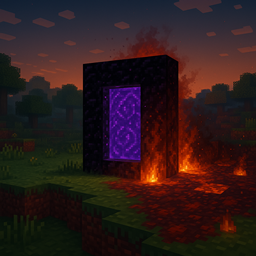
This datapack adds six unique Nether portals to the Overworld, each themed after a different Nether biome. Some are quiet landmarks, others deadly traps
This datapack adds some recipes that are missing from the create mod. This datapack will continue to receive updates and will listen to any feedback.
A datapack uses the game's own tools: it changes recipes, loot, structures and advancements. A mod changes the game's code and can add something genuinely new — a block, a mob, an interface. A datapack doesn't need a loader to work.
Click “Install” and Millida Launcher will add the datapack to the world you choose. To do it manually, put the archive in the datapacks folder inside the world folder and rejoin the world.
Yes, on a regular server without mods: the datapacks folder sits inside the server's world folder. Players don't need to install anything on their clients.
A set of files that changes the game with its own tools: recipes, loot, world generation, advancements and command functions. It works from version 1.13 without mods or loaders and is installed into a specific world.
Yes, it is one of their most common jobs: new biomes, terrain, caves and structures. Generation only changes in chunks that have not been created yet, so such a data pack is best added when creating a new world.
A datapack changes the game's rules without touching its code: crafting recipes, loot tables, world structures, advancements, command functions. The game supports all of this natively since 1.13, so a datapack needs neither Forge nor Fabric — it's installed into a specific world and works on the vanilla client and a regular server.
Data packs do different jobs: some change world generation — biomes, terrain and structures, others add mechanics, challenges and horror events, and others are made for servers — economy, ranks, command-based minigames. Generation applies only to new chunks, so such packs are added when a world is created. On Millida Hosting a data pack goes onto the server with the On a server button on its page.
That's the main difference from mods: a datapack doesn't show up in the mod list, and it can't add anything the game doesn't have at all — you can't make a new block with its own model this way. On the other hand, it doesn't clash with other packs, doesn't need updating when you switch loaders and doesn't stop you from playing with friends on a regular server. Installing a datapack is simple: put the archive in the datapacks folder inside the world folder, then reload the world or run the reload command. The card lists the game version, author and license, and all releases are gathered in one place.