No Free Deaths: Better keepInventory
by clo4 · ModrinthLose XP and hunger with keepInventory. Stops players abusing death as a free reset, but without the punishment of losing all their stuff 😌
Updated September 26
Lose XP and hunger with keepInventory. Stops players abusing death as a free reset, but without the punishment of losing all their stuff 😌
Allows both mending and infinity to be on the same bow.
Ever wanted to place unsupported ladders? This modular data pack allows you to extend the possibilities of your building by allowing ladders to be extended downward, even floating in the air
This Data Pack/mod adds many new recipes, advancements and structures. This Data Pack/Mod improves many Loot Tables.
Abu Simbel is an ancient rock-cut temple complex in a vanilla-friendly Minecraft style, inspired by the monumental temples of southern Egypt—featuring colossal carved facades, seated pharaonic statues, and hidden chambers.
Datapack that creates worlds with missing terrain.
Make beacon bases of amethyst blocks, and use amethyst shards as beacon payment
Craft and Use New Armor Sets and Elytras!
Place Warpstones at key locations to create fast-travel points in your world!
Every time a day passes, the entire floor changes to a different block.
Makes the Loot Table of All Structures More Acurate to their Enviroment and Purpose
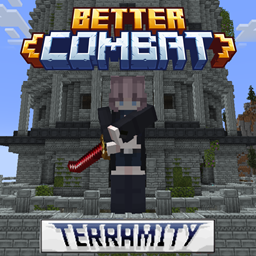
Adds Better Combat support to weapons from Terramity that don't natively support it.
Reach is a new enchantment for mining tools and weapons with three levels that increases your block interaction range!
Keep your pets out of harms way by giving them a Totem of Undying
Go viking in Minecraft! A Minecraft datapack adding viking ships.
Vaults now are more usefull, as they now can be opened as many times as you want
A legend held that the Frost Wolves guarded the gates of heaven where they had the power to reject anyone who had been cruel to dogs or wolves during their time on earth.
This simple datapack/mod gives players a map to the nearest village when they first log into the world.
Makes lantern crafting recipes cheaper by halving the amount of iron needed
Spectator Freecam with accurate player figures! ✨ (v2: Now with mannequins)
Make Invisibility Item Frame can be craft 讓隱形的物品展示框可以合成
A Minecraft login datapack that forces users to register their account with a password. Especially important in servers with online_mode=false
Adds configurable speeds for the Happy Ghast, perfect for survival servers! Available as plugin / datapack / mod
This removes the meteors found in the Ad Astra mod.
A datapack uses the game's own tools: it changes recipes, loot, structures and advancements. A mod changes the game's code and can add something genuinely new — a block, a mob, an interface. A datapack doesn't need a loader to work.
Click “Install” and Millida Launcher will add the datapack to the world you choose. To do it manually, put the archive in the datapacks folder inside the world folder and rejoin the world.
Yes, on a regular server without mods: the datapacks folder sits inside the server's world folder. Players don't need to install anything on their clients.
A set of files that changes the game with its own tools: recipes, loot, world generation, advancements and command functions. It works from version 1.13 without mods or loaders and is installed into a specific world.
Yes, it is one of their most common jobs: new biomes, terrain, caves and structures. Generation only changes in chunks that have not been created yet, so such a data pack is best added when creating a new world.
A datapack changes the game's rules without touching its code: crafting recipes, loot tables, world structures, advancements, command functions. The game supports all of this natively since 1.13, so a datapack needs neither Forge nor Fabric — it's installed into a specific world and works on the vanilla client and a regular server.
Data packs do different jobs: some change world generation — biomes, terrain and structures, others add mechanics, challenges and horror events, and others are made for servers — economy, ranks, command-based minigames. Generation applies only to new chunks, so such packs are added when a world is created. On Millida Hosting a data pack goes onto the server with the On a server button on its page.
That's the main difference from mods: a datapack doesn't show up in the mod list, and it can't add anything the game doesn't have at all — you can't make a new block with its own model this way. On the other hand, it doesn't clash with other packs, doesn't need updating when you switch loaders and doesn't stop you from playing with friends on a regular server. Installing a datapack is simple: put the archive in the datapacks folder inside the world folder, then reload the world or run the reload command. The card lists the game version, author and license, and all releases are gathered in one place.