
Datapacks for Minecraft 1.21 — page 35
1,282 itemsData packs: list


Stackable Items
Stack various items up to 64 per slot, such as totems, boats, signs, buckets, and more.InstallOn a server
Iron Nugget Recycling
Lets you smelt most iron-requiring items into Iron Nuggets. Must-have for Vanilla+ playthroughs.InstallOn a server
Better Crafting Recipes ( whwdzg's Recipe)
Formerly named whwdzg's Recipe Add some recipes to MinecraftInstallOn a server

Friendly AxolotlS
Axolotls wont kill your fishes anymore, they even have a new diet...InstallOn a server

Big Globe - YUNG's Better Dungeons
A compatibility datapack for YUNG's Better Dungeons, makes structures generate correctly in Big GlobeInstallOn a server
Show My Recipes!
Unlocks all the recipes in the Recipe BookInstallOn a server

Survival Freecam
This Data Pack Allows You To Go Into Spectator Mode In Survival But When You Go Back Into Survival You'll Be Right Where You First Became A Spectator Meaning You Can't Just Go Into Spectator And Travel 500 Blocks And Stay There. Basically a Freecam.InstallOn a server

Create: Enhanced Netherite Productions
Automate Netherite! With this data-pack you can build the netherite farm of your dreams!InstallOn a server

Lodestone Warps
Use a lodestone compass to teleport back to the lodestoneInstallOn a server

Luminous loot
Adds glowing effects to rare loot drops so you never miss valuable items!InstallOn a server

CreateBarters
A small but great datapack that adds create mod trades to piglins.InstallOn a server

Lush Cave Ruins
An underground archeology structure for lush cavesInstallOn a server

[World Generator] Ocean Only Water World!
A world with endless oceans and small settlements only. Like in the movie Waterworld.InstallOn a server

Big Globe - Create Compatibility
A compatibility datapack for Create, makes ores generate correctly in Big GlobeInstallOn a server

The Fog Origin
This datapack adds a new origin to the Origins mod, The Fog. Using this origin, you can fly through the sky and swim through the sea as a ball of gas, or temporarily solidify to hang out with friends!InstallOn a server

Soul Link
Adds the Soul Link enchantment so you don't lose your items on death.InstallOn a server

/hat
Adds a simple addition of /trigger hat command which lets you put items on your headInstallOn a server

Replantment
Adds a simple Replant enchantment to Minecraft 1.21.InstallOn a server

Big Globe - YUNG's Better Nether Fortresses
A compatibility datapack for YUNG's Better Nether Fortresses, makes structures generate correctly in Big GlobeInstallOn a server

Incendium Better Combat Addon
Add Better Combat compatability to Incendium weaponsInstallOn a server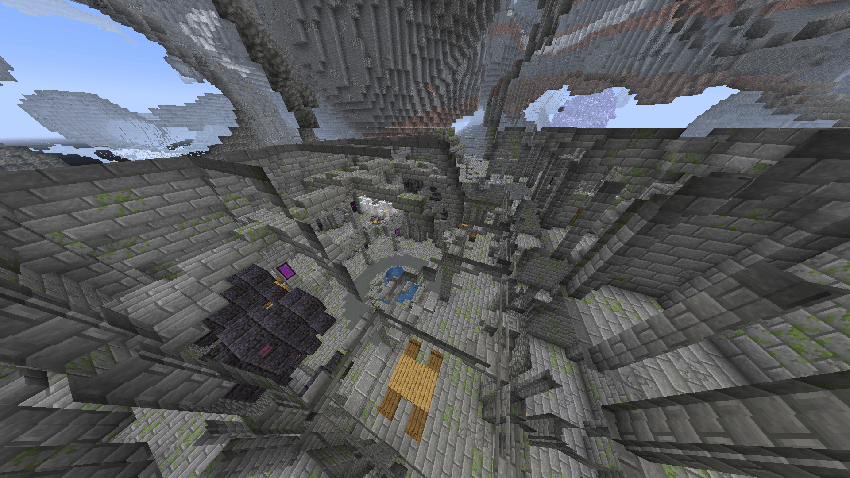

Big Globe - YUNG's Better Strongholds
A compatibility datapack for YUNG's Better Strongholds, makes structures generate correctly in Big GlobeInstallOn a server

Glasscutter
You only needed a few glass panels, but you only have a couple of pieces of glass? This datapack will help solve this problem.InstallOn a server
Convenient Achievements
Convenient Achievements - adds a lot of interesting achievements to the game, for which you may even have to explore the whole world.InstallOn a serverFAQ
How is a datapack different from a mod?
A datapack uses the game's own tools: it changes recipes, loot, structures and advancements. A mod changes the game's code and can add something genuinely new — a block, a mob, an interface. A datapack doesn't need a loader to work.
How do I install a datapack?
Click “Install” and Millida Launcher will add the datapack to the world you choose. To do it manually, put the archive in the datapacks folder inside the world folder and rejoin the world.
Does a datapack work on a server?
Yes, on a regular server without mods: the datapacks folder sits inside the server's world folder. Players don't need to install anything on their clients.
What is a data pack?
A set of files that changes the game with its own tools: recipes, loot, world generation, advancements and command functions. It works from version 1.13 without mods or loaders and is installed into a specific world.
Are there data packs for world generation?
Yes, it is one of their most common jobs: new biomes, terrain, caves and structures. Generation only changes in chunks that have not been created yet, so such a data pack is best added when creating a new world.
Datapacks for Minecraft 1.21
Datapacks for Minecraft 1.21: 1,282 items in the Data packs section. Compatibility is checked against the files, not the description: only items with a build for exactly these conditions stay in the list.
That's the main difference from mods: a datapack doesn't show up in the mod list, and it can't add anything the game doesn't have at all — you can't make a new block with its own model this way. On the other hand, it doesn't clash with other packs, doesn't need updating when you switch loaders and doesn't stop you from playing with friends on a regular server. Installing a datapack is simple: put the archive in the datapacks folder inside the world folder, then reload the world or run the reload command. The card lists the game version, author and license, and all releases are gathered in one place.