
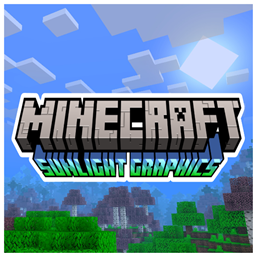
适用于 Minecraft 1.21.101 的 Sunlight Graphics 资源包
新版本 1.1 的 sunlight-graphics 在这么久之后终于到来。Sunlight 光影是 moonlight 光影的对应版本;所谓对应,我指的是一个更生动、更色彩丰富的整合包。
关于 Sunlight Graphics 资源包
The new version 1.1 of sunlight-graphics arrives after so long. Sunlight charts are the counterpart to moonlight charts; By counterpart I mean a more vivid and colorful package. Since this pack only modifies the textures, it does not present any type of lag and the best of all is that it can be used on any device compatible with Minecraft Bedrock Edition.
Screenshots
- Day and night.
- Sunset and sunrise.
Featured
- Beautiful skies day and night.
- Aesthetic and colorful atmosphere.
- Clear water with simple and simple texturing.
- Blue fog that gives more aesthetics to the environment.
- Heavy fog in the rain.
- Sun and moon with a diagonal shape.
- Does not present any type of performance lag.
Notes
- It has 4 different versions which are, The Full version that has all the features, The Plant Movement version that brings the movement of plants, The Double layers of clouds version that brings double layers of clouds and the default version.
- This package is not a shader.
- May be modified for personal use only.
- It is forbidden to distribute this texture pack with modifications in the code.
- You may not take this resource pack and publish it in your own name.
- It is possible that this resource pack has any, if so, please report the bug to me on my Discord.
- This texture pack works on any device.
- This resource pack is compatible with minecraft versions +1.18.30 which means that it is also compatible with (Renderdragon).
- It has 4 different versions which are, The Full version that has all the features, The Plant Movement version that brings the movement of plants, The Double layers of clouds version that brings double layers of clouds and the default version.
If you want to have better quality content, I invite you to donate your grain of sand.

如何安装 Sunlight Graphics
Install Millida Launcher
The launcher is free: download it at millida.net/launcher and sign in with any nickname.
Click “Install” on this page
The launcher opens and installs the resource pack for Minecraft 1.21.101 automatically.
Launch the game
A profile with it appears in the launcher: click “Play”.
版本
含依赖项
| Minecraft | 加载器 | 文件 | 日期 | 操作 |
|---|---|---|---|---|
| 1.21.101 | — | ¡Sunlight Graphics - Double layer Of Clouds v1.1!2 MB |
常见问题
Which Minecraft versions does Sunlight Graphics work on?
Only Minecraft 1.21.101: there are no files for other versions.
How do I download Sunlight Graphics?
With Millida Launcher: it installs Sunlight Graphics into a modpack by itself, for the right game version and loader. The launcher is free.
评价
成为第一个评价 Sunlight Graphics 的人



