
适用于 Minecraft 26.40 的 Saturation 资源包
此资源包提升 Minecraft 纹理的饱和度,让世界色彩更丰富、更鲜艳生动,同时仍保持原有的视觉风格不变。
Saturation
This pack boosts the saturation of Minecraft’s textures, making the world look more vibrant, colorful, and lively. It enhances blocks, items, and environments with richer tones while keeping the original style intact.
The saturation in the preview images was increased externally to make them look better. In-game textures will not appear that strong.
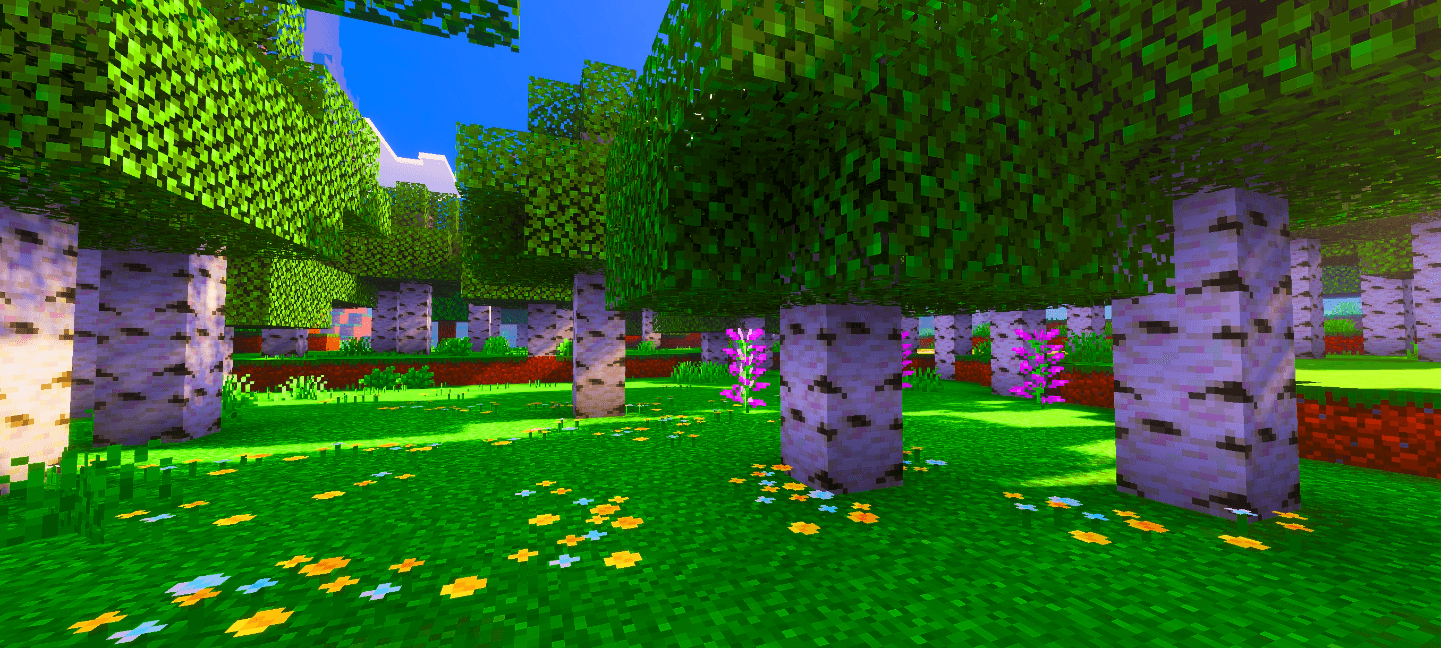
I will also release additional versions soon with different saturation levels, allowing you to choose how much saturation you prefer. This feature is still in development, so it may take some time, but updates will continue. If you have any feedback or want to report something, the comments section is open for you.

如何安装 Saturation
With Millida Launcher
Install Millida Launcher
The launcher is free: download it at millida.net/launcher and sign in with any nickname.
Click “Install” on this page
The launcher opens and installs the resource pack for Minecraft 26.40 automatically.
Launch the game
A profile with it appears in the launcher: click “Play”.
Manually
Download the archive
Pick the file Saturation.mcpack (13 MB) for your game version. No need to unpack it.
Put it in the resourcepacks folder
The easiest way: “Options”, then “Resource Packs”, then “Open Pack Folder”, and drag the archive there.
Enable the pack
In the same window, move the pack to the right-hand “Selected” column and click “Done”.
版本
含依赖项
| Minecraft | 加载器 | 文件 | 日期 | 操作 |
|---|---|---|---|---|
| 26.40 | — | Saturation.mcpack13.2 MB 3 |
评价
成为第一个评价 Saturation 的人



