
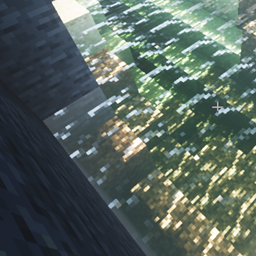
适用于 Minecraft 1.21, 26.30 的 Raytraced Visuals 资源包
让 Vibrant Visuals 看起来尽可能接近光线追踪
I love Vibrant Visuals, but sadly it seems a bit lacking. This project aims to fix that by making it look visually appealing. If your device can't load vibrant visuals please use MBLoader To force it
This project includes:
*16x Normal Maps *Volumetric Light *Colored Light *Point light (where light radiates out from a single point in space)

And Many More!
Feel Free To Check Out The Gallery For Screenshots!
Feel Free To Donate To Help Keep My Projects Running! :)

如何安装 Raytraced Visuals
With Millida Launcher
Install Millida Launcher
The launcher is free: download it at millida.net/launcher and sign in with any nickname.
Click “Install” on this page
The launcher opens and installs the resource pack for Minecraft 1.21–26.30 automatically.
Launch the game
A profile with it appears in the launcher: click “Play”.
Manually
Download the archive
Pick the file Raytraced-Visuals-V3.0.0.mcpack (5.7 MB) for your game version. No need to unpack it.
Put it in the resourcepacks folder
The easiest way: “Options”, then “Resource Packs”, then “Open Pack Folder”, and drag the archive there.
Enable the pack
In the same window, move the pack to the right-hand “Selected” column and click “Done”.
版本
含依赖项
| Minecraft | 加载器 | 文件 | 日期 | 操作 |
|---|---|---|---|---|
| 1.21.30 | — | Raytraced-Visuals-V3.0.0.mcpack5.7 MB 1 |
常见问题
Which Minecraft versions does Raytraced Visuals work on?
There are files for 1.21–26.30, 45 versions in total. The newest is 26.30.
Where can I download Raytraced Visuals safely?
On this page: the file Raytraced-Visuals-V3.0.0.mcpack (5.7 MB) is stored on Millida’s server, with no link shorteners. SHA-1 checksum: 3fb7374d50857fcc5ee90d5eb695f03b15c1c600.
评价
成为第一个评价 Raytraced Visuals 的人


