
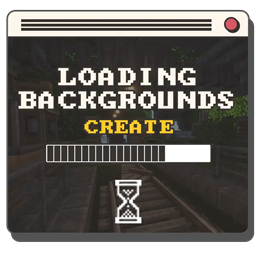
适用于 Minecraft 1.20.1, 1.21.1 的 Loading Backgrounds - Create 资源包
使用 Create 模组的自定义加载背景!
关于 Loading Backgrounds - Create 资源包
This resource pack was created for the Create Evolution modpack! While you can certainly add it to your games, it will add loading screens from the Create mod.
Requires the mod: Loading Backgrounds.
Does it work on servers?
Sure! It works perfectly! Remember that the best way to play with mods and friends is with BisectHosting, and by clicking on this link you can get a 25% discount.
Can this resourcepack be used in modpacks?
Of course! As long as it is published only on Modrinth or CurseForge. Uploading it to any other platform would be violating our rights and is not allowed at all.
However, we are really grateful if you consider adding it to your Modrinth or CurseForge modpack. If you need any small changes or have any questions, contact us!
Can I record a video of this mod and show it on my channel?
Sure, you are free to play this mod or any of our modpacks on your channel and make a video about it, in fact, we would be very grateful for it!
Do you need a server to play with your friends?
If you are looking for a server to play any mod or modpack with your friends, Bisect Hosting is your solution! They have the best quality-price Minecraft servers, and if you click on this link you will get a 25% discount, using the code "Lupin".
如何安装 Loading Backgrounds - Create
With Millida Launcher
Install Millida Launcher
The launcher is free: download it at millida.net/launcher and sign in with any nickname.
Click “Install” on this page
The launcher opens and installs the resource pack for Minecraft 1.20–26.3 automatically.
Launch the game
A profile with it appears in the launcher: click “Play”.
Manually
Download the archive
Pick the file loadingbackgrounds_create-1.21.X-1.0.0.zip (24 MB) for your game version. No need to unpack it.
Put it in the resourcepacks folder
The easiest way: “Options”, then “Resource Packs”, then “Open Pack Folder”, and drag the archive there.
Enable the pack
In the same window, move the pack to the right-hand “Selected” column and click “Done”.
版本
含依赖项
| Minecraft | 加载器 | 文件 | 日期 | 操作 |
|---|---|---|---|---|
| 1.21 | — | Loading Backgrounds - Create - MC 1.21.X - 1.0.024 MB 3 |
常见问题
Where can I download Loading Backgrounds - Create safely?
On this page: the file loadingbackgrounds_create-1.21.X-1.0.0.zip (24 MB) is stored on Millida’s server, with no link shorteners. SHA-1 checksum: 006227534dcbbb97e5adf34c0b6d059fee363119.
评价
成为第一个评价 Loading Backgrounds - Create 的人



