

适用于 Minecraft 1.21, 26.20 的 Fog rtx 资源包
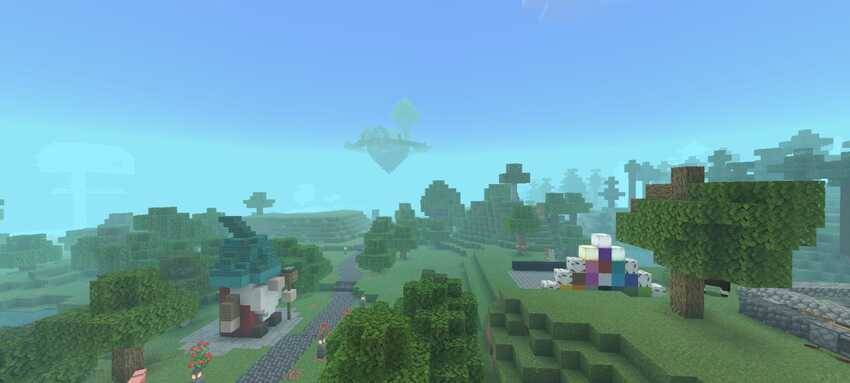
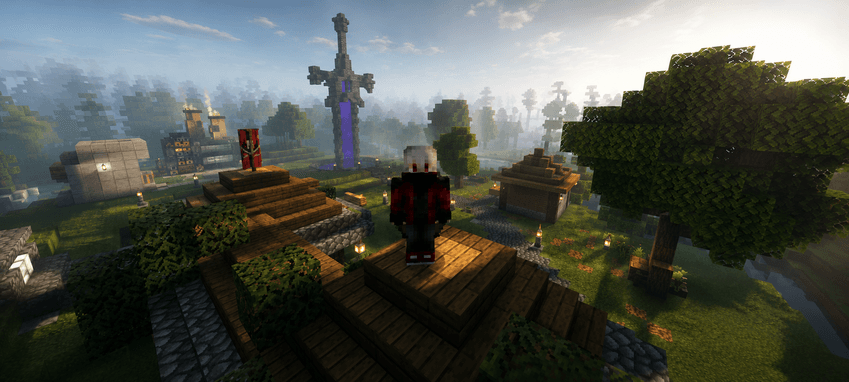
模拟RTX雾的纹理,营造出逼真的薄雾效果,为场景增添深度和沉浸感。兼容Minecraft原版和补丁。
关于 Fog rtx 资源包
Detailed Description of an RTX Fog Texture
An RTX fog texture replicates the volumetric lighting and atmospheric scattering effects found in advanced ray-traced environments, producing a smooth, layered fog that reacts naturally. When applied to a Minecraft world, this texture creates the illusion of depth, slightly obscuring distant objects and giving the environment a cinematic look.
Compatible with Minecraft original and patch
如何安装 Fog rtx
With Millida Launcher
Install Millida Launcher
The launcher is free: download it at millida.net/launcher and sign in with any nickname.
Click “Install” on this page
The launcher opens and installs the resource pack for Minecraft 1.21–26.20 automatically.
Launch the game
A profile with it appears in the launcher: click “Play”.
Manually
Download the archive
Pick the file Fogrtx.mcpack (2.2 MB) for your game version. No need to unpack it.
Put it in the resourcepacks folder
The easiest way: “Options”, then “Resource Packs”, then “Open Pack Folder”, and drag the archive there.
Enable the pack
In the same window, move the pack to the right-hand “Selected” column and click “Done”.
版本
含依赖项
| Minecraft | 加载器 | 文件 | 日期 | 操作 |
|---|---|---|---|---|
| 1.21 | — | Fogrtx.mcpack2.2 MB |
常见问题
Which Minecraft versions does Fog rtx work on?
There are files for 26.20, 26.0, 1.21. The newest is 26.20.
Where can I download Fog rtx safely?
On this page: the file Fogrtx.mcpack (2.2 MB) is stored on Millida’s server, with no link shorteners. SHA-1 checksum: fd011416e7ec2e1012855afc80ce2a7088805310.
评价
成为第一个评价 Fog rtx 的人


