
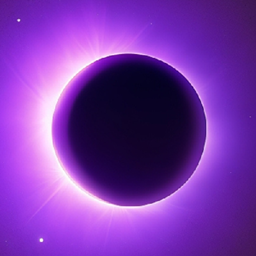
适用于 Minecraft 1.12.2, 1.15.2 的 Eclipse 资源包
TEXTURE PACK PVP 1.7/1.20 | 16x | Purple Edit
1 / 3
关于 Eclipse 资源包
Resolution: 16x
Compatible Version: 1.7/1.20
Size: 14 mb
如何安装 Eclipse
Install Millida Launcher
The launcher is free: download it at millida.net/launcher and sign in with any nickname.
Click “Install” on this page
The launcher opens and installs the resource pack for Minecraft 1.7.2–1.15.2 automatically.
Launch the game
A profile with it appears in the launcher: click “Play”.
版本
含依赖项
| Minecraft | 加载器 | 文件 | 日期 | 操作 |
|---|---|---|---|---|
| 1.7.6 | — | !§5Eclipse§8[§f16§5x§8].zip14 MB |
常见问题
Which Minecraft versions does Eclipse work on?
There are files for 1.7.2–1.15.2, 44 versions in total. The newest is 1.15.2.
How do I download Eclipse?
With Millida Launcher: it installs Eclipse into a modpack by itself, for the right game version and loader. The launcher is free.
评价
成为第一个评价 Eclipse 的人
评论 0
登录后即可评论登录



