
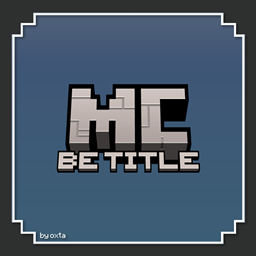
适用于 Minecraft 1.21, 1.21.20 的 BE Title Pack
这个资源包只更改了游戏的标题纹理,添加了«基岩版»标题。你可以在两种纹理变体之间选择。就这么简单!
This pack adds the Bedrock Edition subtitle to the Minecraft logo with two variants to choose:
Updated Title
The new Minecraft logo with the Bedrock Edition subtitle.
Old Title
The old Minecraft logo with the Bedrock Edition subtitle.
如何安装 BE Title Pack
With Millida Launcher
Install Millida Launcher
The launcher is free: download it at millida.net/launcher and sign in with any nickname.
Click “Install” on this page
The launcher opens and installs the resource pack for Minecraft 1.21–1.21.20 automatically.
Launch the game
A profile with it appears in the launcher: click “Play”.
Manually
Download the archive
Pick the file MCBE_Title_Pack.mcpack (404 KB) for your game version. No need to unpack it.
Put it in the resourcepacks folder
The easiest way: “Options”, then “Resource Packs”, then “Open Pack Folder”, and drag the archive there.
Enable the pack
In the same window, move the pack to the right-hand “Selected” column and click “Done”.
版本
含依赖项
| Minecraft | 加载器 | 文件 | 日期 | 操作 |
|---|---|---|---|---|
| 1.21.20 | — | MCBE Title Pack (.mcpack)404 KB |
评价
成为第一个评价 BE Title Pack 的人



