

适用于 Minecraft 1.19.4 的 Simple Shader One
有没有人想要简单的阴影?这个光影很轻量,因为它只添加圆形阴影。它并不完美,但你可以享受与原生不同的氛围。
 Fabric
 OptiFine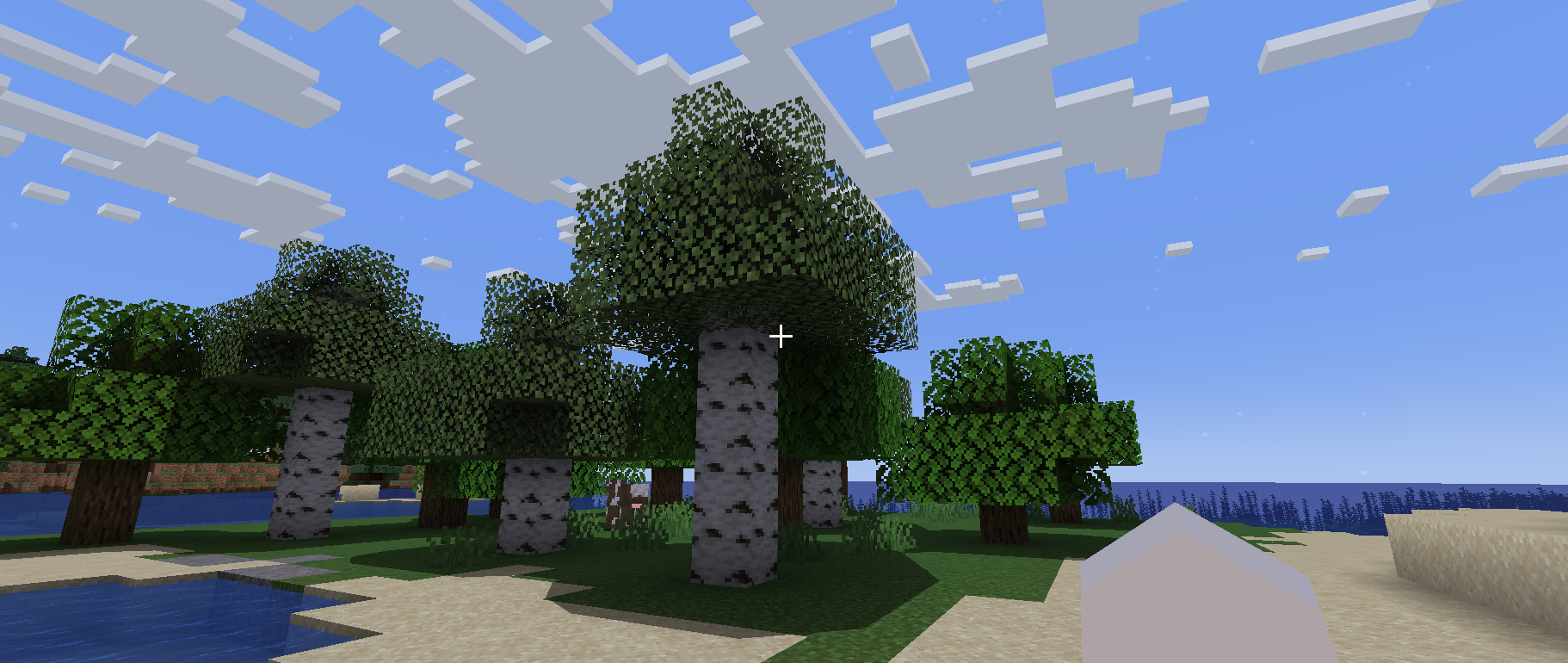
Simple Shader One
Is there anyone who wants a simple shadow?
This shader is lightweight because it only puts round shadows.
It’s not perfect, but you can enjoy a different atmosphere from vanilla.
Required Prerequisite Mods
Capable of loading shaders and compatible. The author tried Iris Shaders and it worked fine.
如何安装 Simple Shader One
With Millida Launcher
Install Millida Launcher
The launcher is free: download it at millida.net/launcher and sign in with any nickname.
Click “Install” on this page
The launcher opens and installs the shaders for Minecraft 1.19.4 automatically.
Launch the game
A profile with it appears in the launcher: click “Play”.
Manually
Install Iris or OptiFine
Without a shader mod the game cannot see shaders. Install it for the same Minecraft version.
Download the shader archive
Pick the file Simple Shader One V1 By DiamondGotCat.zip (27 KB) and do not unpack it.
Put it in the shaderpacks folder
“Options”, then “Video Settings”, then “Shader Packs”, then “Open Shader Pack Folder”, and drag the archive there.
Select the shaders
In the same window, click the pack name and “Apply”.
版本
含依赖项
| Minecraft | 加载器 | 文件 | 日期 | 操作 |
|---|---|---|---|---|
| 1.19.4 | Iris, OptiFine | 1.19.426.7 KB |
评价
成为第一个评价 Simple Shader One 的人


