

适用于 Minecraft 1.20.1, 1.21.1 的 Sildur's Basic Shaders
经典老牌的回归!轻量且快速!从 enhanced default 重制并移植。
 Fabric
 OptiFine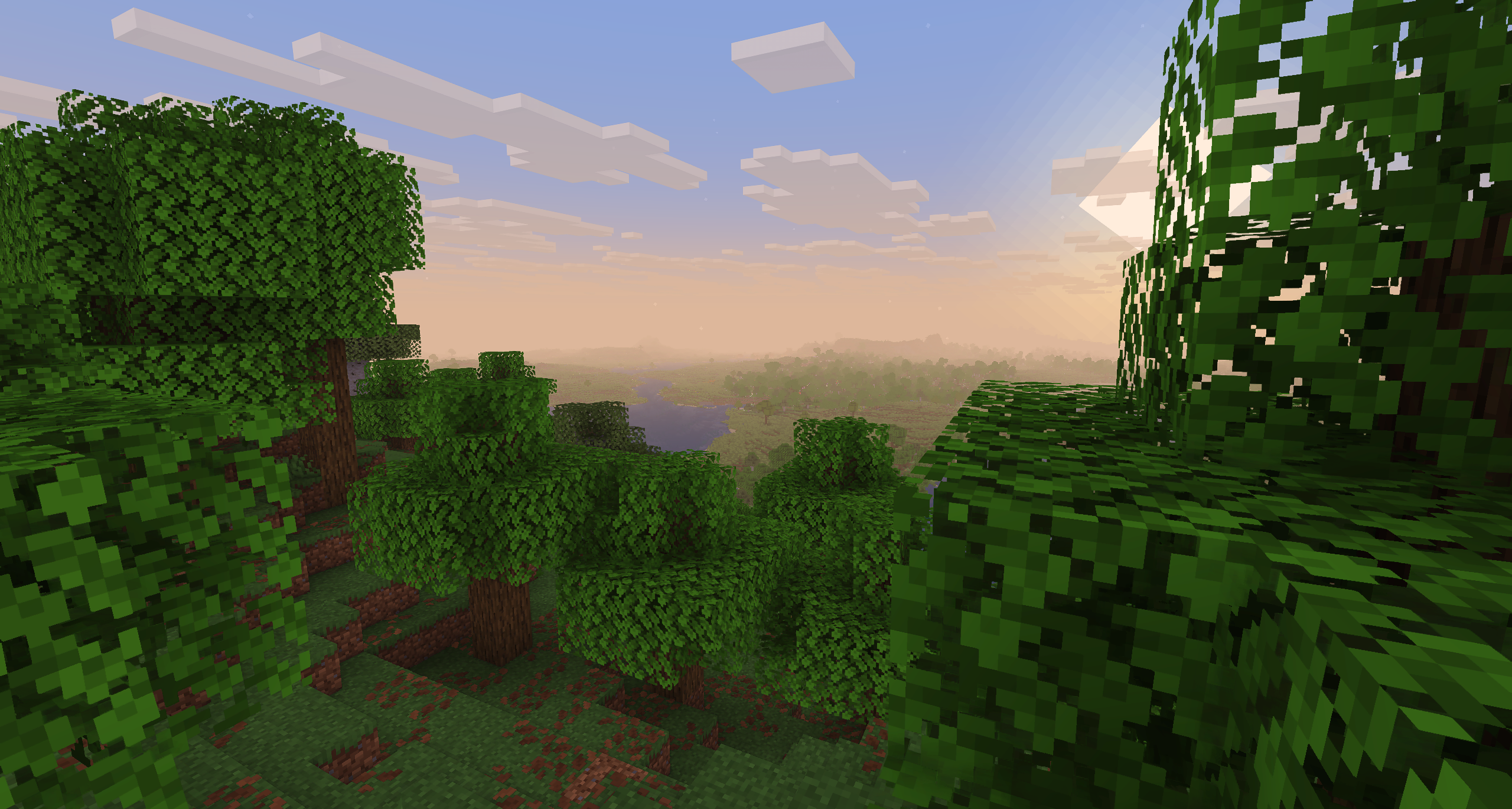
Sildur's Basic Shaders
Official Website & Changelogs | Patreon Support Vibrant Shaders | Enhanced Default

About:
Return of the basic shaders! First started in like 2013. It is a very lightweight and fast shaderpack, featuring lots of customization. It supports the following options: TAA (antialiasing), Sharpening (used with TAA), SSAO (ambient occlusion), Celshading, Colorboost, Crossprocess (color filter), Custom emissive lightmaps, Custom sun/moon angle, Tonemapping, Depth of Field, Motionblur, Bump and Parallax mapping and everything wavy. There are also 5 presets available in the ingame options: Very Fast, Fast, Fast+MB, Fast+DoF and Fancy.

Compatibility:
- Support for Distant Horizons and Voxy
- Minecraft Versions: 1.7.10 up to the latest release
- Supports: Iris and OptiFine
How to Install via Iris:
- Download and run the Iris Installer.
- Select "Iris and Sodium", choose your Minecraft version, and install.
- Open the Minecraft Launcher and select the new Iris profile.
- Launch the game, go to Options -> Video Settings -> Shader Packs.
- Click "Open Shader Pack Folder" and drop the Sildur's Shaders .zip file inside.
- Select the pack from the in-game list.
How to Install via OptiFine:
- Download and run the official OptiFine jar file to create an OptiFine profile.
- Open the Minecraft Launcher and select the new OptiFine profile.
- Launch the game, go to Options -> Video Settings -> Shaders.
- Click "Shaders Folder" at the bottom of the screen.
- Drop the Sildur's Shaders .zip file inside and select it in-game.
Permissions: You are not allowed to edit, copy code, or redistribute this shaderpack under a different name or claim it as yours.
Modpack Policy: Permission is not required for modpacks hosted on CurseForge or Modrinth. You may freely add this shaderpack as long as you use the platform's built-in system. Do not bundle or re-host the raw .zip file inside your project download.
Socials & Support:
- Discord
- Nexusmods
- PayPal
如何安装 Sildur's Basic Shaders
Install Millida Launcher
The launcher is free: download it at millida.net/launcher and sign in with any nickname.
Click “Install” on this page
The launcher opens and installs the shaders for Minecraft 1.7.10–26.3 automatically.
Launch the game
A profile with it appears in the launcher: click “Play”.
版本
含依赖项
| Minecraft | 加载器 | 文件 | 日期 | 操作 |
|---|---|---|---|---|
| 26.3 | Iris, OptiFine | 26.335.9 KB 54 | ||
| 26.3 | Iris, OptiFine | 26.335.9 KB | ||
| 26.3 | Iris, OptiFine | 26.335.9 KB | ||
| 26.3 | Iris, OptiFine | 26.335.9 KB 1 | ||
| 1.17.1 | Iris, OptiFine | 1.17.135.1 KB | ||
| 1.15.2 | Iris, OptiFine | 1.15.235.1 KB | ||
| 1.14.4 | Iris, OptiFine | 1.14.435.1 KB | ||
| 1.7.10 | Iris, OptiFine | 1.7.1035.1 KB |
评价
成为第一个评价 Sildur's Basic Shaders 的人


