

适用于 Minecraft 1.20.1, 1.21.1 的 Serie 光影
Serie 是一款适用于 Minecraft Java 版的实验性路径追踪光影包
- 次下载
- 7 次下载
- 次浏览
- 80 次浏览
- 已更新
- 已更新 04.09.2026
- 1.18 — 26.2
 Fabric
- 客户端
Serie
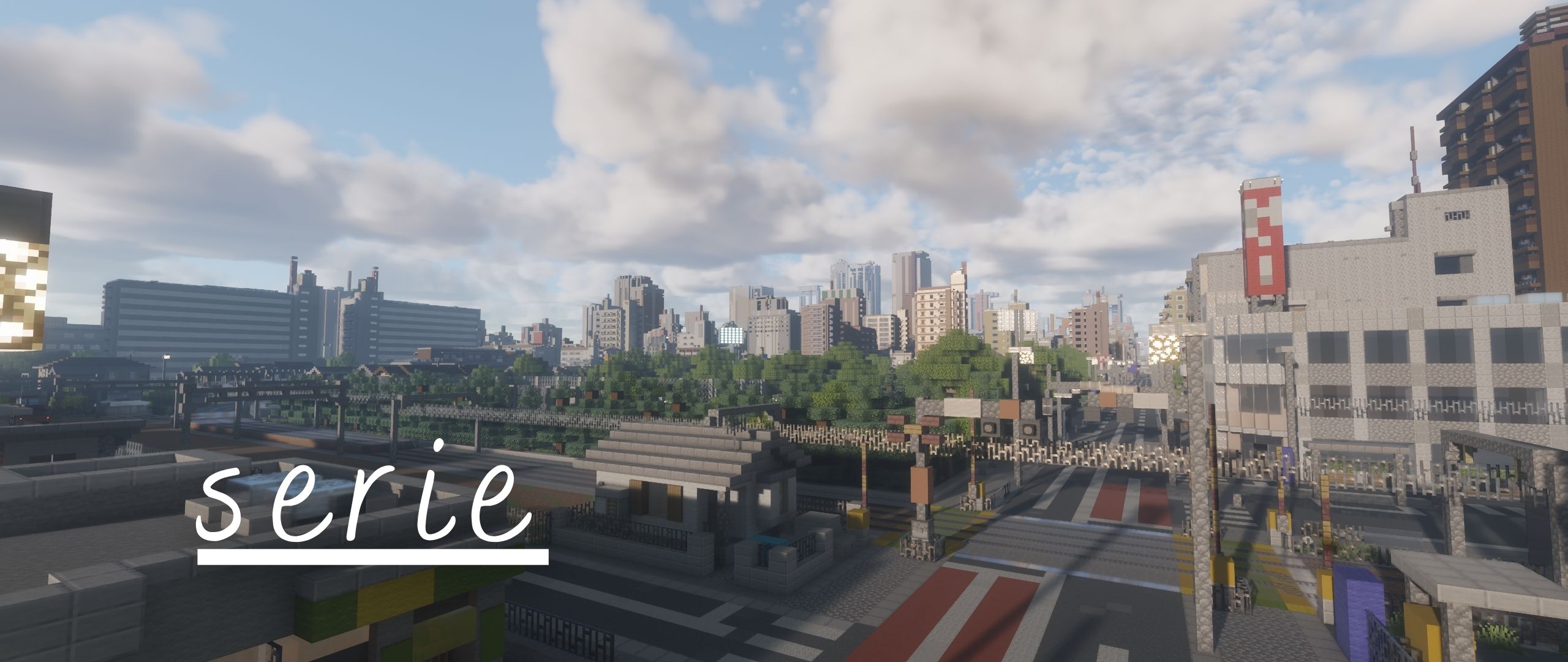
Serie is the path-traced successor to Allium and will serve as the base rewrite for allium's upcoming versions.

IMPORTANT
Serie is under active development. Expect settings, buffer layouts, and visual behavior to change between builds, as well as bugs!

About Minecraft 26.x and Vulkan
The latest beta version should support 26.x versions of Minecraft using Iris and OpenGL as the Graphics API. Vulkan is planned but I have no idea as to when I will be able to work on Vulkan Support. Probably until Aperture is released :p
Requirements
- Minecraft Java Edition
- A recent version of Iris Shaders
- A GPU and driver with OpenGL 4.3 support
- Iris custom-image support (required by the voxel and irradiance-cache volumes)
- Distant Horizons is optional
Serie is developed for Iris. OptiFine is NOT supported.
Current features
- Path-traced lighting
- Atmospheric scattering
- Volumetric light shafts
- Volumetric cumulus clouds
- A separate volumetric altocumulus layer
- Water parallax and vertex displacement
- Screen-space refraction and reflection
- Generated normals and refraction handling for glass and ice
- Distant Horizons Support (working on voxy soon)
- Integrated PBR (LabPBR not yet available)
- Temporal anti-aliasing and temporal upscaling
- Bloom
- Automatic exposure
- Multiple tone-mapping operators
Installation
Release build
- Download a ZIP from the repository's Releases page.
- Place the ZIP in your Minecraft shaderpacks directory.
- Open Minecraft with Iris installed.
- Select Serie from Options → Video Settings → Shader Packs.
Do not extract a release ZIP unless its outer archive contains another shaderpack folder or ZIP.
Latest repository build
- Select Code → Download ZIP on the GitHub repository. (or git clone)
- Extract the downloaded repository archive.
- Place the folder containing shaders/, README.md, and License.txt in your shaderpacks directory.
Repository builds contain the newest changes and may be less stable than releases.
Reporting bugs
Please open an issue on the GitHub Issues page and include:
- A concise description of the problem
- Steps and a location/scene that reproduce it
- Minecraft, Iris, loader, and mod versions
- GPU model and driver version
- The active Serie settings or an exported shader configuration
- Screenshots or video when the issue is visual
- latest.log when the pack fails to load or reports a shader compilation error
Before reporting a visual artifact, test once with default settings and confirm whether Distant Horizons or another rendering mod is involved.
Development status
The repository branch is the active development version. Stable builds, when available, are published through GitHub Releases.
Contributions and focused bug reports are welcome. When changing shader code, test at multiple render scales, during camera motion, at day/night transitions, underwater, and with Distant Horizons both enabled and disabled.
如何安装 Serie
With Millida Launcher
Install Millida Launcher
The launcher is free: download it at millida.net/launcher and sign in with any nickname.
Click “Install” on this page
The launcher opens and installs the shaders for Minecraft 1.18–26.2 automatically.
Launch the game
A profile with it appears in the launcher: click “Play”.
Manually
Install Iris
Without a shader mod the game cannot see shaders. Install it for the same Minecraft version.
Download the shader archive
Pick the file serie_06-30-2026b.zip (15 MB) and do not unpack it.
Put it in the shaderpacks folder
“Options”, then “Video Settings”, then “Shader Packs”, then “Open Shader Pack Folder”, and drag the archive there.
Select the shaders
In the same window, click the pack name and “Apply”.
版本
含依赖项
| Minecraft | 加载器 | 文件 | 日期 | 操作 |
|---|---|---|---|---|
| 1.21 | Iris | 1.2114.7 MB 1 | ||
| 1.20.1 | Iris | 1.20.114.7 MB 1 | ||
| 26.2 | Iris | 26.214.7 MB | — | |
| 26.1 | Iris | 26.114.7 MB 1 | — | |
| 1.21.11 | Iris | 1.21.1114.7 MB 1 | — | |
| 1.19.2 | Iris | 1.19.214.7 MB | — | |
| 1.18.2 | Iris | 1.18.214.7 MB | — |
评价
成为第一个评价 Serie 的人


