

适用于 Minecraft 1.20.1, 1.19.2 的 Player Heads 插件
Lop off Player and all Mob Heads with configurable drop rates + pvp-farming nerf, includes detailed commands and permissions
关于 Player Heads 插件
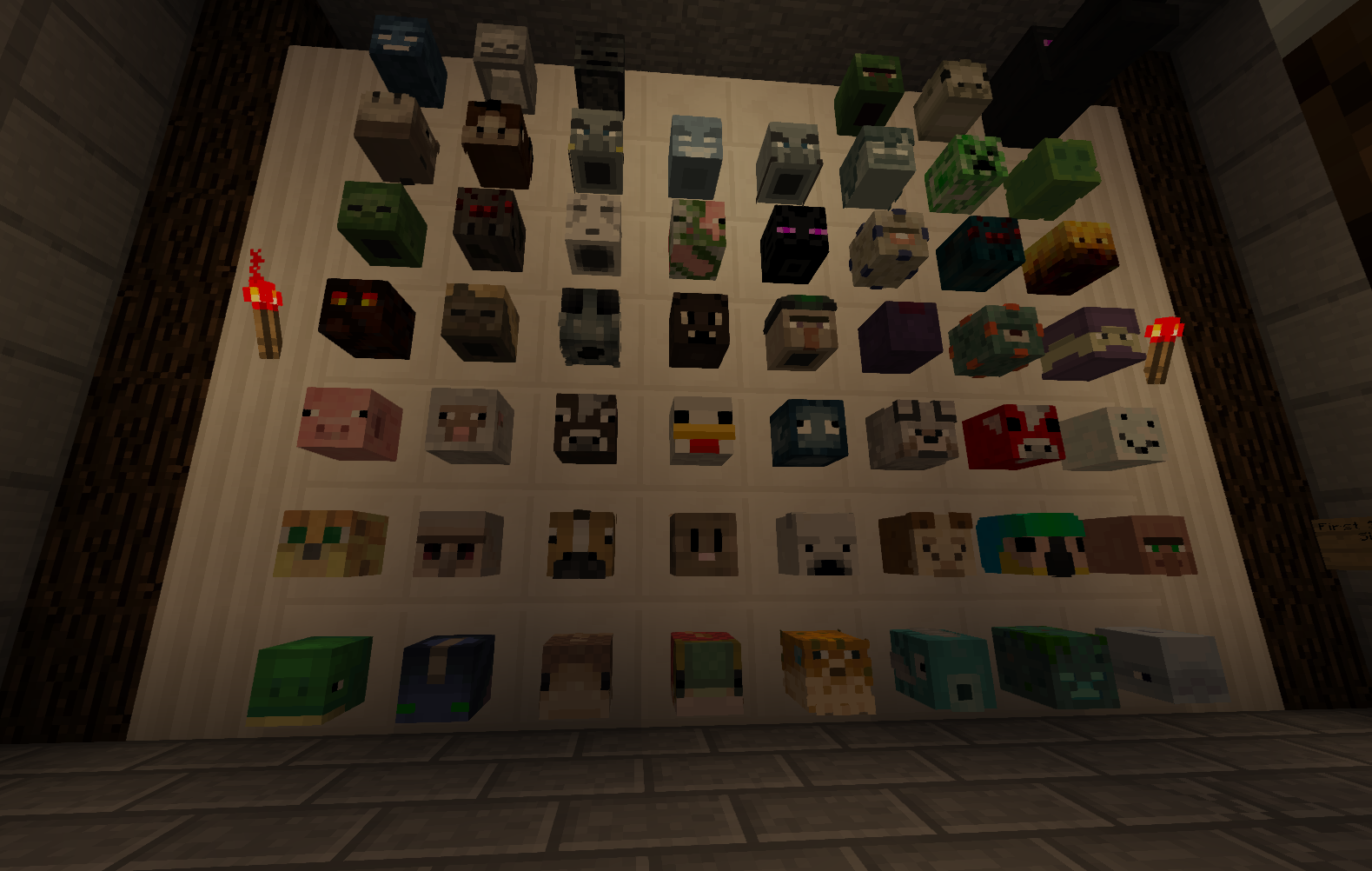
Ever PVP someone or PVE a mob and get no good loot? Feel like you deserve a trophy for your victory? Want a simpler alternative to bigger plugins that implement everything but the kitchen sink? Then PlayerHeads is right for you! You can now lop off enemies heads in battle, and mount it on a pole for all to fear, wear your opponent's face as a mask like camouflage, or just collect all of the mob heads.
Installation
Place PlayerHeads.jar in your plugins folder, on server start the configuration will be generated. Remember to remove any outdated playerheads jars when adding the new one. If you can't be bothered to read the rest of this page, then just watch this video by Awesome_Soul:
Portuguese (Português) video: http://youtu.be/OqhI_oIGPWo German (Deutsch) video: http://youtu.be/ijEws5yjo6Y

Try It
Server: aztecmc.org (rare drops are enabled for mob and player-heads) Website: aztecmc.org
Documentation
- Changelog
- Configuration
- Commands
- Permissions
- Frequently Asked Questions (FAQ)
Notes
- PlayerHeads is now translatable! Edit "lang.properties" to whatever phrases you desire.
- lang files will change between releases, when updating be sure to delete the old file if you haven't edited it.
- If you've given people the * permission node, they will get 100% drop rates. If you don't want this to happen, deny (or add negative) nodes for the following: playerheads.alwaysbehead and playerheads.alwaysbeheadmob
- If you want to disable head drops in a specific world, use your permission plugin to deny (or add negative) nodes for the following in that world: playerheads.canbehead and playerheads.canbeheadmob
- If you have any problem using "lang_[language]_[country]_[variant].properties" for any reason, just use the file name "lang.properties" to override messages.
- Spawn mob heads with the following names: #creeper #zombie #skeleton #wither #spider #enderman #enderdragon ... (any many more!)
Known issues
- Renamed heads (with an anvil) don't stay renamed after placing, mining, dropping them.
- If for any reason your mob heads loose their name, you can get it back by placing and mining it.
- If you use the BountyHunters plugin and you have enabled head drops for bounties as well as player head drops from PlayerHeads, both will be dropped - for now, you should disable one or the other. Alternative solutions are being looked at.
- If you use JPerms, users with Op or playerheads.* permission will receive playerheads.alwaysbehead[mob] permissions and have 100% droprate since PlayerHeads permissions nodes are ignored. It's recommended to use another permissions plugin if this is a concern (LuckPerms, PermissionsEX, GroupManager).
Dev Builds
Development builds of this project can be acquired at the provided continuous integration servers. These builds have not been approved by the BukkitDev staff. Use them at your own risk.
https://ci.meme.tips/job/PlayerHeads (upstream)/ (selected major changes only)
https://ci.meme.tips/job/PlayerHeads-5.x/ (rapid changes and work-in-progress)
Sourcecode / API documentation
We've included the entire sourcecode via github: https://github.com/meiskam/PlayerHeads
Third-party plugin-developers can view the PlayerHeads API documentation at the following link: https://crashdemons.github.io/PlayerHeads/
Server Support
Current versions of the plugin have been tested as compatible on the following server environments:
- Spigot/Paper 1.8-1.18.2 (Use PlayerHeads 5.20.2 or lower; READ NOTE)
- Spigot/Paper 1.19-1.20.4
Server environments that are known to be incompatible:
- Glowstone 1.12 (only partial support is available in PlayerHeads 5.20.2 and lower)
Support should exist for any modern bukkit server with access to authlib which is needed to set textures.
Legacy version notes:
- 5.x drops support for older usernamed-based mobheads (3.x), fixing some longstanding issues with spawn commands; uses vanilla and texured heads exclusively (4.x)
- 4.x introduces new, more reliable support for head textures, more configuration options, updated mobs, and more consistent permission behavior and will continue to receive updates in the future - some older configurations may be incompatible (see the changelog and Configuration page). This version automatically upgrades 3.x heads to 4.x when breaking or dropping heads.
- 3.x maintains the original behavior of the plugin with username-based mobheads, but head skins may be less reliable over time and support has been discontinued.
Legacy version documentation: changelog, configuration, permissions.
如何安装 Player Heads
A server on Paper or Spigot
The plugin runs on the server core for Minecraft 1.8–1.21; players do not need to install anything.
File goes into the plugins folder
Download the file PlayerHeads-5.21.1-SNAPSHOT.jar (177 KB) and put it into the server’s plugins folder.
Restart the server
On startup the plugin creates its own settings folder in plugins.
Use the “To server” button
On Millida Hosting, the button at the top of the page uploads the file to your server and restarts it for you.
Minecraft 1.21 runs on Java 21: with a different Java version the game may close right after launch.
版本
含依赖项
| Minecraft | 加载器 | 文件 | 日期 | 操作 |
|---|---|---|---|---|
| 1.21 | — | PlayerHeads v5.21.1 beta177 KB | ||
| 1.9 | — | PlayerHeads v5.20.2 (compatibility for 1.20.2)211 KB | ||
| 1.9 | — | PlayerHeads v5.2.15 - spawner mob settings202 KB |
常见问题
Which Minecraft versions does Player Heads work on?
There are files for 1.8–1.21, 23 versions in total. The newest is 1.21.
Which Java does Player Heads need?
Minecraft 1.21 runs on Java 21. If the game closes right after launch, the usual cause is the wrong Java version in the profile settings.
Where can I download Player Heads safely?
On this page: the file PlayerHeads-5.21.1-SNAPSHOT.jar (177 KB) is stored on Millida’s server, with no link shorteners. SHA-1 checksum: bb3c82514f239159fe9fa7a87be8695936fb2544.
评价
成为第一个评价 Player Heads 的人


