

适用于 Minecraft 1.20.1, 1.21.1 的 LANBroadcaster 插件
通过局域网广播你的Minecraft服务器,使其出现在局域网服务器列表中
 Sponge
 Velocity
LANBroadcaster
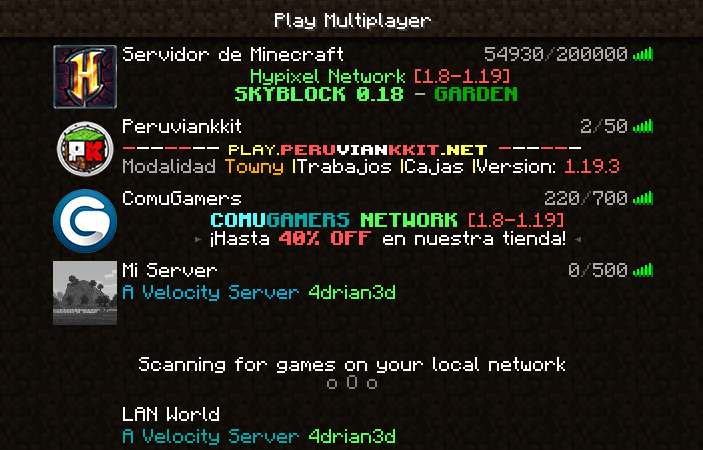
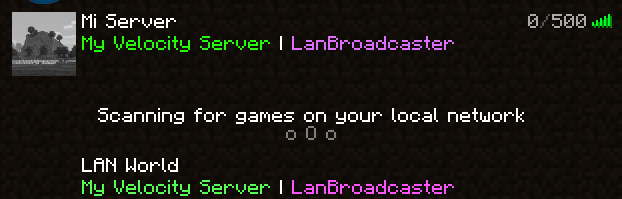
LANBroadcaster, originally created by Ruan allows a Minecraft server to be broadcasted over the local area network and appear in the LAN server list without actually adding it.
Why this version?
The original LANBroadcaster, by Ruan has support for Spigot and BungeeCord, bhopahk make its own fork with support for Sponge and Velocity, however this version modularize the project and improves performance and code quality, as well as being upgraded to new platform versions.

Getting Started
LANBroadcaster can be downloaded from the versions tab here.
Once it is downloaded, simply place it in the relevant plugins folder and start your server. No configuration is required.
Note: To use LANBroadcaster with BungeeCord or Velocity, you do not need to install it on the servers itself. Only the proxy.

Limitations
- The description field, when displaying the server in LAN, does not support components, so it does not support RGB colors or gradients
如何安装 LANBroadcaster
A server on Velocity or Sponge
The plugin runs on the server core for Minecraft 1.7.2–26.2; players do not need to install anything.
File goes into the plugins folder
Download the file LanBroadcasterSponge-2.4.0.jar (16 KB) and put it into the server’s plugins folder.
Restart the server
On startup the plugin creates its own settings folder in plugins.
Use the “To server” button
On Millida Hosting, the button at the top of the page uploads the file to your server and restarts it for you.
版本
含依赖项
| Minecraft | 加载器 | 文件 | 操作 |
|---|---|---|---|
| 1.16.5 | Sponge | 1.16.515.7 KB | |
| 1.12.2 | Velocity | 1.12.212.1 KB |
评价
成为第一个评价 LANBroadcaster 的人


