
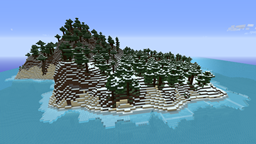
适用于 Minecraft 1.12 的 IslandCraft 插件
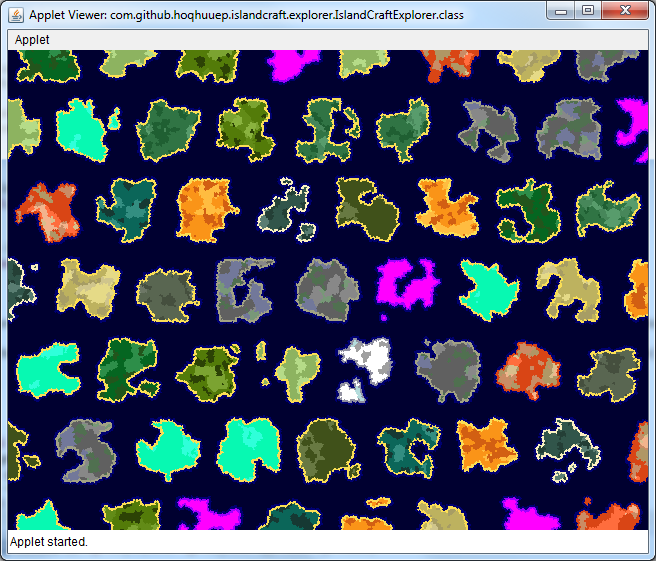
IslandCraft modifies the terrain generation to create an ocean with many islands; each island is a single biome.
Overview
IslandCraft changes the biome distribution of the world to create an endless ocean filled with randomly generated islands.
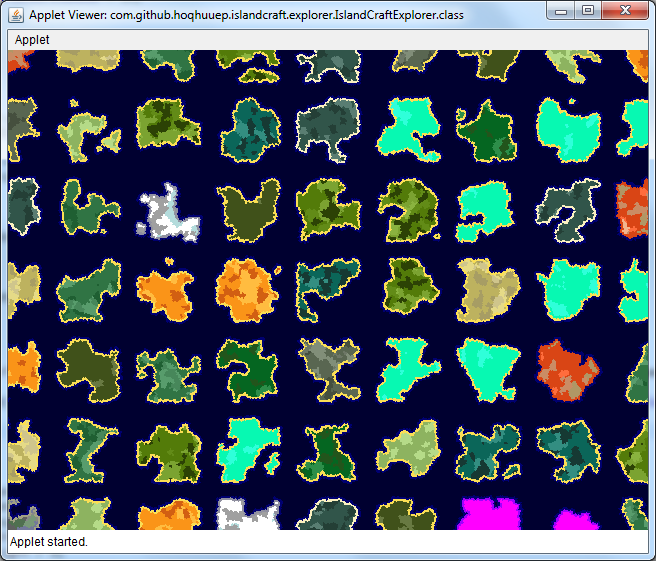
Screenshots
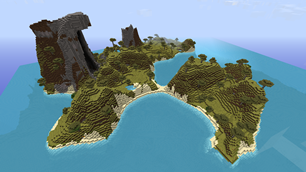
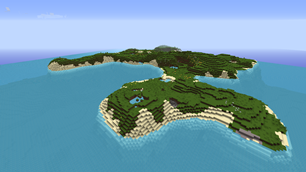
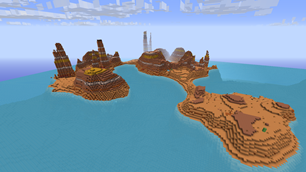
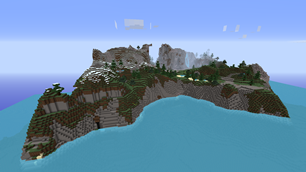
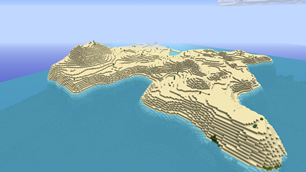
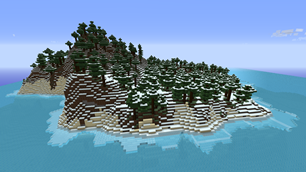
Full size images can be found here.
News
21 June 2017: Updated for 1.12!
5 December 2016: Updated for 1.11!
26 June 2016: Updated for 1.10!
14 May 2016: Updated for 1.9.4!
4 March 2016: Updated for 1.9!
23 February 2016: Released BETA version for Sponge: here!
12 July 2015: Updated for 1.8.7! (Thanks to Empire92!)
10 March 2015: Updated for 1.8.3!
30 January 2015: Updated for 1.8!
8 August 2014: 1.0.0-beta is now available! Please refer to this wiki page and please provide feedback in this forum thread. Thanks!
2 August 2014: Updated this page for 1.0.0-beta release which should be here early next week!
Older news can be found in the News Archive.
Roadmap
Updates will be released within a few weeks of any significant CraftBukkit updates to add compatibility for the new versions. In addition, the following releases are planned.
IslandCraft-1.1.0
- To be released within the next few months
- Rivers
IslandCraft-2.0.0
- To be released within the next 12 months
- More natural distribution of islands (probably API breaking to allow polygonal islands)
IslandCraft-RealEstate-0.1.0-alpha (separate plugin)
- To be released within the next 12 months
- Buy and sell islands
- Grief protection
- Welcome and farewell messages
- Vault, WorldGuard and Dynmap compatibility
Installation
IMPORTANT: As IslandCraft heavily modifies the terrain generation, it can destroy your worlds if you're not careful with the configuration. BACK UP EVERYTHING BEFORE INSTALLING. You have been warned.
Instructions can be found here.
Configuration
IMPORTANT: After changing "ocean" or "island-distribution" you must reset your IslandCraft world. So make sure you get these right before spending much time playing on the world. To reset the IslandCraft world, you need to delete the file "server/plugins/IslandCraft/IslandCraft.db" and the folder "server/world_islandcraft". And then recreate the world using Multiverse or Multiworld.
You can safely add/remove/modify the "island-generators" without needing to reset your world. Islands which have already been generated or partially generated will continue to use whatever settings you had when they were created. Islands in newly explored chunks will adopt the new settings.
Instructions can be found here.
Plugin Developers Guide to the IslandCraft API
DISCLAIMER: Consider the API features of IslandCraft to be in Beta. They have not been thoroughly tested and are subject to change in the future. I would love to hear any feedback you have if you try to use this!
Information for plugin developers who wish to integrate with or modify/extend IslandCraft can be found here.
What happened to the other features?
While in alpha, IslandCraft included some chat and other miscellaneous features. These have all been removed as there are other plugins you can use for this purpose. Going forward, IslandCraft will have a much narrower feature set focusing on just the islands.
The RealEstate features (including Vault, WorldGuard and Dynmap integration) will be making a return in a new separate plugin. Separating these from the terrain generation provides a number of benefits. It helps me to keep them on separate release cycles, so I can release updates for the terrain generation very quickly as new versions come out. It has forced me to create an API so the plugins can cooperate, this will also allow others to make plugins which integrate with IslandCraft.
Public Servers Running IslandCraft
Are you running a public server with IslandCraft? Feel free to advertise in the comments below or on the forums.
Lately I've been playing on Anvil Network's PlunderSeas. A great server which combines IslandCraft with MoveCraft for the ultimate pirating experience!
- Website: link
- Dynmap: link
- IP: mc.anvilnet.com
Also check out The Homestead server, looks like a great community of mature players!
- Minecraft Server List: link
- Dynmap: link
- IP: 65.60.58.18:60197
Data Collection
This plugin sends statistics about the usage to http://mcstats.org/plugin/IslandCraft. If you wish to disable this data collection, follow the instructions to server owners for opting-out which can be found here.
More
More information can be found on the IslandCraft wiki.
如何安装 IslandCraft
A server on Paper or Spigot
The plugin runs on the server core for Minecraft 1.4.7–1.12; players do not need to install anything.
File goes into the plugins folder
Download the file IslandCraft-1.0.0.jar (1.7 MB) and put it into the server’s plugins folder.
Restart the server
On startup the plugin creates its own settings folder in plugins.
Use the “To server” button
On Millida Hosting, the button at the top of the page uploads the file to your server and restarts it for you.
Minecraft 1.12 runs on Java 8: with a different Java version the game may close right after launch.
版本
含依赖项
| Minecraft | 加载器 | 文件 | 日期 | 操作 |
|---|---|---|---|---|
| 1.6.2 | — | IslandCraft-1.0.82 MB | ||
| 1.8 | — | IslandCraft-1.0.01.7 MB | ||
| — | — | IslandCraft-0.0.2-SNAPSHOT114 KB |
常见问题
Which Minecraft versions does IslandCraft work on?
There are files for 1.4.7–1.12, 16 versions in total. The newest is 1.12.
Which Java does IslandCraft need?
Minecraft 1.12 runs on Java 8. If the game closes right after launch, the usual cause is the wrong Java version in the profile settings.
How do I download IslandCraft?
With Millida Launcher: it installs IslandCraft into a modpack by itself, for the right game version and loader. The launcher is free.
评价
成为第一个评价 IslandCraft 的人


