
InvSort
Inventory sorting plugin
Presentation
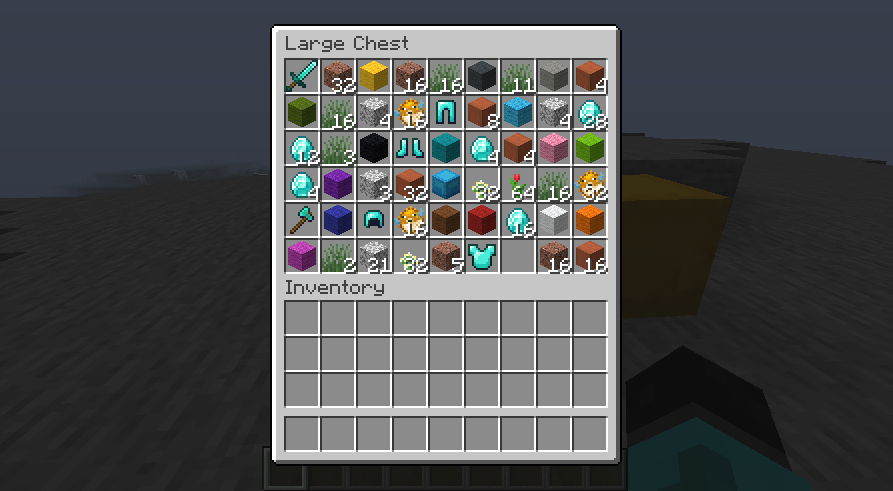
Are you tired of it whether it's the mess in your chests or your inventory ?
This plugin is made for you !
With a simple Shift + Right Click above the inventory you want to sort, it will be instantly sorted !
No more tedious sorting of your chests, after all, you're here to play, not to tidy up.
The inventories compatible with this plugin are:
- Player's Inventory
- Chest
- Barrel
- Shulker Box
- Ender Chest
All items will be stacked as much as possible to optimize the space available in your inventories !
Unlike other sorting plugins, this one does not use alphabetical order or the order of old depreciated IDs to make the sort.
A personalized order has been created in order to have a practical and efficient sort, groupings by family of blocks have been made to gather the variants of the same type of block simply !
All the items in the game have received a new ID specific to our plugin to sort them in this way. In order to make the plugin compatible with future versions of Minecraft (1.14+) until we update it, an arbitrary value is associated with items not referenced in the plugin, which will automatically put them last until they have their real place, so you can use an old version of the plugin on new versions of Minecraft without problems (except in exceptional cases of "breaking changes" of course).
Configuration
No configuration required for this plugin
Permission
Permission Default Description
invsort.use true Allow player to sort his inventories
By default usage of this plugin is allowed for everyone, in order to disable this, you can add the permission -invsort.use to your permission manager.
如何安装 InvSort
A server on Paper or Spigot
The plugin runs on the server core for Minecraft 1.18–1.20.1; players do not need to install anything.
File goes into the plugins folder
Download the file InvSort_2.0.1.jar (32 KB) and put it into the server’s plugins folder.
Restart the server
On startup the plugin creates its own settings folder in plugins.
Use the “To server” button
On Millida Hosting, the button at the top of the page uploads the file to your server and restarts it for you.
Minecraft 1.20.1 runs on Java 17: with a different Java version the game may close right after launch.
版本
含依赖项
| Minecraft | 加载器 | 文件 | 日期 | 操作 |
|---|---|---|---|---|
| 1.19.3 | — | InvSort v2.0.132.3 KB |
评价
成为第一个评价 InvSort 的人



