
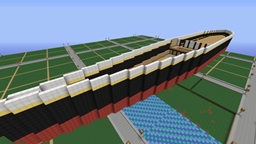
适用于 Minecraft 的 CreativeWorld 插件
CreativeWorld manages creative players by creating their own flat world
CreativeWorld
CreativeWorld is world management plugin that automatically generates and new flat world when a player switches to creative mode. CreativeWorld adds a 3rd world to you server and is available via /world 3, /world creative & /warp commands. Players can then buy wool, fly and build without being blown up by a creeper.
Features
- /Creative command
- /Survival command
- Cancels /give command
- Teleports player
- Generates flat world <seed>
- Enforces survival mode
- Saves inventory
Commands
- Creative.
- Survival.
Permissions
- CreativeWorld.Warp
- CreativeWorld.GameMode
如何安装 CreativeWorld
A server on Paper or Spigot
The plugin runs on the server core; players do not need to install anything.
File goes into the plugins folder
Download the file CreativeWorld.jar (40 KB) and put it into the server’s plugins folder.
Restart the server
On startup the plugin creates its own settings folder in plugins.
Use the “To server” button
On Millida Hosting, the button at the top of the page uploads the file to your server and restarts it for you.
版本
含依赖项
| Minecraft | 加载器 | 文件 | 日期 | 操作 |
|---|---|---|---|---|
| — | — | CreativeWorld v1.639.9 KB |
评价
成为第一个评价 CreativeWorld 的人


