
BannerMaker
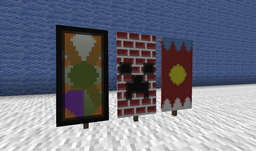
Feel banner is fun, but you don't know how to craft? It's too hard to craft, so you make wrong usually? You must try this plugin.
Description
Using just one command, you can use GUI of this plugin to design any kind of banner. You don't need to know how to craft. All you need to know is how it will look like.
Features
- Design and save banner
- Look up recipe of banner
- Multi language support (Setting in config.yml)
- All available languages
- Welcome to contribute your translation here
- Economic support (need Vault)
- Material estimates
- Craft banner by using materials
- Show/share your banners to others
How to use
- Run command /bm to open GUI
- Enjoy it
Commands
Command Description Permission
/bm Open GUI BannerMaker.use
/bm help Command list
/bm hand View banner info of the banner in hand BannerMaker.hand
/bm see View banner info of the banner you're looking at BannerMaker.see
/bm view ... View banner info of the banner command BannerMaker.view
/bm reload Reload config BannerMaker.reload
Major Permission Sets
Permission Description Default
BannerMaker.player Permissions for normal players True
BannerMaker.admin Whole permission OP
BannerMaker.show Show banner info to players OP
More detailed permissions can be found in GitHub Repo
Video Tutorial
English (Thanks Numero Uno)
Spanish (Thanks Dev-Ismati5)
Spanish (Thanks Maximiliano)
Turkish (Thanks Mustafa Akyüz)
English (Thanks ServerMiner)
Chinese (Thanks Openser Tk)
Thai (Thanks VictoryCast)
Russian (Thanks Art Iw)
如何安装 BannerMaker
A server on Paper or Spigot
The plugin runs on the server core for Minecraft 1.21–26.2; players do not need to install anything.
File goes into the plugins folder
Download the file BannerMaker.jar (2.0 MB) and put it into the server’s plugins folder.
Restart the server
On startup the plugin creates its own settings folder in plugins.
Use the “To server” button
On Millida Hosting, the button at the top of the page uploads the file to your server and restarts it for you.
版本
含依赖项
| Minecraft | 加载器 | 文件 | 日期 | 操作 |
|---|---|---|---|---|
| 1.21.2 | — | BannerMaker-3.0.32 MB |
评价
成为第一个评价 BannerMaker 的人



