
 Forge
 Fabric
 NeoForge
关于 Large Ore Deposits 模组
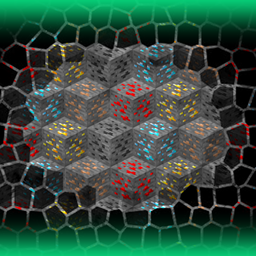
《大型矿藏》通过在世界各处隐藏极其稀有、超大规模的矿脉,将挖矿变成了一场史诗般的寻宝之旅。
发现一处这样的传奇矿藏是一项重大成就——堪比找到圣杯——能让你富得流油,并从根本上重塑你的资源经济。
除了财富之外,这些矿藏还为挖矿过程注入了真正的兴奋感和长期动力,把日常的矿石采集变成了一场寻宝之旅。
该模组将生存挑战与发现的刺激感结合在一起:你会花费无数小时探索和探查地下,扫描地表上细微的线索,结果却偶然发现一处大到足以供应你整个基地数个季节的矿藏。
无论你是寻求有意义终局目标的硬核生存玩家,还是只是想让挖矿更有回报感,这个模组都能提供游戏深度,以及一夜暴富所带来的多巴胺快感。
需要 ForgeEndertech 库。
难以找到矿藏?将此模组与 Advanced Finders 结合使用,获得终极寻矿体验。
想要更好的地表指示物?试试 allhailc3sar 的 Surface Samples。

主要特性
- 可通过简单参数轻松配置的矿藏
- 为最常见的矿石提供预定义配置
- 可创建具有指定矿石比例的混合矿藏
- 用于测试和调整的游戏内命令
- 开箱即用地兼容模组矿石
- 可配置的地下矿藏地表指示物(默认使用 Glowroses、Mystical 和原版花朵组成的复合圆圈)
- 可在特定结构下生成矿藏(在配置中使用结构名称作为地表指示物 ID)
- 可为不同维度和生物群系设置不同参数和限制
- 可通过游戏内命令或把自定义配置放入 .minecraft/config/adlods/Deposits 文件夹来为任何矿石添加支持
- 使用 .minecraft/config/adlods/VanillaOres 文件夹中的配置控制原版矿石生成
- 默认支持的矿石:aluminum、amethyst、ancient debris、coal、cobalt、copper、diamond、emerald、gold、iridium、iron、lapis、lead、nether gold、nether quartz、nickel、osmium、palladium、platinum、redstone、rhodium、ruby、ruthenium、sapphire、silver、tin、topaz、uranium、zinc。

命令
- /lods reloadconfigs - 重新加载所有配置文件以使更改生效(更改设置后无需每次都重启游戏)
- /lods definedeposit <name> <ore> <rarity> <size> <altitude> - 定义一个新矿藏,并为其创建具有指定参数的配置
<name> - 用于标识矿藏的唯一名称,也将用作配置文件的名称 <ore> - 矿藏所包含矿石的 ID。示例:minecraft:diamondore <rarity> - 以区块为单位的值,表示矿藏每 X 个区块生成一次。示例:2400 <size> - 矿藏的大小限制(以方块为单位)。每次生成矿藏时会在指定限制内随机选取。示例:300..500 <altitude> - 矿藏尝试生成的 Y 坐标限制。示例:-30..60
- /lods removedeposit <depositname> - 卸载指定矿藏的定义并删除其配置文件
- /lods listactivedeposits - 在聊天中显示所有已定义且已加载并激活的矿藏名称
- /lods listallgenerated - 为当前世界创建所有已生成晶洞/矿藏的列表及其坐标,并写入 latest.log 文件
- /lods listgeneratedaround - 与上一条相同,但仅限视线范围内周围区块
- /lods openconfigsfolder - 打开模组的配置文件夹
- /lods openlatestlog - 打开 latest.log 文件
- /lods opendepositconfig <depositname> - 打开指定名称矿藏的配置文件
- /lods spawndeposithere <depositname> - 在当前位置生成一处矿藏,也会替换空气方块(便于快速测试)
- /lods spawndepositunderground <depositname> - 使用配置中的参数在当前区块生成一处矿藏
- /lods spawndepositatchunk <depositname> <chunkX> <chunkZ> - 在指定区块生成一处矿藏(仅在该区块已加载时成功)
- /lods spawndepositatpos <depositname> <posX> <posY> <posZ> - 在指定位置生成一处矿藏(仅在该处存在可替换方块时成功)
- /lods stripchunk - 移除当前所在区块中除矿石外的所有方块
- /lods stripchunksaround - 移除当前所在位置周围区块中除矿石外的所有方块
- /lods dresschunk - 恢复当前所在区块中被移除的方块
- /lods dresschunksaround - 恢复当前所在位置周围区块中被移除的方块
- /lods dressallchunks - 恢复所有先前被剥离的区块中的方块。
早期版本
- /lods list deposits - 在聊天中显示所有可用矿藏的列表(配置名称 = 矿藏名称)
- /lods list generated - 记录已生成矿藏的列表及其坐标(仅限已加载的区块)
- /lods locate configs - 打开模组的配置文件夹
- /lods add <deposit> <rarity> <minSizemaxSize> <minAltitudemaxAltitude> - 定义一个新矿藏并为其创建配置(例如 /lods add vibranium 2000 300600 416)。在 1.12 版本中,使用连字符( - )代替下划线( )
- /lods addspec - 与上一条相同,但允许指定确切的矿石 ID(例如 /lods addspec amethyst 3400 200400 416 oresabovediamonds:amethystore)
- /lods remove <deposit> - 移除指定矿藏的定义及其配置
- /lods reload - 重新加载所有配置(进行一些更改后无需重启游戏)
- /lods gen <deposit> - 使用配置中的参数在当前区块生成矿藏
- /lods genat <posX> <posZ> <deposit> - 在指定位置生成矿藏
- /lods test <deposit> <amount> - 在当前位置生成指定大小的矿藏,也会替换空气方块(便于快速测试,无需前往地下)
- /lods strip chunk - 移除当前区块中所有非矿石方块
- /lods strip around - 移除周围区块中所有非矿石方块
- /lods dress <chunk | around | all> - 恢复被移除的方块(注意,被移除的方块不会在会话之间保存,因此请确保在关闭服务器前已全部恢复)
整合包
- 欢迎在任何整合包中使用此模组。
- 允许无需请求许可即可使用。
如何安装 Large Ore Deposits
With Millida Launcher
Install Millida Launcher
The launcher is free: download it at millida.net/launcher and sign in with any nickname.
Click “Install” on this page
The launcher opens and installs the mod for Minecraft 1.15.2–26.3 on Fabric, Forge or NeoForge automatically.
Launch the game
A profile with it appears in the launcher: click “Play”.
Manually
Install Fabric, Forge or NeoForge
The loader must match the game version of the mod file, for example Minecraft 26.3. After installing it, a separate profile appears in your launcher.
Download the file for your version
In the version list above, pick the file adlods-26.3.0.0-forge-build.0068.jar (236 KB) for your game version and loader.
Put it in the mods folder
The folder is inside .minecraft (Windows: %appdata%\.minecraft\mods). If it does not exist, create it.
Launch the loader profile
Open “Mods” in the main menu: Large Ore Deposits should be in the list.
版本
含依赖项
| Minecraft | 加载器 | 文件 | 日期 | 操作 |
|---|---|---|---|---|
| 26.3 | Forge | adlods-26.3.0.0-forge-build.0068.jar236 KB 29 | ||
| 26.3 | Fabric | adlods-26.3.0.0-fabric-build.0062.jar241 KB 66 | ||
| 26.3 | NeoForge | adlods-26.3.0.0-neoforge-build.0062.jar236 KB 5 | ||
| 1.16.1 | — | AdLods-1.16.1-4.0.0.0-build.0007.jar83.3 KB | ||
| 1.15.2 | — | AdLods-1.15.2-3.0.0.0-build.0004.jar47.4 KB 2 |
常见问题
Which Minecraft versions does Large Ore Deposits work on?
There are files for 26.3, 1.16.1, 1.15.2. The newest is 26.3.
Is Large Ore Deposits for Forge or Fabric?
There are files for Fabric: 26.3, for Forge: 26.3 and for NeoForge: 26.3.
Does Large Ore Deposits need other mods?
The author lists no required dependencies: the Fabric, Forge or NeoForge loader is enough.
Where can I download Large Ore Deposits safely?
On this page: the file adlods-26.3.0.0-forge-build.0068.jar (236 KB) is stored on Millida’s server, with no link shorteners. SHA-1 checksum: 76d6b2569ce9be2c301ab4844dd6670bcff73b0d.
评价
成为第一个评价 Large Ore Deposits 的人


