

 Fabric
关于 Forge Config Screens 模组
     
📖 关于:
Config Menus for Forge 允许直接在游戏内编辑所有模组的配置文件,无需再触碰任何文件。
📚 内容:
最值得注意的是,此模组允许:编辑 Forge 的所有配置类型(包括服务器配置,以及与在线服务器和其他玩家同步)、设置创建新世界时使用的默认配置、强大且沉浸式的搜索、正确处理各种数据类型的列表编辑、易于使用的界面以便一目了然地处理单个模组添加的所有配置,以及更多功能。
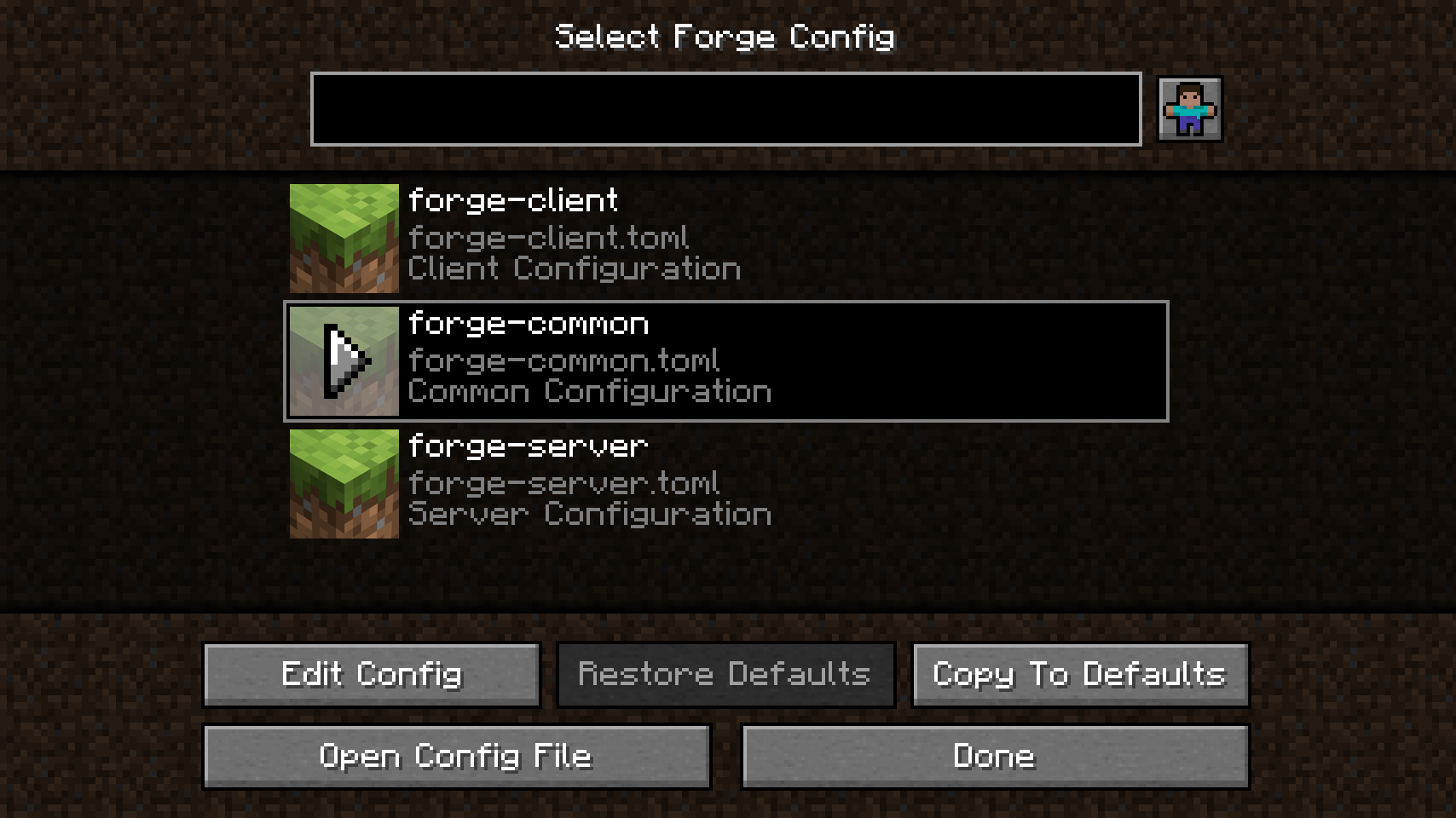
打开模组配置菜单时,你会看到一个文件选择界面,列出该模组添加的所有配置文件。恢复默认值按钮允许整体重置单个配置文件(当配置名称以斜体显示时,表示该配置已被修改)。还有一个按钮用于在编辑器中打开实际的配置文件。复制到默认值按钮允许你将此配置设置为默认配置,以便在配置重新创建时使用(主要适用于创建新世界时的服务器配置)。
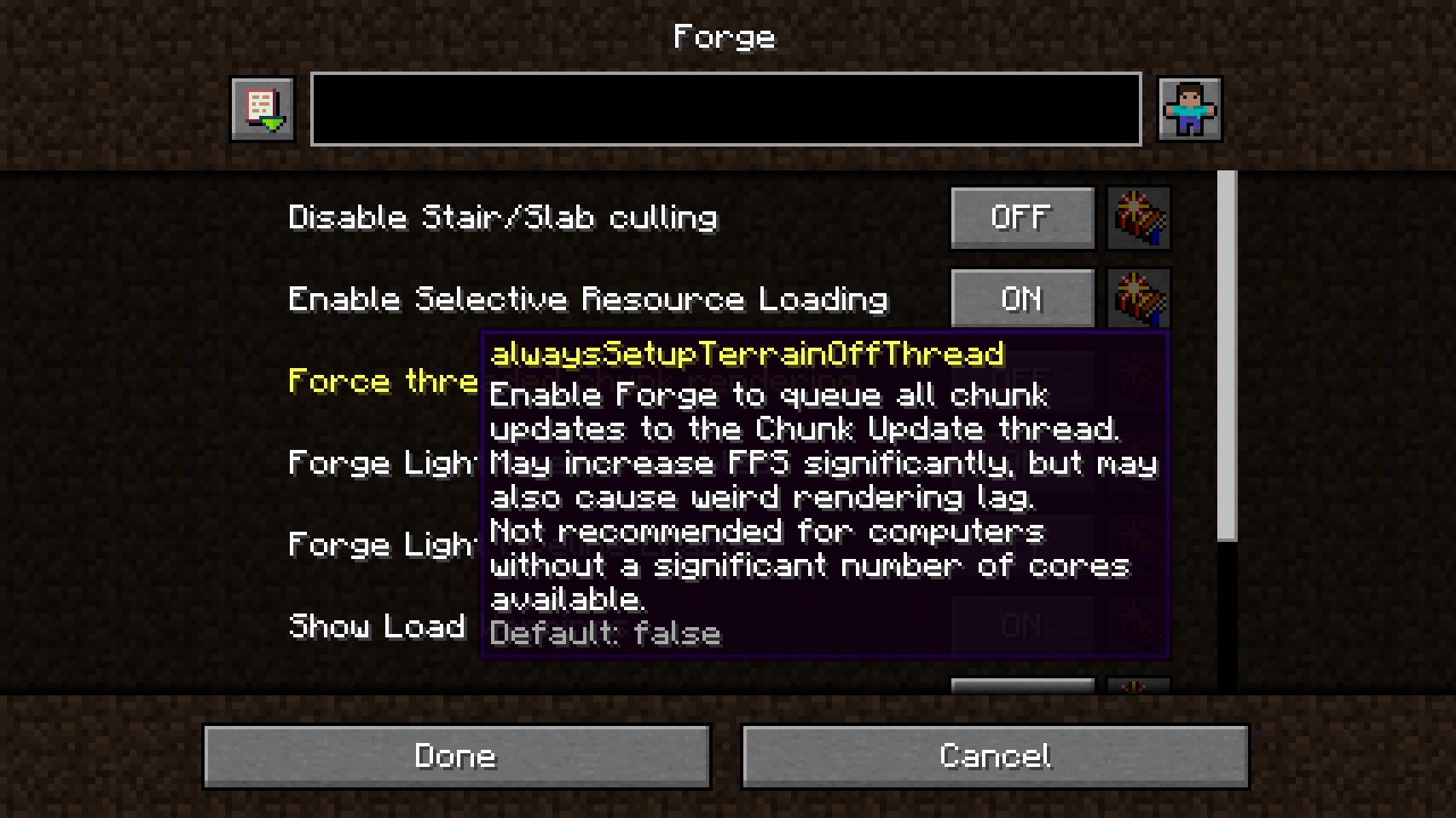
当配置打开时,你会看到一个包含所有配置选项和类别的大列表。每个选项右侧的按钮将恢复其默认值。当鼠标悬停在选项上时,工具提示会提供额外信息,包括内部键、描述、范围、允许值和默认值。在底部,取消按钮可用于放弃更改,完成按钮将把所有更改保存到配置文件。
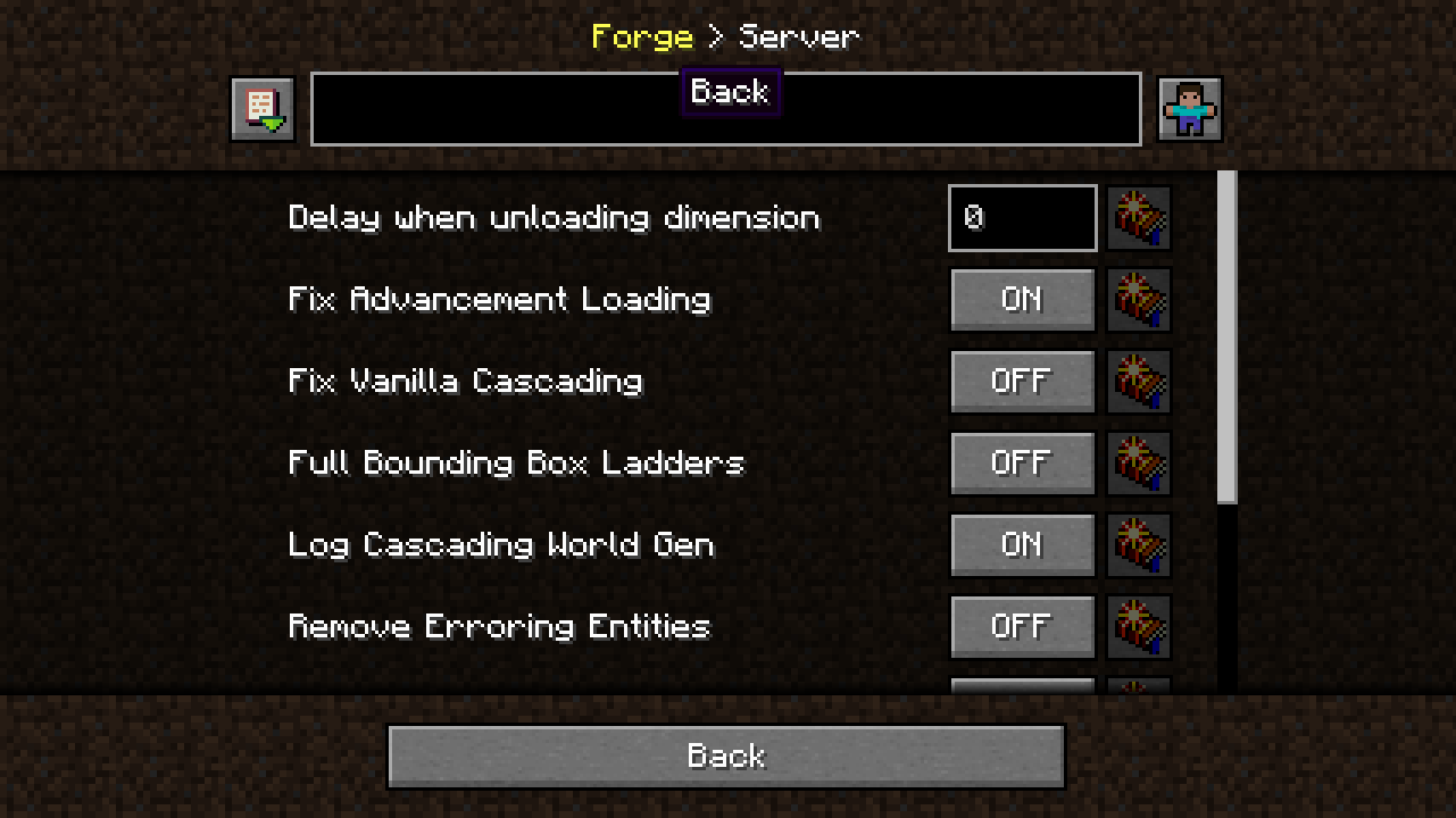
顶部的路径栏显示你当前在活动配置文件中的位置。但还有更多功能:它还可以作为导航栏使用。你可以点击之前的类别返回。
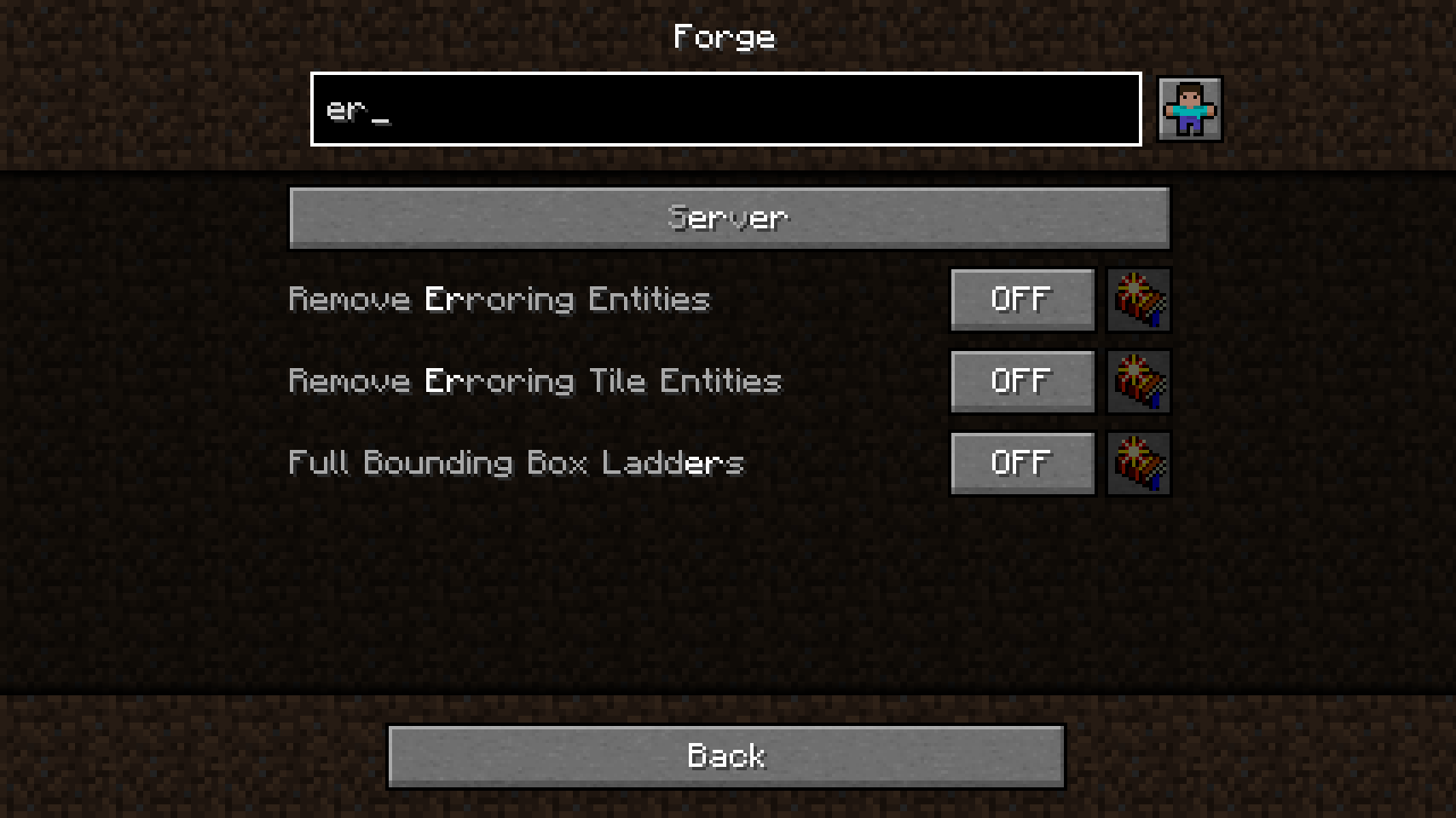
搜索功能相当花哨,当前查询会被高亮显示,找到的条目会相应排序。结果将位于当前类别以及所有后续类别中。最棒的是,只需左键单击即可再次清空搜索字段。
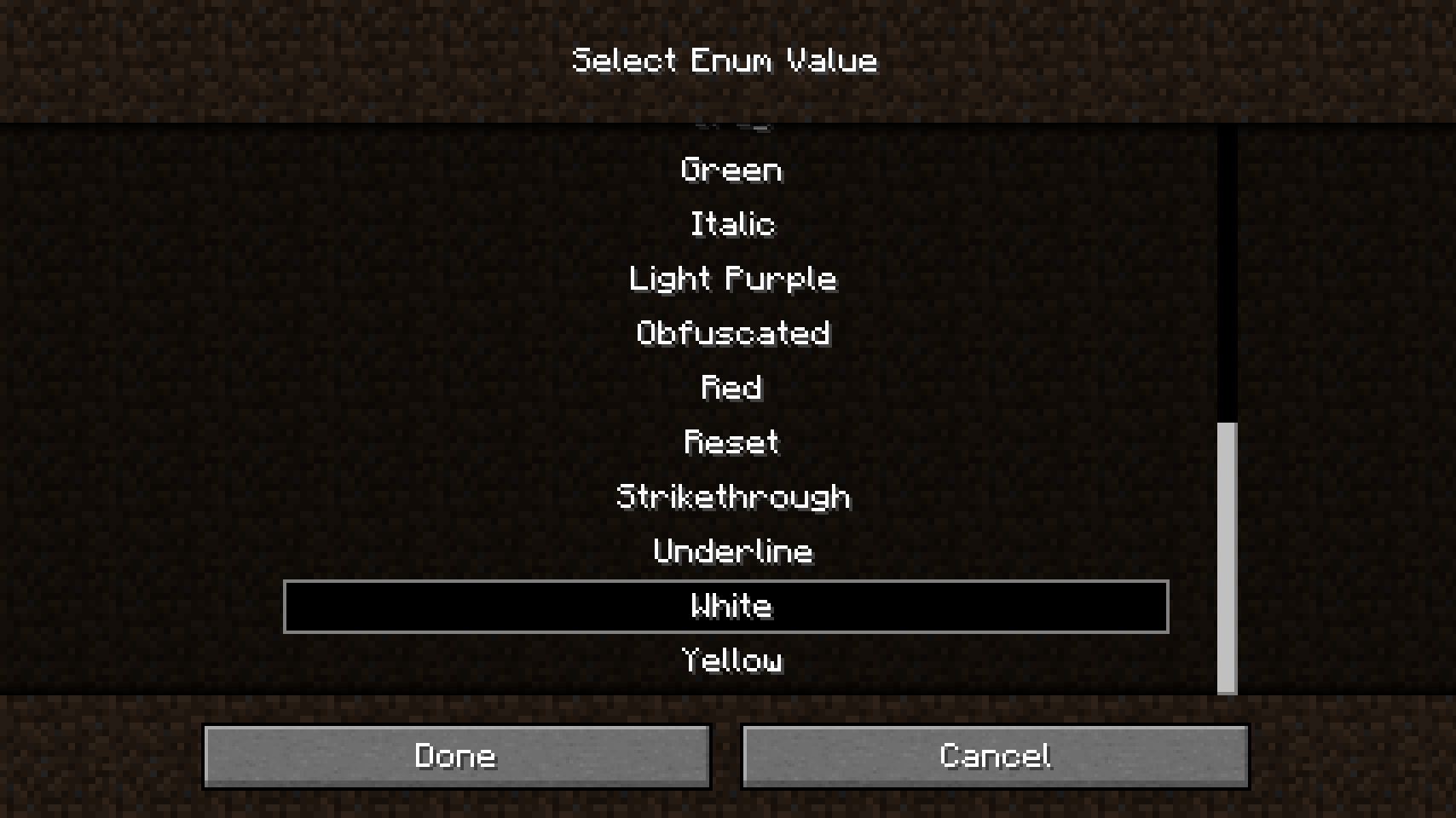
编辑更复杂的值(如字符串、枚举和列表)通过单独的界面完成。在这种情况下,可以从列表中选取枚举值,所有选项一目了然。
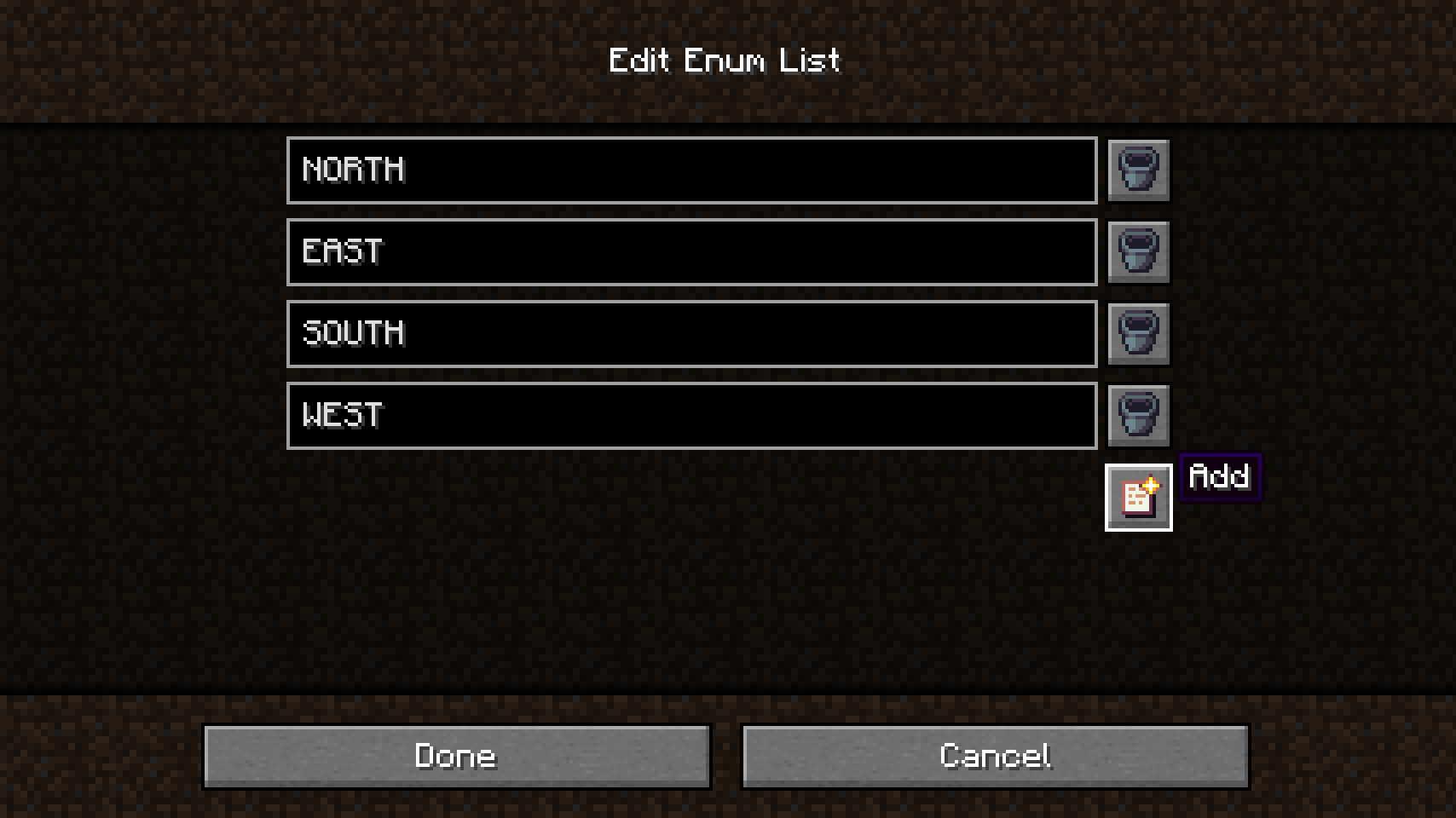
另一方面,编辑列表看起来有些不同。所有值都以字符串形式输入,并会自动转换和检查。有时,Config Menus for Forge 无法确定列表的类型,因此会提示你自行选择类型,或直接在配置文件中编辑该选项(尚未实现)。此外,当添加了无效条目时,列表无法保存,需要先手动更正。
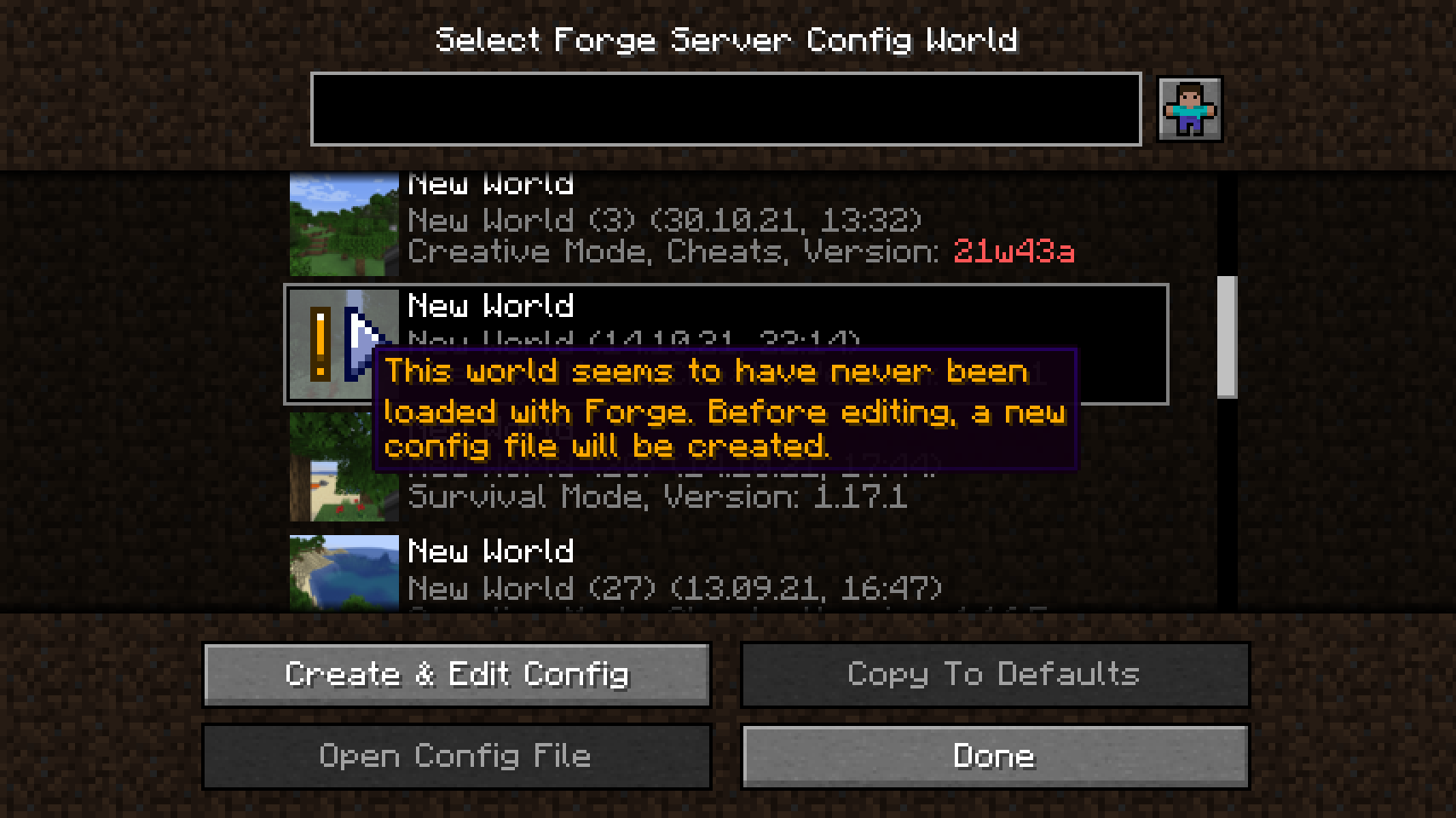
编辑服务器配置与其他配置类型略有不同。每个世界都有服务器配置,因此要从主菜单编辑服务器配置,你必须选择一个世界。当你正在某个世界中游玩时,该世界将自动被选中。当 Config Menus for Forge 必须首先创建尚不存在的服务器配置时,会显示此消息。
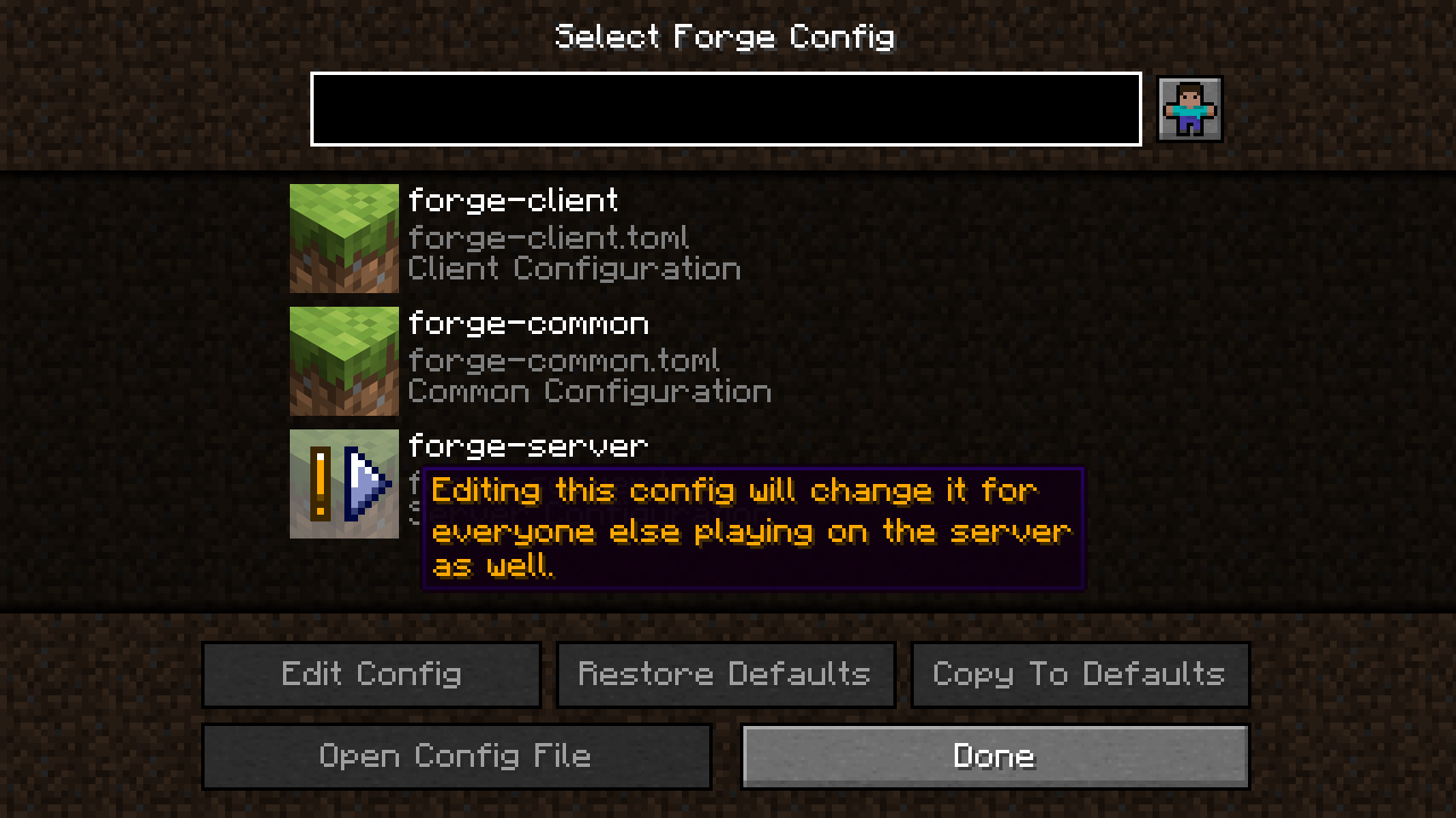
此消息在在线服务器上游玩时显示。服务器配置只能由服务器管理员编辑。编辑时,它们会同步回服务器,并从那里同步到所有其他客户端。在单人游戏中不会显示警告,也不会发生同步,因为一切都在本地完成。
💡 常见问题:
问:我可以用这个模组编辑服务器配置吗?答:可以!
问:我可以在多人服务器上编辑服务器配置吗?答:同样可以!唯一的限制是你需要是该服务器的管理员,并且 Config Menus for Forge 也需要在服务器端安装。
问:我无法编辑 Forge 的客户端配置!答:你安装了 OptiFine,此时无法使用 Forge 的客户端配置。这与 Config Menus for Forge 无关。
问:我是服务器所有者,我不希望任何人在服务器运行时编辑服务器配置。答:只需不在你的服务器上安装 Config Menus for Forge,你的玩家除了编辑服务器配置之外的一切功能仍可正常使用。
问:我是模组开发者,我已经为 Configured 添加了自定义背景。我需要为此模组再做一次吗?答:不需要,Config Menus for Forge 也会使用模组为 Configured 提供的资源。不过,未来还计划了其他开发者选项。如果你不确定是否为你的模组的配置菜单添加自定义背景,请查看 Configured 模组页面上的说明。
问:我是开发者,我希望我的模组使用这些配置菜单。我需要做什么?答:实际上什么都不用做。只需让你的用户将此模组与你的模组一起安装即可。你不需要添加依赖项或类似的东西。
🏆 鸣谢:
开发 Config Menus for Forge 得到了以下帮助和启发:
- MrCrayfish 的 Configured 模组,Config Menus for Forge 最初是其分支
- Finalbossblues 在 itch.io 上提供的精美图标
- UnitedMel 允许我使用其 BetterMenu 资源包中可爱的玩家图标


如何安装 Forge Config Screens
With Millida Launcher
Install Millida Launcher
The launcher is free: download it at millida.net/launcher and sign in with any nickname.
Click “Install” on this page
The launcher opens and installs the mod for Minecraft 1.20.1 on Fabric automatically, together with its dependencies: Fabric API, Mod Menu, Forge Config API Port.
Launch the game
A profile with it appears in the launcher: click “Play”.
Manually
Install Fabric
The loader must match the game version of the mod file, for example Minecraft 1.20.1. After installing it, a separate profile appears in your launcher.
Download the file for your version
In the version list above, pick the file ForgeConfigScreens-v8.0.2-1.20.1-Fabric.jar (217 KB) for your game version.
Put it in the mods folder
The folder is inside .minecraft (Windows: %appdata%\.minecraft\mods). If it does not exist, create it. Required dependencies go there too: Fabric API, Mod Menu, Forge Config API Port.
Launch the loader profile
Open “Mods” in the main menu: Forge Config Screens should be in the list.
On a server
A server on Fabric
The mod only works on a server with the same loader and game version, for example 1.20.1.
File goes into the server’s mods folder
Stop the server, put the mod file into the mods folder and start the server again.
Use the “To server” button
On Millida Hosting, the button at the top of the page uploads the file to your server and restarts it for you.
Minecraft 1.20.1 runs on Java 17: with a different Java version the game may close right after launch.
版本
含依赖项
| Minecraft | 加载器 | 文件 | 操作 |
|---|---|---|---|
| 1.20.1 | Fabric | 1.20.1217 KB 2 |
运行所需
常见问题
Which Minecraft versions does Forge Config Screens work on?
Only Minecraft 1.20.1: there are no files for other versions.
Is Forge Config Screens for Forge or Fabric?
Only for Fabric: 1.20.1. There are no files for Forge or NeoForge: a mod for another loader will not start.
What does Forge Config Screens need to work?
Required: Fabric API, Mod Menu, Forge Config API Port. Without them the mod will not start: dependencies go into the same mods folder.
Does Forge Config Screens work on a server?
Yes. Forge Config Screens works both in singleplayer and on a server.
Which Java does Forge Config Screens need?
Minecraft 1.20.1 runs on Java 17. If the game closes right after launch, the usual cause is the wrong Java version in the profile settings.
Where can I download Forge Config Screens safely?
On this page: the file ForgeConfigScreens-v8.0.2-1.20.1-Fabric.jar (217 KB) is stored on Millida’s server, with no link shorteners. SHA-1 checksum: d10defe8ab8ebf93c6adf33ab36bb9dc4e82b825.
评价
成为第一个评价 Forge Config Screens 的人


