

 Fabric
 Forge
Christmas Festivity:
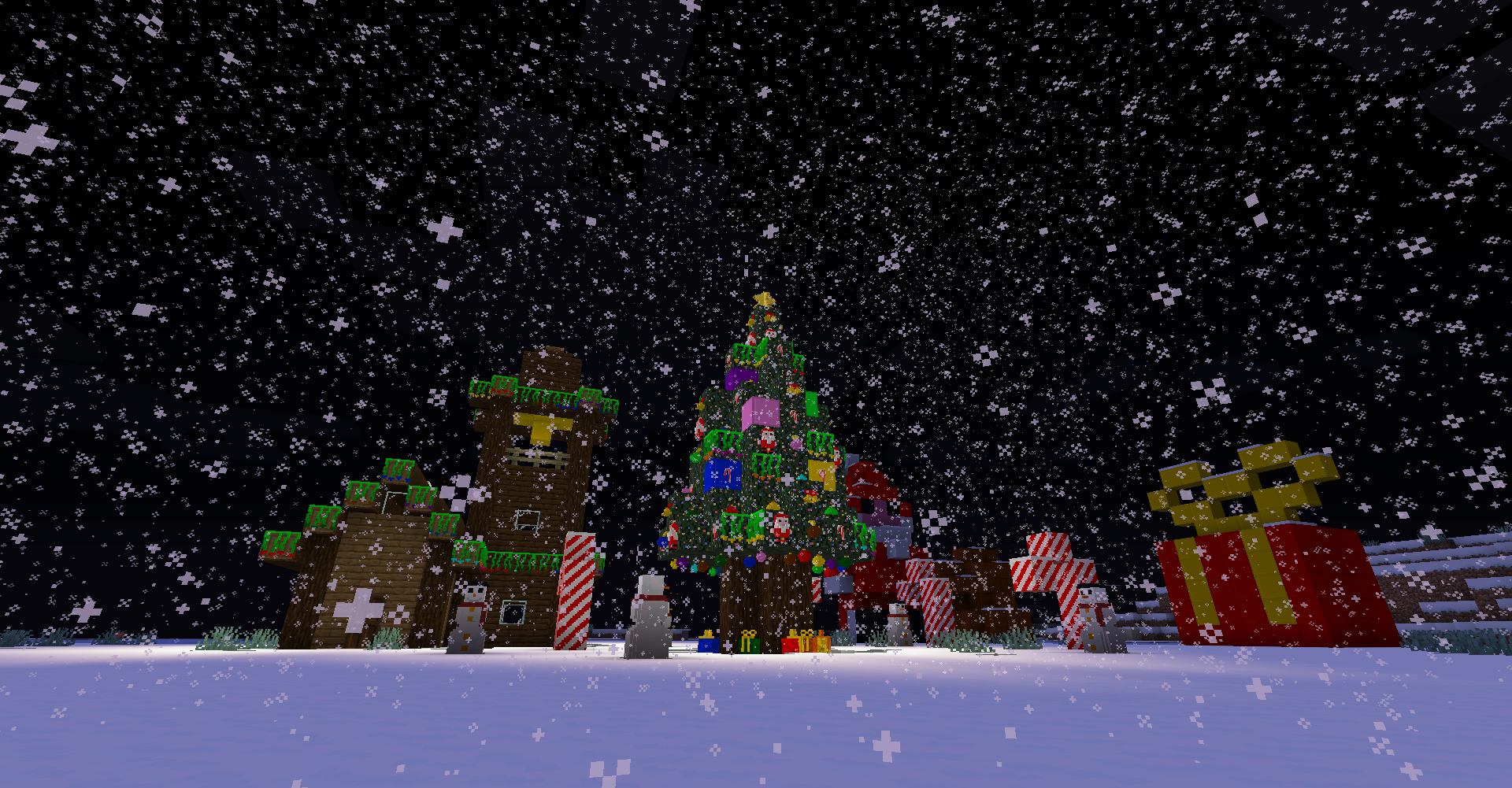
The blocks added by this mod are many and of all colors, with new block models and new textures, to help better decorate the world in the Christmas season.
The Christmas Festivity Mod adds two different types of christmas balls, snowmen, christmas trees, lights, tree tips, leaves with lights, garlands and more blocks with special features.
Christmas presents has a gui with a single slot for giving gifts to your friends. For all those who play singleplayer on Christmas day if you open the present gui there will be a surprise for you, this feature can be turned off in the mod config file.
Even the Epiphany Stockings have a gui, with nine slots, they can contain any type of item or block.
The Wire, which apparently is only an item for various crafting, is now a block in the latest versions 1.16+, clicking the right button with some light bulbs in hand will add the bulbs to it and clicking again will change the color. This block can be placed in the walls or on the ceiling.
This mod also adds new colored redstone lamps and paintings, the lamps are like vanilla redstone lamps but colored.
The new items added are foods and two music discs, they can be found on the chests of the Igloo, dungeons and mineshafts.
Shaders:
The mod has some problems with some shaders, I recommend Sildurs Vibrant Shaders 1.31 High.
如何安装 Christmas Festivity
With Millida Launcher
Install Millida Launcher
The launcher is free: download it at millida.net/launcher and sign in with any nickname.
Click “Install” on this page
The launcher opens and installs the mod for Minecraft 1.20.2–1.21.1 on Fabric or Forge automatically.
Launch the game
A profile with it appears in the launcher: click “Play”.
Manually
Install Fabric or Forge
The loader must match the game version of the mod file, for example Minecraft 1.21.1. After installing it, a separate profile appears in your launcher.
Download the file for your version
In the version list above, pick the file christmasfestivity-1.7.1.jar (3.8 MB) for your game version and loader.
Put it in the mods folder
The folder is inside .minecraft (Windows: %appdata%\.minecraft\mods). If it does not exist, create it.
Launch the loader profile
Open “Mods” in the main menu: Christmas Festivity should be in the list.
Minecraft 1.21.1 runs on Java 21: with a different Java version the game may close right after launch.
版本
含依赖项
| Minecraft | 加载器 | 文件 | 日期 | 操作 |
|---|---|---|---|---|
| 1.21.1 | Fabric | ChristmasFestivity-1.7.1-fabric3.8 MB 2 | ||
| 1.21.1 | Fabric | ChristmasFestivity-1.7.0-fabric3.8 MB | ||
| 1.20.2 | Forge | ChristmasFestivity-1.20.2-1.6.3-forge4.5 MB | ||
| 1.20.2 | Forge | christmasfestivity-1.20.2-1.6.1-forge.jar4.5 MB |
评价
成为第一个评价 Christmas Festivity 的人


