
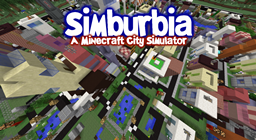
关于 Simburbia 地图
This file is the Simburbia map, created as a SimCity-style city simulator inside Minecraft. In it you manage a fictional city: you build infrastructure, grow the population, manage the power grid, finances and interactions between districts. The map includes mechanics of failures, destruction, growth and decline, which adds elements of strategy and drama. Special attention is paid to the connections between plots: if one district loses electricity, neighboring ones may also end up in trouble. All of this works in a world that is generated on version 1.8 and requires stable performance.
The map is designed for single-player, but can be launched on a local server. For a comfortable experience, a computer capable of holding render distance at 10 is required. At the same time, even at such a performance level the map can be heavy, especially if the system is not optimized for such loads. This map will suit those who like complex simulators, logic puzzles and systems thinking, rather than just racing or battles. It is not for those who want fast adventures; here it is about long-term play with development and consequences.
如何安装 Simburbia
With Millida Launcher
Install Millida Launcher
The launcher is free: download it at millida.net/launcher and sign in with any nickname.
Click “Install” on this page
The launcher opens and installs the map for Minecraft 1.8 automatically.
Launch the game
A profile with it appears in the launcher: click “Play”.
Manually
Download the map archive
Pick the file Simburbia.zip (9.3 MB).
Unpack it into the saves folder
The world folder (with level.dat inside) must sit directly in .minecraft/saves.
Open the world
“Singleplayer”: the map will be in your world list.
On a server
Replace the world folder
Stop the server and put the map folder in place of world (or set its name in level-name).
Use the “To server” button
On Millida Hosting, the button at the top of the page uploads the file to your server and restarts it for you.
版本
含依赖项
| Minecraft | 加载器 | 文件 | 日期 | 操作 |
|---|---|---|---|---|
| 1.8 | — | Simburbia.zip9.3 MB |
常见问题
Which Minecraft versions does Simburbia work on?
Only Minecraft 1.8: there are no files for other versions.
Where can I download Simburbia safely?
On this page: the file Simburbia.zip (9.3 MB) is stored on Millida’s server, with no link shorteners. SHA-1 checksum: 8a7bdadab0663efece7065b30da115761a7b36d3.
评价
成为第一个评价 Simburbia 的人



