
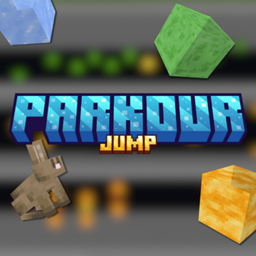
适用于 Minecraft 1.21, 1.21.41 的 Parkour Jump 地图
在这张地图中,你可以独自或与朋友一起测试你的跳跃技巧。共有三个难度等级(简单、中等、困难)。
关于 Parkour Jump 地图
In this map, you can test your jump skills alone or with friends. There are three difficulty levels (easy, medium, hard), which you can choose at any time with the paper on your inventory (right click). You have checkpoints and it's a multiplayer map (your friends can join in).
The paper allows you to choose the level, (it can be used at any time). Easy, Medium and Hard.
<figure class="image"> </figure>
Easy:
<figure class="image"> </figure>
Medium:
<figure class="image"> </figure>
Hard:
<figure class="image"> </figure>
<mark class="marker-yellow">When you use the feather you can return to the checkpoint faster (with a right click).</mark>
<figure class="image"> </figure>
如何安装 Parkour Jump
With Millida Launcher
Install Millida Launcher
The launcher is free: download it at millida.net/launcher and sign in with any nickname.
Click “Install” on this page
The launcher opens and installs the map for Minecraft 1.20.40–1.21.41 automatically.
Launch the game
A profile with it appears in the launcher: click “Play”.
Manually
Download the map archive
Pick the file PARKOUR JUMP .mcworld (922 KB).
Unpack it into the saves folder
The world folder (with level.dat inside) must sit directly in .minecraft/saves.
Open the world
“Singleplayer”: the map will be in your world list.
On a server
Replace the world folder
Stop the server and put the map folder in place of world (or set its name in level-name).
Use the “To server” button
On Millida Hosting, the button at the top of the page uploads the file to your server and restarts it for you.
版本
含依赖项
| Minecraft | 加载器 | 文件 | 日期 | 操作 |
|---|---|---|---|---|
| 1.20.40 | — | PARKOUR JUMP .mcworld922 KB 2 |
常见问题
Which Minecraft versions does Parkour Jump work on?
There are files for 1.20.40–1.21.41, 12 versions in total. The newest is 1.21.41.
Where can I download Parkour Jump safely?
On this page: the file PARKOUR JUMP .mcworld (922 KB) is stored on Millida’s server, with no link shorteners. SHA-1 checksum: e57c703c2e9e0abd246a997d202e9daa6dc0fa4a.
评价
成为第一个评价 Parkour Jump 的人



