
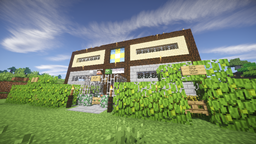
适用于 Minecraft 1.7.10 的 Jumpstart.EXE 地图
一张最多支持 4 名玩家同时游玩的地图,为你带来准备充分、支持存档并利于团队合作的开始!
关于 Jumpstart.EXE 地图
Hello there,
this is the first map I've been working on for some friends of mine, as we wanted to play Minecraft but didn't want to waste our time on doing things everyone else on the planet has to do when starting a new world in Minecraft, as it's very common for us to have problems finding time to play all together.
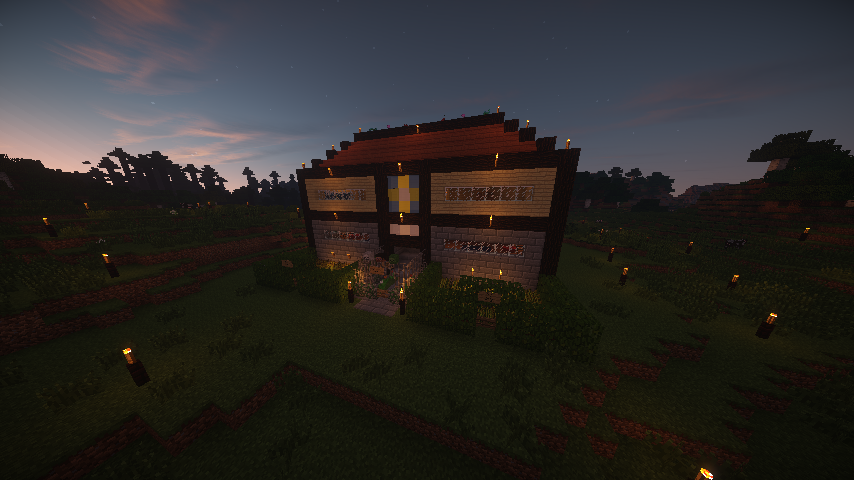
With this in mind, I want to clarify that I did not have an upload in mind while I was working on this map, it was purely out of boredom. However, it turned out so well that I thought it would be a waste not to share it with people looking for a map to start with while being secured for the time being.
Of course, this has some thought-out features, as I didn't want it to get boring all too quickly for both the eyes and the playing-exerience - These things are:
- A house for 4 players, each has two rooms
- One room is for sleeping and storage ( 1 bed, 2 chests each room & 1 craftingtable )
- Every player is granted one Golden Sword & a Wodden Axe, a Clock, 6 Coal & a full set of Leather Armor
- The other room is for cooking and / or burning things with 4 furnaces each room
- There are rooms for 2 players on each level, ergo, 2 levels in total
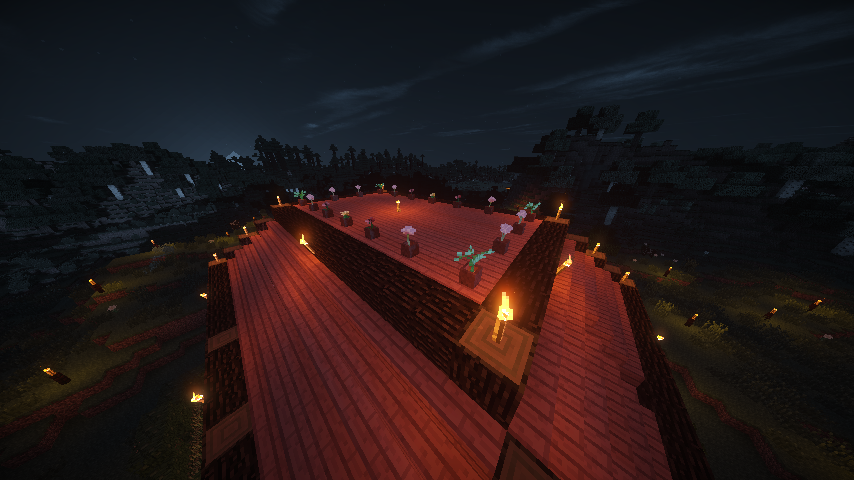
- In addition to an accessable roof with decoration on top, there is also a basement with 4 blocks of obsidian ready to be seated with more in order to create a portal to the nether
- Near the entrance of the house are 2 fields of wheat for a regulated, not overpowered food-source in order to provide necessary food for the first days
- The house is secured by torches on fences as well as gates for a secured start even at night
- For those who care about looks, the house provides all the decoration I can offer for my own taste
Those are the features of this map. It provides you with the necessary equipment for a good start - A Jumpstart.exe
I hope you can enjoy this map as much as I did creating it, please do keep in mind that I did not work on this very seriously, I do look forward to play this map with my friends fairly soon. Until then, please leave some feedback and tell Us your experience with this map, whether or not something could be improved and what.
如何安装 Jumpstart.EXE
With Millida Launcher
Install Millida Launcher
The launcher is free: download it at millida.net/launcher and sign in with any nickname.
Click “Install” on this page
The launcher opens and installs the map for Minecraft 1.7.10 automatically.
Launch the game
A profile with it appears in the launcher: click “Play”.
Manually
Download the map archive
Pick the file Jumpstart.EXE.zip (6.8 MB).
Unpack it into the saves folder
The world folder (with level.dat inside) must sit directly in .minecraft/saves.
Open the world
“Singleplayer”: the map will be in your world list.
On a server
Replace the world folder
Stop the server and put the map folder in place of world (or set its name in level-name).
Use the “To server” button
On Millida Hosting, the button at the top of the page uploads the file to your server and restarts it for you.
版本
含依赖项
| Minecraft | 加载器 | 文件 | 日期 | 操作 |
|---|---|---|---|---|
| 1.7.10 | — | Jumpstart.EXE.zip6.8 MB 3 |
常见问题
Which Minecraft versions does Jumpstart.EXE work on?
Only Minecraft 1.7.10: there are no files for other versions.
Where can I download Jumpstart.EXE safely?
On this page: the file Jumpstart.EXE.zip (6.8 MB) is stored on Millida’s server, with no link shorteners. SHA-1 checksum: 6a0db9517ac66332b320efb454330cce1cdbd08a.
评价
成为第一个评价 Jumpstart.EXE 的人



