
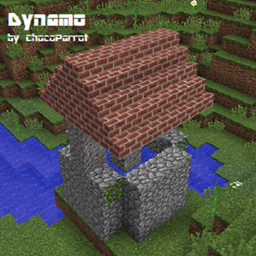
适用于 Minecraft 1.10.2 的 Dynamo 地图
Vanilla Minecraft 30 new naturally spawning seed-specific structures
关于 Dynamo 地图
What is Dynamo?
Dynamo features 15 new structures that spawn naturally in the world based on the seed of the world. This means that worlds with the same seeds would get the same structures in the same places. Dynamo also does not in any way interfere with player made structures.
Wait, how do I get this to work?
You can download the schematic and import it using MC-Edit into the world that you like into a 1.9 and above version (Or snapshot for 1.9, currently). Make sure that you are using MC-Edit Unified version 1.5 and above, versions below this do not work. You can get MC-Edit here: https://khroki.github.io/MCEdit-Unified/
Once you've placed the schematic in the world you have to manually press a wooden button found on the machine to kickstart it. Once you see the words "Dynamo by ChocoParrot" appear on your Minecraft screen you're pretty much good to go.
Bug reporting
I've made a Google form for bug reporting for Dynamo. You can report all bugs related to Dynamo here: https://goo.gl/61qsGp
Is there anything else that I should know?
Yes. Dynamo is a completely vanilla command block creation. As such, please do not expect it to be as good as client mods which edit the programming of the game. You may as such experience lag or a bit of wonky Dynamo structure generation. If things get a bit too overboard (i.e. extreme lag or really wonky generation) you can always report them as a bug to me.
Another thing to note is that Dynamo-Cord, Dynamo's base engine is based of Spark's original engine for Orbis; I have re-coded basically everything from scratch, however. I have also gotten the permission from Sparks to release this. All the structures found in Dynamo is the product of a lot of builders who worked hard on this project.
We've come to the end of this thread. Whew, that was long - hopefully you didn't fall asleep!
如何安装 Dynamo
With Millida Launcher
Install Millida Launcher
The launcher is free: download it at millida.net/launcher and sign in with any nickname.
Click “Install” on this page
The launcher opens and installs the map for Minecraft 1.10–1.10.2 automatically.
Launch the game
A profile with it appears in the launcher: click “Play”.
Manually
Download the map archive
Pick the file Pre-installed Dynamo VIII.zip (7.4 MB).
Unpack it into the saves folder
The world folder (with level.dat inside) must sit directly in .minecraft/saves.
Open the world
“Singleplayer”: the map will be in your world list.
On a server
Replace the world folder
Stop the server and put the map folder in place of world (or set its name in level-name).
Use the “To server” button
On Millida Hosting, the button at the top of the page uploads the file to your server and restarts it for you.
版本
含依赖项
| Minecraft | 加载器 | 文件 | 日期 | 操作 |
|---|---|---|---|---|
| 1.10.2 | — | Pre-installed Dynamo world VIII (Dynamo 4.2)7.4 MB |
常见问题
Which Minecraft versions does Dynamo work on?
There are files for 1.10.2, 1.10.1, 1.10. The newest is 1.10.2.
Where can I download Dynamo safely?
On this page: the file Pre-installed Dynamo VIII.zip (7.4 MB) is stored on Millida’s server, with no link shorteners. SHA-1 checksum: bd3d5ea91747ef117e070aa820dca89681ef17fd.
评价
成为第一个评价 Dynamo 的人



