
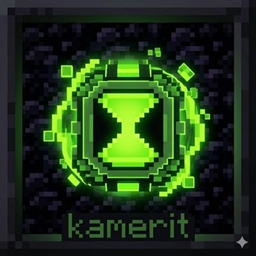
关于 Omnitrix Start Kit ( Alien Evolution ) 数据包
🟢 About the Project
This project adds the legendary Prototype Omnitrix from the Alien Evolution mod directly into the Minecraft Bonus Chest. Tired of searching for rare structures or waiting for meteors? With this datapack, you can begin your alien adventure from the very first second of gameplay. Just spawn in, open your starter kit, and it's Hero Time!
✨ Key Features
⌚ Instant Omnitrix: Get the Prototype watch immediately upon spawning. 🚀 Fast Start: Skip the grind and start transforming right away. 🛠️ Mod Compatibility: Specifically designed for the Alien Evolution (Ben 10) mod. 📂 Plug & Play: Simply drop the file into your world's datapacks folder.
📖 How to Use
- Place the datapack file in your world's datapacks folder before creating or loading the world.
- Ensure that the "Bonus Chest" option is enabled in your Minecraft world creation settings.
- Open the chest at your spawn point and claim your destiny!
🛠️ Required Mods
To use this datapack, you must have the following mod installed: Alien Evolution: This datapack is a dedicated addon for the Alien Evolution mod. It will not function without it.
如何安装 Omnitrix Start Kit ( Alien Evolution )
With Millida Launcher
Install Millida Launcher
The launcher is free: download it at millida.net/launcher and sign in with any nickname.
Click “Install” on this page
The launcher opens and installs the data pack for Minecraft 1.20.1 automatically.
Launch the game
A profile with it appears in the launcher: click “Play”.
Manually
Download the archive
Pick the file Omnitrix Start Kit.zip (12 KB) for your game version.
New world: “Data Packs”
When creating a world, click “Data Packs”, drag the archive into the window, then move it to “Selected”.
Existing world: the datapacks folder
Put the archive into saves/<world>/datapacks and type /reload in game.
On a server
Archive goes into the server world’s datapacks
The world/datapacks folder on the server; players do not need to install anything.
Reload the data
Type /reload in the server console or restart the server.
Use the “To server” button
On Millida Hosting, the button at the top of the page uploads the file to your server and restarts it for you.
版本
含依赖项
| Minecraft | 加载器 | 文件 | 日期 | 操作 |
|---|---|---|---|---|
| 1.20.1 | — | 1.0.012.3 KB 2 |
常见问题
Which Minecraft versions does Omnitrix Start Kit ( Alien Evolution ) work on?
Only Minecraft 1.20.1: there are no files for other versions.
Does Omnitrix Start Kit ( Alien Evolution ) work on a server?
Yes: the data pack goes into the datapacks folder of the server world, and players do not need to install anything.
Where can I download Omnitrix Start Kit ( Alien Evolution ) safely?
On this page: the file Omnitrix Start Kit.zip (12 KB) is stored on Millida’s server, with no link shorteners. SHA-1 checksum: 24aa51cba59a95c507bc2f020a4bb314d9cc1121.
评价
成为第一个评价 Omnitrix Start Kit ( Alien Evolution ) 的人


