

- 次浏览
- 39 次浏览
- 已更新
- 已更新 26.09.2026
- 1.16 — 1.21.8
 数据包
数据包- 客户端与服务器
AFK Message
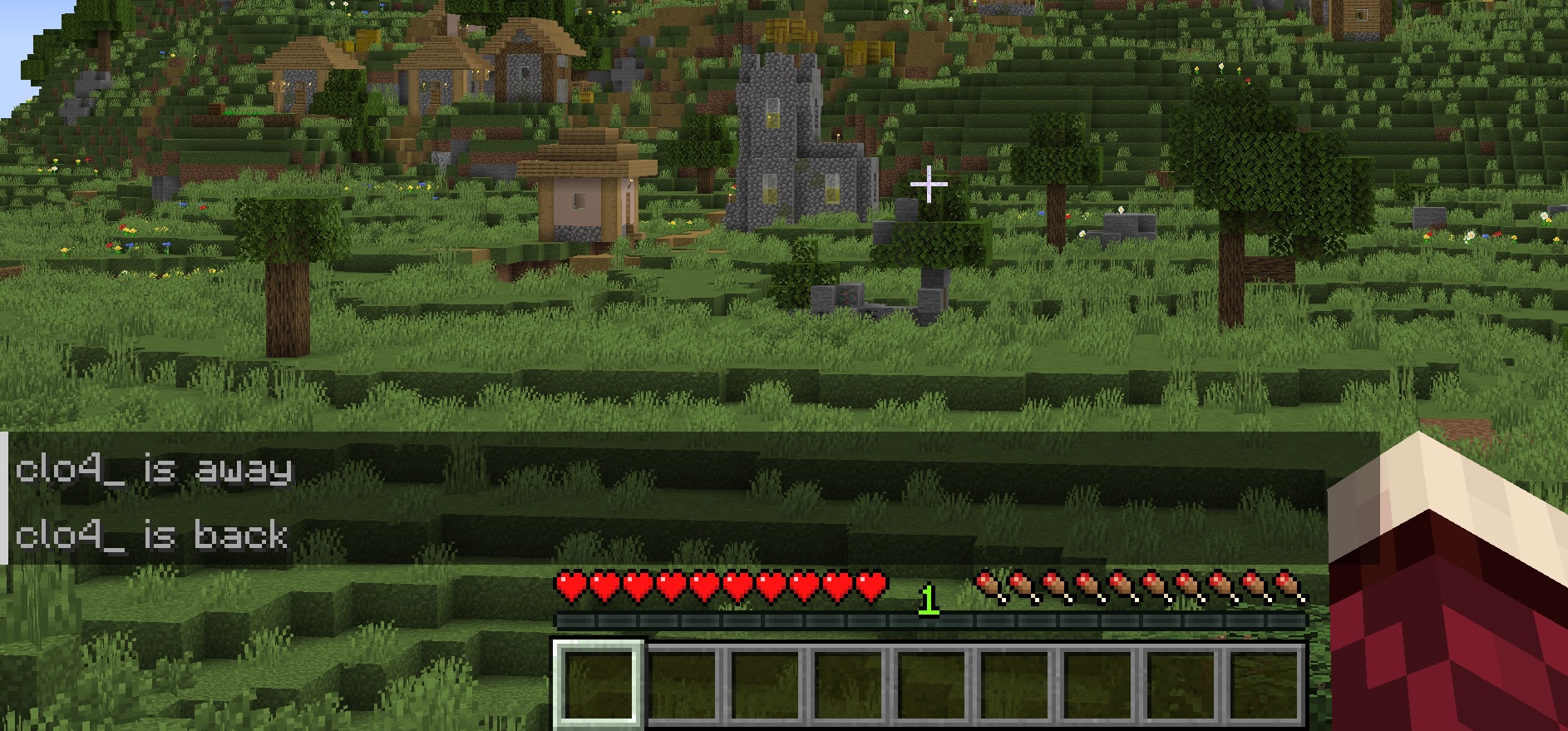
An add-on for Detect AFK Players.
When a player's AFK status changes, this datapack announces it to the server to let everyone know.
如何安装 AFK Message
With Millida Launcher
Install Millida Launcher
The launcher is free: download it at millida.net/launcher and sign in with any nickname.
Click “Install” on this page
The launcher opens and installs the data pack for Minecraft 1.16–1.21.8 automatically, together with its dependencies: Detect AFK Players.
Launch the game
A profile with it appears in the launcher: click “Play”.
Manually
Download the archive
Pick the file afk-message+v1.1.0+mc1.20.3-1.21.5.zip (187 KB) for your game version.
New world: “Data Packs”
When creating a world, click “Data Packs”, drag the archive into the window, then move it to “Selected”.
Existing world: the datapacks folder
Put the archive into saves/<world>/datapacks and type /reload in game.
On a server
Archive goes into the server world’s datapacks
The world/datapacks folder on the server; players do not need to install anything.
Reload the data
Type /reload in the server console or restart the server.
Use the “To server” button
On Millida Hosting, the button at the top of the page uploads the file to your server and restarts it for you.
版本
含依赖项
| Minecraft | 加载器 | 文件 | 日期 | 操作 |
|---|---|---|---|---|
| 1.21.8 | 数据包 | 1.21.8187 KB | ||
| 1.19.2 | 数据包 | 1.19.2175 KB | ||
| 1.18.2 | 数据包 | 1.18.2175 KB | ||
| 1.17.1 | 数据包 | 1.17.12.4 KB | ||
| 1.16.5 | 数据包 | 1.16.52.4 KB | — |
运行所需
评价
成为第一个评价 AFK Message 的人


