

适用于 Minecraft 1.21, 26.40 的 Rainbow Outline Selection 附加组件
厌倦了无聊的原版轮廓?彩虹轮廓选择用充满活力的动画彩虹效果取而代之,带来更美丽、更沉浸的基岩版体验。
Rainbow otline Selection
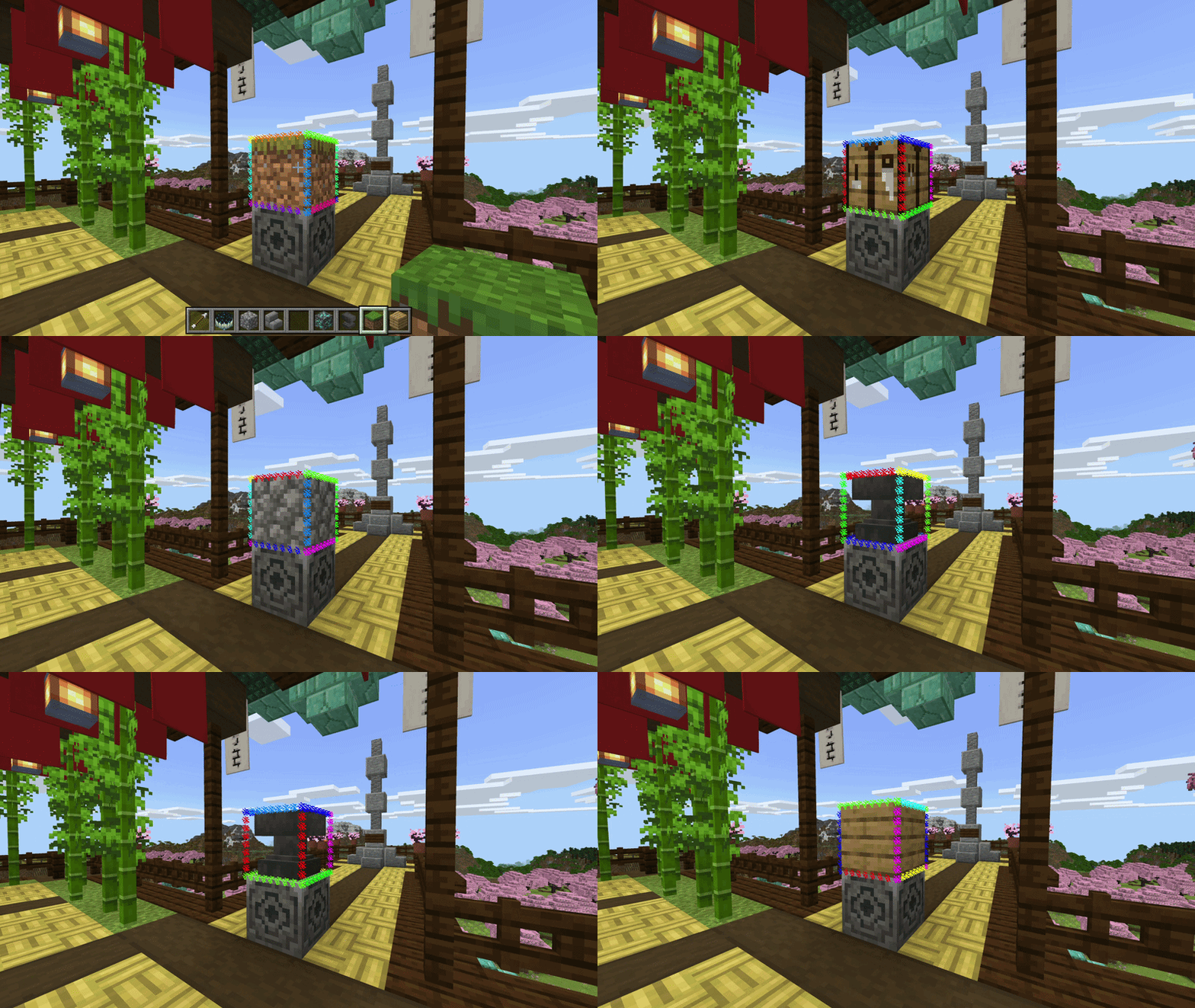
Replace the boring vanilla block outline with a living rainbow. Rainbow Outline Selection swaps Minecraft's default selection box for a 12-edge particle outline that cycles through the full spectrum - red, orange, yellow, lime, green, teal, cyan, sky, blue, violet, magenta, pink - shifting color every two ticks as you look at any block. Pure Script API, no lag-heavy entities, no geometry hacks. Just clean colored dots tracing every edge of whatever block you're pointing at, up to 7 blocks away.
Works in survival and creative. Pair it with any shader or resource pack.
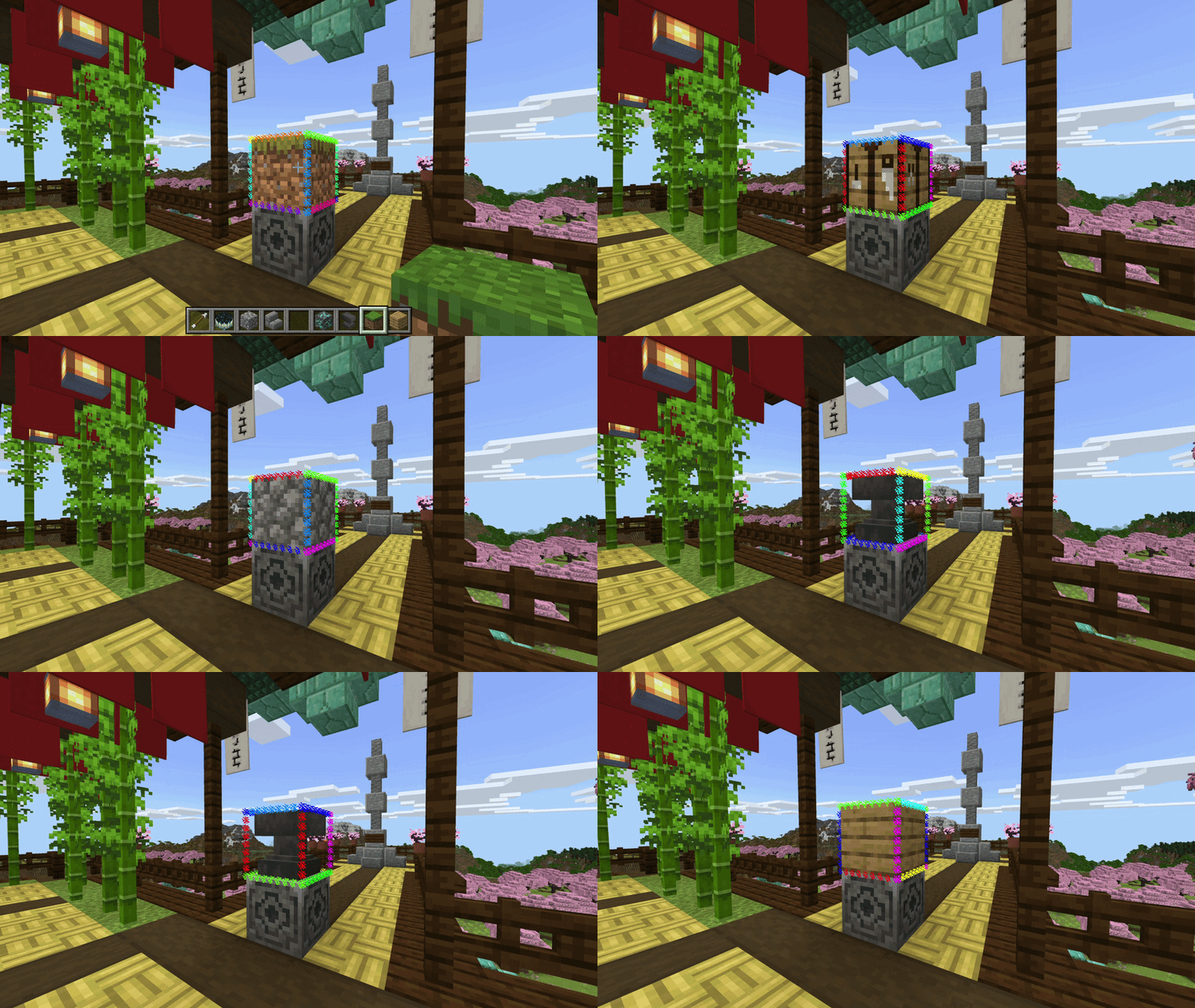
Best for MCPE players who want more. No mods, no PC required - just install and your block selection instantly comes alive with a full rainbow cycle, right on your phone or tablet.
Why particles? Bedrock's RenderDragon engine locks out direct access to the selection box render pipeline - unlike Java Edition, there's no hook to recolor or replace it natively. Particles are the deepest level of customization the Script API allows, making this the most polished rainbow outline that's actually possible on Bedrock.
Video settings note (for "turning off the vanilla outline" section)
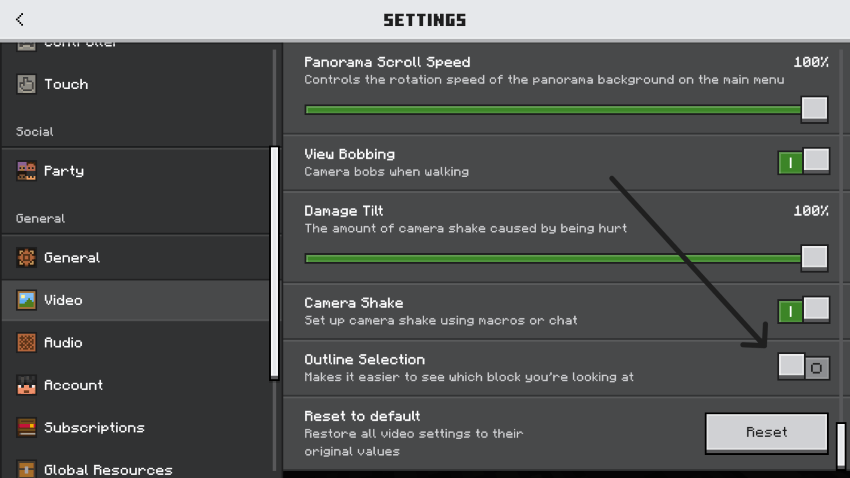
To get the cleanest look, turn off the default block selection highlight so only the rainbow particles show. Go to Settings → Video → Selection Highlight and switch it Off. The addon's particle outline takes over completely from there.
Requires: Minecraft Bedrock 1.21.0+ | Experimental: Script API must be enabled
版本
| Minecraft | 加载器 | 文件 | 日期 | 操作 |
|---|---|---|---|---|
| 1.21.2 | — | Rainbow Outline Selection v1.4.mcaddon1.5 MB |
评价
成为第一个评价 Rainbow Outline Selection 的人
