
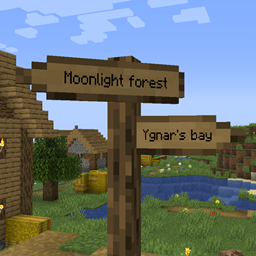
Signpost Mod za Minecraft 1.12.2, 26.2
Putokazi za teleportaciju i dekoraciju
 Fabric
 NeoForge
 Forge
ForgeO Signpost modu
Septembar 2026: Objavljene verzije 2.04.0/2.04.1:
- Port na 1.21.1, 1.21.11, 26.1.2, 26.2 i 26.3.
- Tipovi materijala za putokaze se sada upravljaju putem data pack-ova
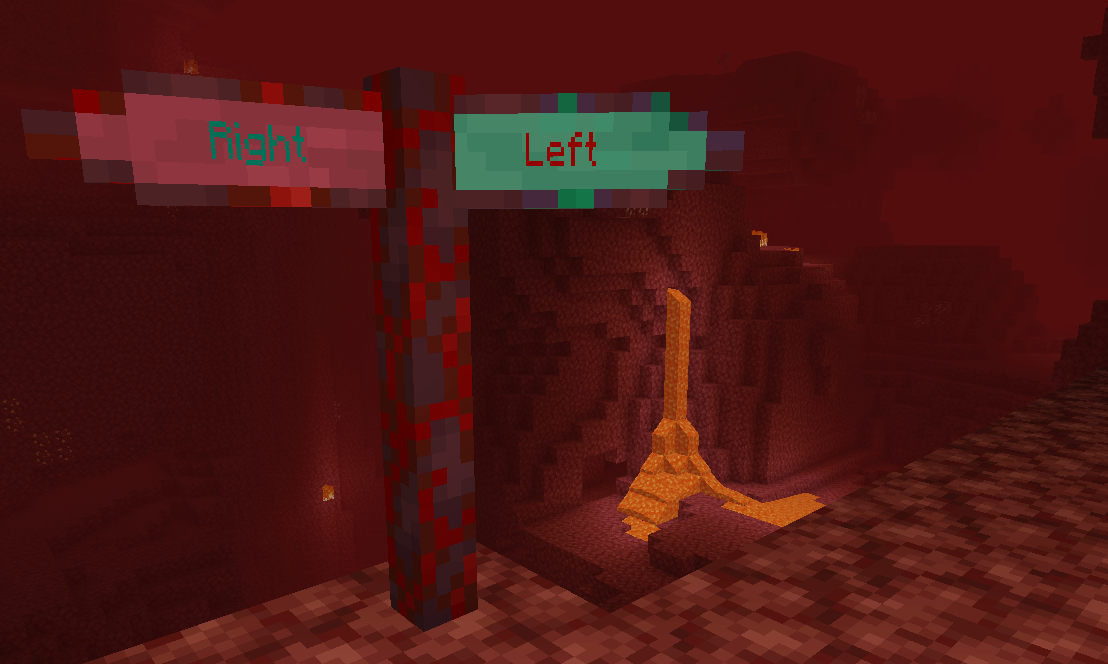
Uključuje integraciju sa Antique Atlas (verzija >= 2.01.0)! Za starije verzije pogledajte harceroi's Signposts mod (1.7.10) ili Rikshy's Atlas Extras (1.12). Podržava Repurposed Structures sela. Takođe podržava Waystones mod (osim 1.17).
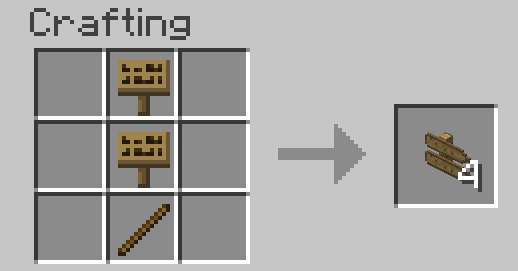
Kako započeti u survival-u: Samo napravite običan vanilla znak. Svi recepti bi vremenom trebalo da se dodaju u vašu knjigu recepata.
Kako koristiti:
- Waystones
- Putokazi
- Komande
- Generisanje sveta
- Konfiguracija
zhcn lokalizacija od TartaricAcid (verzija 1.) i SettingDust (verzija 2.) ruru lokalizacija od Aqelius (verzija 1.) i lineisover (verzija 2.) frfr, eses, ptbr, itit, plpl, ukua, trtr, jajp, kokr, zhtw i svse lokalizacija od AI (>= verzija 2.04.1-26.3).
AI se takođe koristi za portovanje projekta na nove minecraft verzije.
Molimo napravite rezervnu kopiju svojih mapa, prijavite sve greške i zabavite se :D
Možete uključiti ovaj mod u modpack-ove.
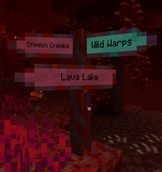
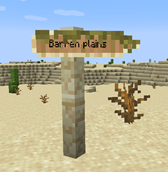
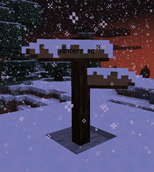
Kako instalirati Signpost
With Millida Launcher
Install Millida Launcher
The launcher is free: download it at millida.net/launcher and sign in with any nickname.
Click “Install” on this page
The launcher opens and installs the mod for Minecraft 1.7.10–26.2 on Fabric, Forge or NeoForge automatically.
Launch the game
A profile with it appears in the launcher: click “Play”.
Manually
Install Fabric, Forge or NeoForge
The loader must match the game version of the mod file, for example Minecraft 26.2. After installing it, a separate profile appears in your launcher.
Download the file for your version
In the version list above, pick the file signpost-fabric-26.2-2.04.1.jar (1.2 MB) for your game version and loader.
Put it in the mods folder
The folder is inside .minecraft (Windows: %appdata%\.minecraft\mods). If it does not exist, create it.
Launch the loader profile
Open “Mods” in the main menu: Signpost should be in the list.
Verzije
Sa zavisnostima
| Minecraft | Loader | Fajl | Datum | Akcije |
|---|---|---|---|---|
| 26.2 | Fabric | signpost-fabric-26.2-2.04.1.jar1.2 MB 1 | ||
| 26.2 | NeoForge | signpost-neoforge-26.2-2.04.1.jar1.2 MB | ||
| 26.2 | Forge | signpost-forge-26.2-2.04.1.jar1.2 MB 1 | ||
| 1.15.2 | Forge | Signpost 1.15.2 2.00.1781 KB | ||
| 1.12.2 | — | signpost-1.12.2-1.08.5.jar443 KB | ||
| 1.12.2 | — | signpost-1.12.2-1.08.4.jar443 KB | ||
| 1.7.10 | — | signpost-1.7.10-1.02.189.3 KB |
Česta pitanja
Which Minecraft versions does Signpost work on?
There are files for 26.2, 1.15.2, 1.12.2, 1.7.10. The newest is 26.2.
Is Signpost for Forge or Fabric?
There are files for Fabric: 26.2, for Forge: 1.15.2–26.2 and for NeoForge: 26.2.
Does Signpost need other mods?
The author lists no required dependencies: the Fabric, Forge or NeoForge loader is enough.
Where can I download Signpost safely?
On this page: the file signpost-fabric-26.2-2.04.1.jar (1.2 MB) is stored on Millida’s server, with no link shorteners. SHA-1 checksum: cb8feecb4279f72582635446975feadc0469a527.
Recenzije
Budi prvi koji će oceniti Signpost


