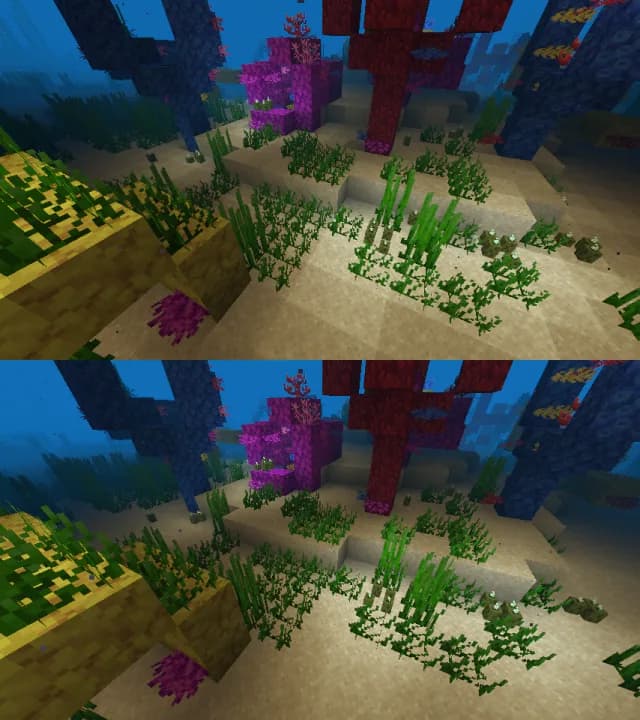
Iris Shaders Mod za Minecraft 1.20.1, 1.21.1
Moderan učitavač shader paketa za Minecraft namenjen da bude kompatibilan sa postojećim OptiFine shader paketima
 NeoForge
 Fabric
 Quilt
Quilt
Linkovi
- Posetite naš veb-sajt za preuzimanja i lepe snimke ekrana!
- Posetite sekciju za šejdere da pronađete pakete šejdera!
- Posetite naš Discord server da razgovarate o modu i dobijete podršku! To je takođe odlično mesto za dobijanje novosti o razvoju dok se dešavaju.
- Posetite dokumentaciju za programere za informacije o razvoju, pravljenju i doprinošenju Iris-u!

Instalacija
Vodič za instalaciju možete pronaći ovde.

Često postavljana pitanja
- Odgovore na često postavljana pitanja pronađite na našoj stranici sa često postavljanim pitanjima.
- Iris podržava skoro sve pakete šejdera, ali lista nepodržanih paketa šejdera je dostupna ovde.
- Lista ograničenja u Iris-u koja se ne mogu ispraviti je dostupna ovde.
Više informacija
Više informacija možete pronaći u našem README-u.
Kako instalirati Iris Shaders
With Millida Launcher
Install Millida Launcher
The launcher is free: download it at millida.net/launcher and sign in with any nickname.
Click “Install” on this page
The launcher opens and installs the mod for Minecraft 1.16–26.3 on Fabric, NeoForge or Quilt automatically, together with its dependencies: Sodium.
Launch the game
A profile with it appears in the launcher: click “Play”.
Manually
Install Fabric, NeoForge or Quilt
The loader must match the game version of the mod file, for example Minecraft 26.3. After installing it, a separate profile appears in your launcher.
Download the file for your version
In the version list above, pick the file iris-neoforge-1.11.7+mc26.3.jar (2.7 MB) for your game version and loader.
Put it in the mods folder
The folder is inside .minecraft (Windows: %appdata%\.minecraft\mods). If it does not exist, create it. Required dependencies go there too: Sodium.
Launch the loader profile
Open “Mods” in the main menu: Iris Shaders should be in the list.
Iris Shaders works on the player’s side only: there is no need to install it on a server.
Verzije
Sa zavisnostima
| Minecraft | Loader | Fajl | Datum | Akcije |
|---|---|---|---|---|
| 26.3 | NeoForge | 26.32.7 MB 236 | ||
| 26.3 | Fabric | 26.32.7 MB 2.983 | ||
| 1.21.11 | NeoForge | 1.21.112.6 MB 280 | ||
| 1.21.11 | Fabric | 1.21.112.7 MB 3.888 | ||
| 26.3 | Fabric | 26.32.7 MB 16 | ||
| 26.3 | Fabric | 26.32.7 MB 3 | ||
| 26.2 | NeoForge | 26.22.6 MB 124 | ||
| 26.2 | Fabric | 26.22.7 MB 1.342 |
Šta je potrebno za pokretanje
- Sodiumobavezno
Česta pitanja
Which Minecraft versions does Iris Shaders work on?
There are files for 1.16–26.3, 20 versions in total. The newest is 26.3.
Is Iris Shaders for Forge or Fabric?
There are files for Fabric: 1.16–26.3, for NeoForge: 1.21–26.3 and for Quilt: 1.16–1.21. There are no files for Forge: a mod for another loader will not start.
What does Iris Shaders need to work?
Required: Sodium. Without it the mod will not start: dependencies go into the same mods folder.
Where can I download Iris Shaders safely?
On this page: the file iris-neoforge-1.11.7+mc26.3.jar (2.7 MB) is stored on Millida’s server, with no link shorteners. SHA-1 checksum: 57cbbd1f58b6226c633520541c1a3ae57c019373.
Recenzije
Budi prvi koji će oceniti Iris Shaders