
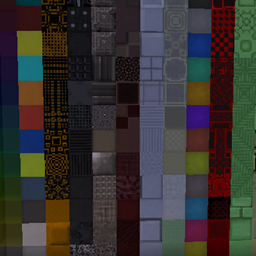
Xtones Reworked Mod pre Minecraft 1.20.1, 1.19.2
Port of the Mod Xtones that adds various of modern, futuristic, and fantasy style decorative building blocks
 NeoForge
 Forge
O mode Xtones Reworked
Mod update discontinued. Please use the BetterBlockZ mod by riciJak:
https:/www.curseforge.com/minecraft/mc-mods/betterblockz

Xtones Reworked
Xtones Reworked is a mod for Minecraft 1.19.2 and above that adds various of modern, futuristic, and fantasy style decorative building blocks and a lamp!
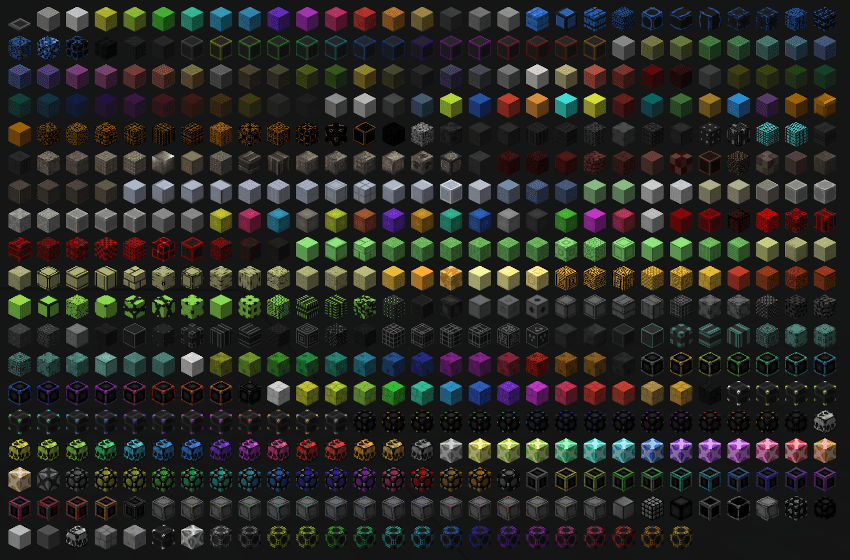
This mod will add 512 different building blocks which can be used for building and decoration.. You will find all 34 of the original varieties of blocks with their 15 sub variaties, wich are also found in the original Xtones mod.
You can craft the base blocks like Agon or Kryp over a basic recipe and then alter them to different variants with either dye recipes or with the stonecutter.
It is a port of the Mod Xtones from TehNut. The code was rewritten from scratch and the existing textures were kept.
Note
I won't continue Forge Support and concentrate on Neoforged, but I will start to support a fabric project for this mod.
Ako nainštalovať Xtones Reworked
With Millida Launcher
Install Millida Launcher
The launcher is free: download it at millida.net/launcher and sign in with any nickname.
Click “Install” on this page
The launcher opens and installs the mod for Minecraft 1.19.2–1.21.10 on Forge or NeoForge automatically.
Launch the game
A profile with it appears in the launcher: click “Play”.
Manually
Install Forge or NeoForge
The loader must match the game version of the mod file, for example Minecraft 1.21.10. After installing it, a separate profile appears in your launcher.
Download the file for your version
In the version list above, pick the file xtonesreworked-1.0.0-1.21.9.jar (1.3 MB) for your game version and loader.
Put it in the mods folder
The folder is inside .minecraft (Windows: %appdata%\.minecraft\mods). If it does not exist, create it.
Launch the loader profile
Open “Mods” in the main menu: Xtones Reworked should be in the list.
Minecraft 1.21.10 runs on Java 21: with a different Java version the game may close right after launch.
Verzie
So závislosťami
| Minecraft | Loader | Súbor | Dátum | Akcie |
|---|---|---|---|---|
| 1.21.9 | NeoForge | xtonesreworked-1.0.0-1.21.9-1.21.x.jar1.3 MB | ||
| 1.20.1 | Forge | xtonesreworked-1.0.4-F_1.20.1-47.2.0.jar1.3 MB | ||
| 1.19.2 | — | xtonesreworked-1.0.1-1.19.2.jar1.3 MB |
Recenzie
Buď prvý, kto ohodnotí Xtones Reworked


