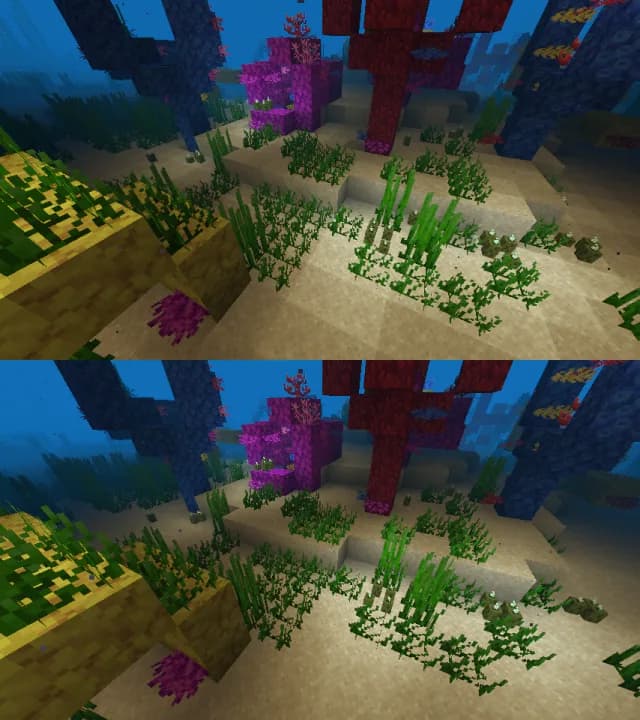
Iris Shaders Mod pre Minecraft 1.20.1, 1.21.1
A modern shader pack loader for Minecraft intended to be compatible with existing OptiFine shader packs
 NeoForge
 Fabric
 Quilt

Links
- Visit our website for downloads and pretty screenshots!
- Visit the shaders section to find shader packs!
- Visit our Discord server to chat about the mod and get support! It's also a great place to get development updates right as they're happening.
- Visit the developer documentation for information on developing, building, and contributing to Iris!

Installation
You can find a guide to installation here.
- Find answers to frequently asked questions on our FAQ page.
- Iris supports almost all shaderpacks, but a list of unsupported shaderpacks is available here.
- A list of unfixable limitations in Iris is available here.

More Info
More info can be found on our README.
Ako nainštalovať Iris Shaders
With Millida Launcher
Install Millida Launcher
The launcher is free: download it at millida.net/launcher and sign in with any nickname.
Click “Install” on this page
The launcher opens and installs the mod for Minecraft 1.16–26.3 on Fabric, NeoForge or Quilt automatically, together with its dependencies: Sodium.
Launch the game
A profile with it appears in the launcher: click “Play”.
Manually
Install Fabric, NeoForge or Quilt
The loader must match the game version of the mod file, for example Minecraft 26.3. After installing it, a separate profile appears in your launcher.
Download the file for your version
In the version list above, pick the file iris-neoforge-1.11.7+mc26.3.jar (2.7 MB) for your game version and loader.
Put it in the mods folder
The folder is inside .minecraft (Windows: %appdata%\.minecraft\mods). If it does not exist, create it. Required dependencies go there too: Sodium.
Launch the loader profile
Open “Mods” in the main menu: Iris Shaders should be in the list.
Iris Shaders works on the player’s side only: there is no need to install it on a server.
Verzie
So závislosťami
| Minecraft | Loader | Súbor | Dátum | Akcie |
|---|---|---|---|---|
| 26.3 | NeoForge | 26.32.7 MB 280 | ||
| 26.3 | Fabric | 26.32.7 MB 3 397 | ||
| 1.21.11 | NeoForge | 1.21.112.6 MB 312 | ||
| 1.21.11 | Fabric | 1.21.112.7 MB 4 352 | ||
| 26.3 | Fabric | 26.32.7 MB 16 | ||
| 26.3 | Fabric | 26.32.7 MB 3 | ||
| 26.2 | NeoForge | 26.22.6 MB 148 | ||
| 26.2 | Fabric | 26.22.7 MB 1 476 |
Čo potrebuje na spustenie
- Sodiumpovinné
FAQ
Which Minecraft versions does Iris Shaders work on?
There are files for 1.16–26.3, 20 versions in total. The newest is 26.3.
Is Iris Shaders for Forge or Fabric?
There are files for Fabric: 1.16–26.3, for NeoForge: 1.21–26.3 and for Quilt: 1.16–1.21. There are no files for Forge: a mod for another loader will not start.
What does Iris Shaders need to work?
Required: Sodium. Without it the mod will not start: dependencies go into the same mods folder.
Where can I download Iris Shaders safely?
On this page: the file iris-neoforge-1.11.7+mc26.3.jar (2.7 MB) is stored on Millida’s server, with no link shorteners. SHA-1 checksum: 57cbbd1f58b6226c633520541c1a3ae57c019373.
Recenzie
Buď prvý, kto ohodnotí Iris Shaders