
Village Spawn Point Mod pre Minecraft 26.3
🏙 Sets the spawn point in a new world to the center of a village.
 Fabric
 Forge
Forge NeoForge
 Quilt
QuiltO mode Village Spawn Point
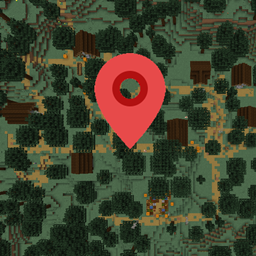
Village Spawn Point is a minimalistic mod which sets the spawn point of a new world to always be in the center of a village. The village chosen will be the one closest to x=0, z=0. The bonus chest world generation feature is compatible. If enabled, another bonus chest will be placed around the village spawn position.
All available config options:
locateVillageTag default "#minecraft:village" The tag used to locate the village structure. Can be changed for improved modded village compatibility. It's the same tag used in the '/locate structure ' command.
keepDefaultVillageTagBackup default true If a custom value was entered in 'locateVillageTag' and no spawn point can be found, use '#minecraft:village' as a fallback value.
This mod is compatible with Biome Spawn Point.
You may freely use this mod in any modpack, as long as the download remains hosted within the CurseForge or Modrinth ecosystem.
Serilum.com contains an overview and more information on all mods available.
Comments are disabled as I'm unable to keep track of them across so many separate mod pages. For issues, ideas, suggestions or anything else there is the Github repo. Thanks!
Ako nainštalovať Village Spawn Point
With Millida Launcher
Install Millida Launcher
The launcher is free: download it at millida.net/launcher and sign in with any nickname.
Click “Install” on this page
The launcher opens and installs the mod for Minecraft 1.19.3–26.3 on Fabric, Forge, NeoForge or Quilt automatically.
Launch the game
A profile with it appears in the launcher: click “Play”.
Manually
Install Fabric, Forge, NeoForge or Quilt
The loader must match the game version of the mod file, for example Minecraft 26.3. After installing it, a separate profile appears in your launcher.
Download the file for your version
In the version list above, pick the file villagespawnpoint-26.3.0-4.7.jar (46 KB) for your game version and loader.
Put it in the mods folder
The folder is inside .minecraft (Windows: %appdata%\.minecraft\mods). If it does not exist, create it.
Launch the loader profile
Open “Mods” in the main menu: Village Spawn Point should be in the list.
Verzie
So závislosťami
| Minecraft | Loader | Súbor | Dátum | Akcie |
|---|---|---|---|---|
| 26.3 | Fabric, Forge, NeoForge, Quilt | [Fabric/Forge/Neo] 26.3.0-4.7 | Village Spawn Point46.3 KB 27 | ||
| 1.19.3 | Forge | villagespawnpoint_1.19.3-3.0.jar5.8 KB 1 |
FAQ
Which Minecraft versions does Village Spawn Point work on?
There are files for 26.3, 1.19.3. The newest is 26.3.
Is Village Spawn Point for Forge or Fabric?
There are files for Fabric: 26.3, for Forge: 1.19.3–26.3, for NeoForge: 26.3 and for Quilt: 26.3.
Does Village Spawn Point need other mods?
The author lists no required dependencies: the Fabric, Forge, NeoForge or Quilt loader is enough.
Where can I download Village Spawn Point safely?
On this page: the file villagespawnpoint-26.3.0-4.7.jar (46 KB) is stored on Millida’s server, with no link shorteners. SHA-1 checksum: 328c51fce7a0384fba093b4fcec57553c24a298d.
Recenzie
Buď prvý, kto ohodnotí Village Spawn Point


