

Valhelsia Structures Mod pre Minecraft 1.20.1, 1.16.5
Adds new structures and dungeons to your world while being properly integrated.
 NeoForge
 Forge
ForgeO mode Valhelsia Structures
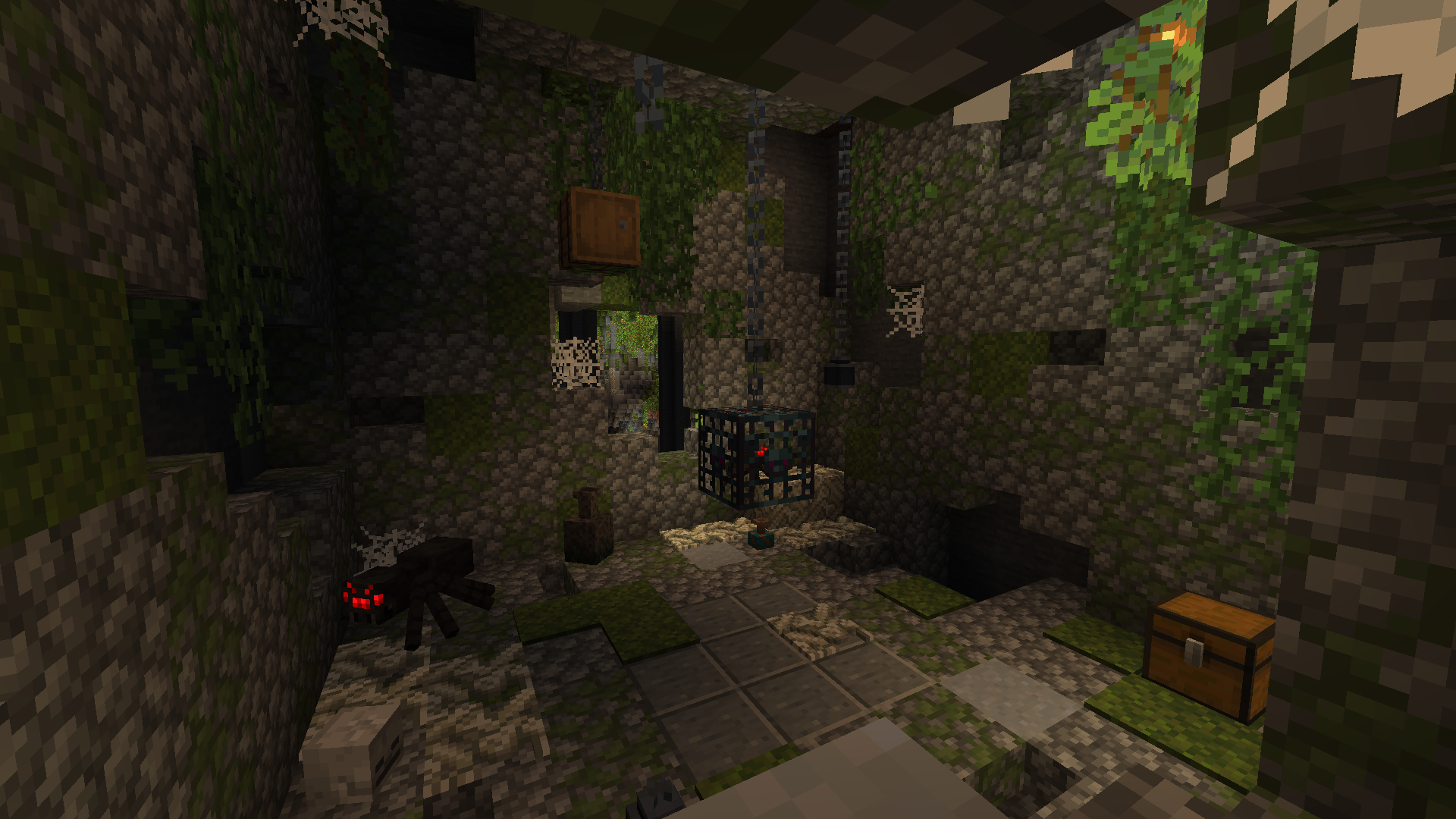
Valhelsia Structures is a mod that generates new structures such as abandoned buildings and dungeons, some vanilla structures are also reworked and replaced by our version. It also adds different blocks that could be very useful for the decoration of your home. Valhelsia Structures is compatible built with Valhelsia Furniture. The mod will receive new structures, blocks, mobs, bosses and features as updates are made.
Join us on our Discord server to get the latest news, changelog and to get support if you have any problems. We also have an extremely active chat channel and an image gallery submitted by members of the community.
BisectHosting offers quick, simple and high quality server hosting with over a dozen locations available across the world, ensuring low latency. After your purchase, the server is already configured and ready to use.
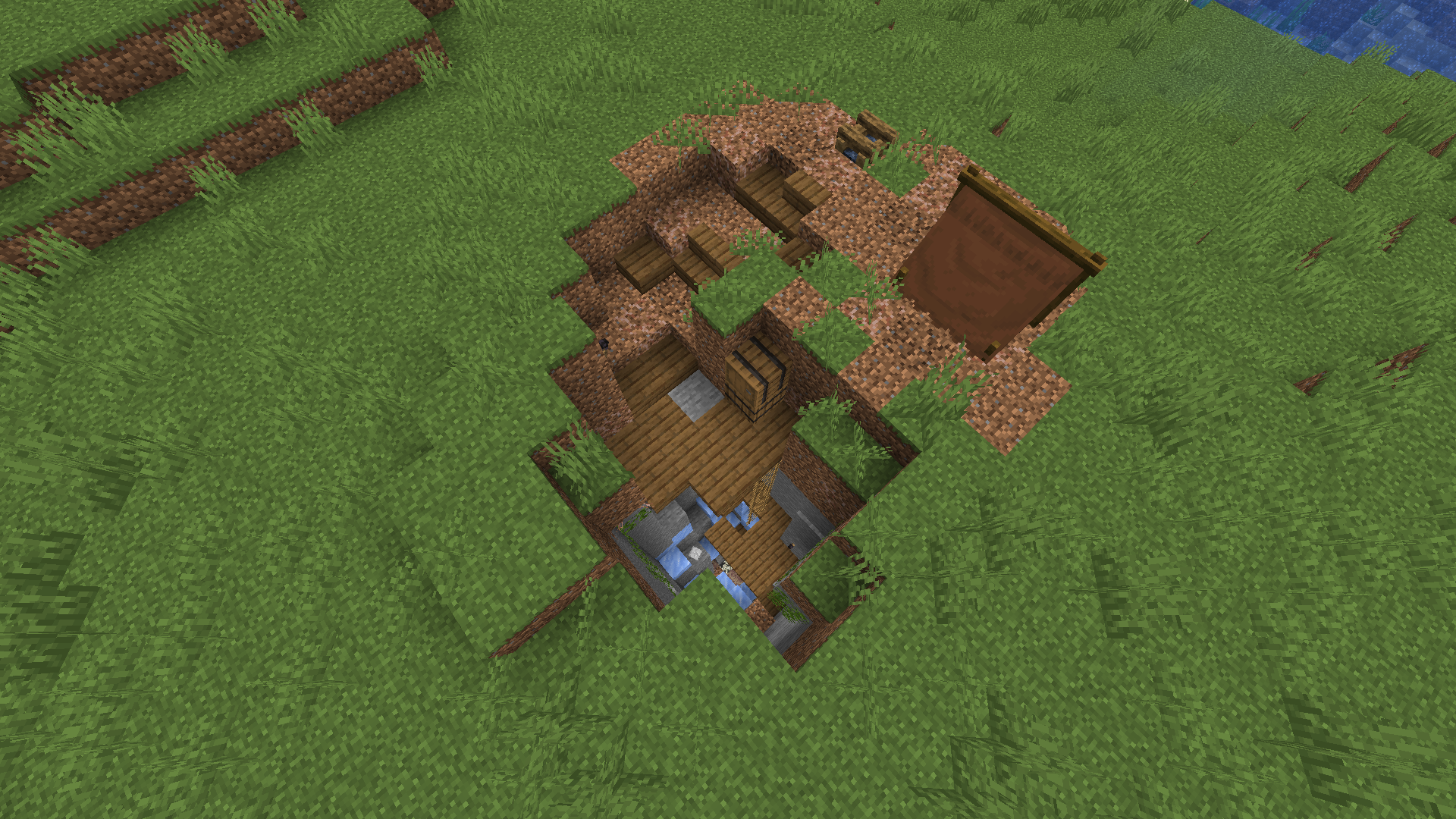
Here are some structures that you will be able to find on your world. You can also find on screenshots some new blocks that are added with the structures, more screenshots are available in the gallery.
New features will be added as updates are released, such as several types of structure variants to avoid running into the same ones all the time, new structures, new dungeons, new bosses and monsters.
Check Out Our Projects:
Ako nainštalovať Valhelsia Structures
With Millida Launcher
Install Millida Launcher
The launcher is free: download it at millida.net/launcher and sign in with any nickname.
Click “Install” on this page
The launcher opens and installs the mod for Minecraft 1.16.1–1.21.9 on Forge or NeoForge automatically.
Launch the game
A profile with it appears in the launcher: click “Play”.
Manually
Install Forge or NeoForge
The loader must match the game version of the mod file, for example Minecraft 1.21.9. After installing it, a separate profile appears in your launcher.
Download the file for your version
In the version list above, pick the file valhelsia_structures-neoforge-1.21.9-1.1.0.jar (2.2 MB) for your game version and loader.
Put it in the mods folder
The folder is inside .minecraft (Windows: %appdata%\.minecraft\mods). If it does not exist, create it.
Launch the loader profile
Open “Mods” in the main menu: Valhelsia Structures should be in the list.
Minecraft 1.21.9 runs on Java 21: with a different Java version the game may close right after launch.
Verzie
So závislosťami
| Minecraft | Loader | Súbor | Dátum | Akcie |
|---|---|---|---|---|
| 1.21.9 | NeoForge | [NeoForge] Valhelsia Structures - 1.1.02.2 MB 1 | ||
| 1.20.1 | Forge | [Forge] Valhelsia Structures - 1.1.22.5 MB 32 | ||
| 1.16.3 | — | Valhelsia Structures - 16.0.5600 KB 4 | ||
| 1.16.1 | Forge | Valhelsia Structures - 16.0.1609 KB |
FAQ
Which Minecraft versions does Valhelsia Structures work on?
There are files for 1.21.9, 1.20.1, 1.16.5, 1.16.4, 1.16.3, 1.16.1. The newest is 1.21.9.
Is Valhelsia Structures for Forge or Fabric?
There are files for Forge: 1.16.1–1.20.1 and for NeoForge: 1.21.9. There are no files for Fabric: a mod for another loader will not start.
Does Valhelsia Structures need other mods?
The author lists no required dependencies: the Forge or NeoForge loader is enough.
Which Java does Valhelsia Structures need?
Minecraft 1.21.9 runs on Java 21. If the game closes right after launch, the usual cause is the wrong Java version in the profile settings.
Where can I download Valhelsia Structures safely?
On this page: the file valhelsia_structures-neoforge-1.21.9-1.1.0.jar (2.2 MB) is stored on Millida’s server, with no link shorteners. SHA-1 checksum: 100a6a7e18cba04a1ef360b8a97b8d53d6327b8e.
Recenzie
Buď prvý, kto ohodnotí Valhelsia Structures


