
Tool Belt Mod pre Minecraft 1.20.1, 1.16.5
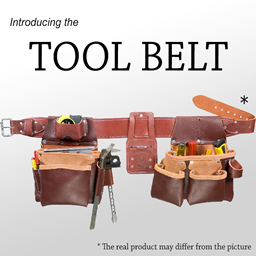
A utility belt that holds your tools
 NeoForge
 Forge
ForgeO mode Tool Belt
Attention Fabric users: This is a NeoForge mod (formerly a Forge mod), it has always been and will always be. If I ever port it to Fabric, which I have no current plans to do, it will be as a fully separate project, and it will be clearly indicated.
Featuring:
- Baubles/Curios compatibility! (The belt can be placed in the belt slot if Baubles(1.12.2) or Curios(1.14.4+) if installed)
- 2 stock slots, upgradeable to 9 by combining with tool pouches in an anvil!
- Quickly switch between tools using the handy Radial Menu! (Hold R down -- or change the keybind to your preference)
- It holds any non-stackable item!
- Item Whitelist, for those cases where "non-stackable" isn't enough to decide what can be inserted
- Item Blacklist, for when "any" is too much
- Item Display on Players -- show off your tools at all times! (only the first 2 slots are shown)
- Now with an actual belt!
- Sewing Kit compatibility: When Sewing Kit is installed, the crafting recipes used to make the belt and upgrade the belt with additional slots will change to use the sewing mechanic. This can be changed in the configuration files if you still want to allow crafting grid and anvil (which IMO are really inferior but everyone has their preference)
- Get Sewing Kit here
Request for comments:
- Are the recipes ok?
- How can I improve the mod? Balance? Upgrade difficulty? Suggestions welcome!
- Want to help translate the mod?
Alternative icons
Ramoddi has made a resource pack with alternative icons, you can find it here.
Can I use this in <X>?
Yes. Unless <X>'s license is incompatible with this mod's, which is unlikely.
Help and Support
For bug reports and feature requests, visit the issue tracker (link above)
You can also find me on discord, in my little discord server (please use the support forum channels! DO NOT DM me unless strictly necessary).
I've got a Patreon!
Help me continue making games and mods! Click here
Ako nainštalovať Tool Belt
With Millida Launcher
Install Millida Launcher
The launcher is free: download it at millida.net/launcher and sign in with any nickname.
Click “Install” on this page
The launcher opens and installs the mod for Minecraft 1.10.2–26.2 on Forge or NeoForge automatically.
Launch the game
A profile with it appears in the launcher: click “Play”.
Manually
Install Forge or NeoForge
The loader must match the game version of the mod file, for example Minecraft 26.2. After installing it, a separate profile appears in your launcher.
Download the file for your version
In the version list above, pick the file ToolBelt-26.2-2.10.0.jar (224 KB) for your game version and loader.
Put it in the mods folder
The folder is inside .minecraft (Windows: %appdata%\.minecraft\mods). If it does not exist, create it.
Launch the loader profile
Open “Mods” in the main menu: Tool Belt should be in the list.
Verzie
So závislosťami
| Minecraft | Loader | Súbor | Dátum | Akcie |
|---|---|---|---|---|
| 26.2 | NeoForge | ToolBelt-26.2-2.10.0.jar224 KB 1 | ||
| 1.20.1 | Forge | ToolBelt-1.20.1-1.20.03.jar248 KB 13 | ||
| 1.21 | NeoForge | ToolBelt-1.21-2.2.0.jar206 KB | ||
| 1.16.5 | — | ToolBelt-1.16.5-1.16.2.jar237 KB 2 | ||
| 1.16.1 | Forge | ToolBelt-1.16.1-1.14.1.jar189 KB 1 | ||
| 1.10.2 | — | ToolBelt-1.10.2-1.1.0.jar74 KB |
FAQ
Which Minecraft versions does Tool Belt work on?
There are files for 26.2, 1.21, 1.20.1, 1.16.5, 1.16.1, 1.10.2. The newest is 26.2.
Is Tool Belt for Forge or Fabric?
There are files for Forge: 1.16.1–1.20.1 and for NeoForge: 1.21–26.2. There are no files for Fabric: a mod for another loader will not start.
Does Tool Belt need other mods?
The author lists no required dependencies: the Forge or NeoForge loader is enough.
Where can I download Tool Belt safely?
On this page: the file ToolBelt-26.2-2.10.0.jar (224 KB) is stored on Millida’s server, with no link shorteners. SHA-1 checksum: c153bce2ea2840326767770585ca4761eadd02b4.
Recenzie
Buď prvý, kto ohodnotí Tool Belt


