

Straw Statues Mod pre Minecraft 1.19.2, 26.3
Bring some life to your builds with player statues of your favorite Minecrafters!
 Fabric
 NeoForge
 Forge
ForgeO mode Straw Statues
         
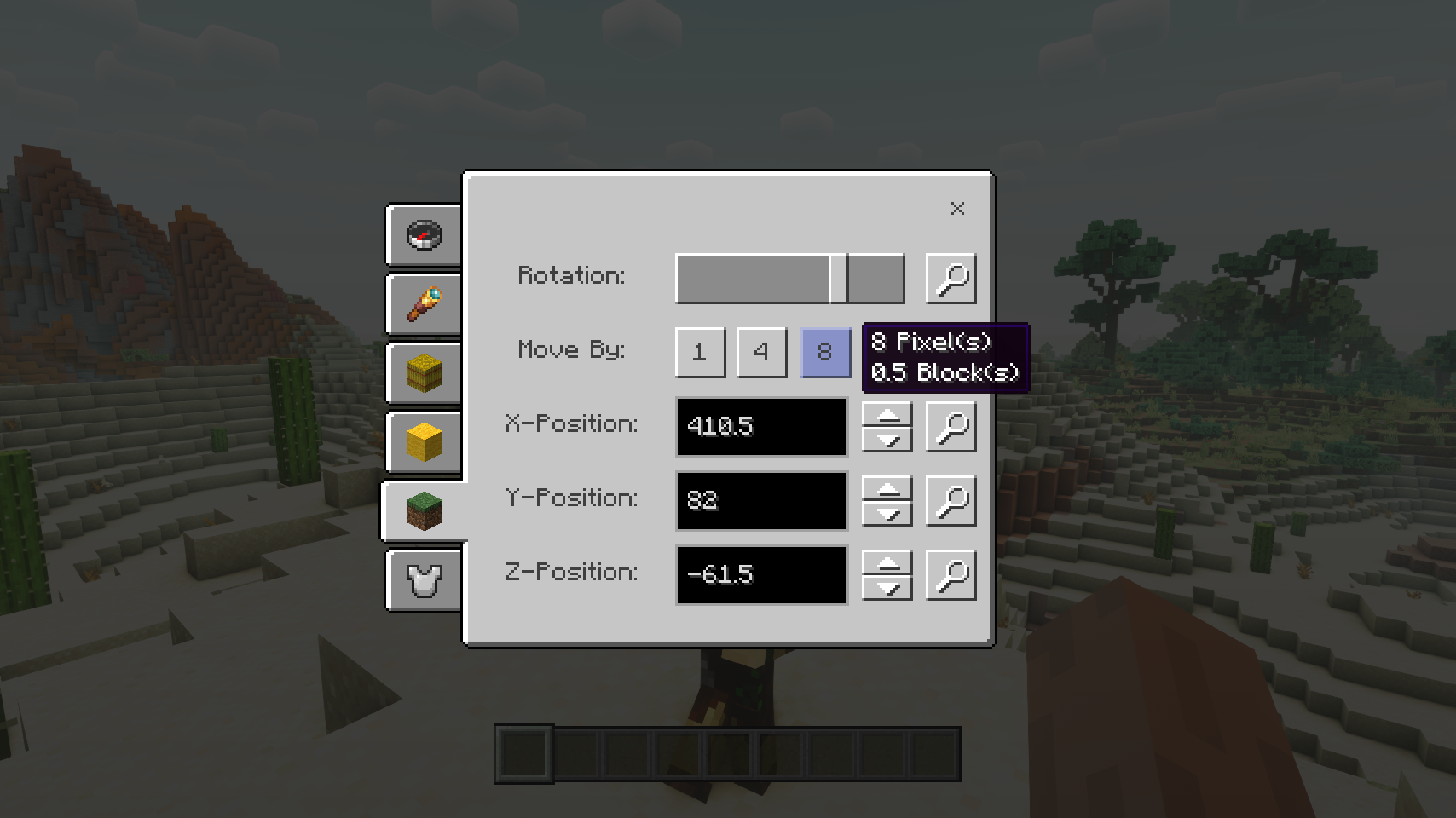
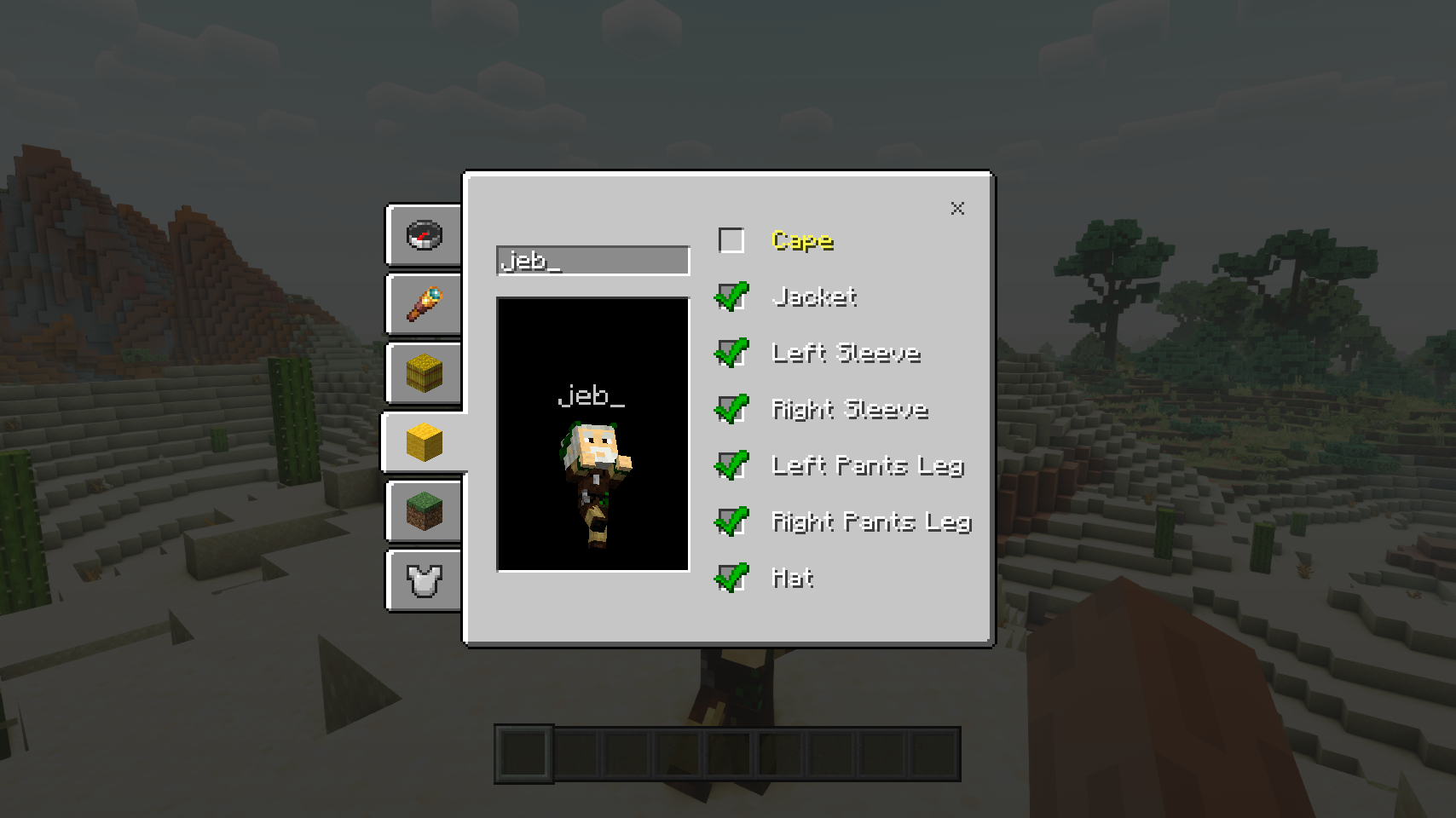
Straw Statues adds one simple item, that when placed in the world looks just like a player model made from straw. And that's no coincidence! Open the statue configuration screen to choose any skin you like and suddenly the statue looks exactly like a real player. That's just the start of it: Equip the statue with gear, pose it as you wish, move the statue around with ease, and configure many options. Time to bring some life to your builds!
⏩ INSTALLATION REQUIRED ON CLIENT & REQUIRED ON SERVER
⏩ REQUIRES PUZZLES LIB TO BE INSTALLED (FABRIC & NEOFORGE)
⏩ REQUIRES FABRIC API TO BE INSTALLED (FABRIC)
⏩ REQUIRES FORGE CONFIG API PORT TO BE INSTALLED (FABRIC)
If available for a mod, configuration is possible directly from in-game using the mod menu (requires Mod Menu by Prospector to be installed on Fabric).
For manual configuration using an external text editor all files are found at .minecraft/config, named as MOD_ID-client.toml, MOD_ID-common.toml, or MOD_ID-server.toml, depending on the type of config. Not all types might exist for a mod, if any at all.
🌟 Huge thanks to the VanillaTweaks Team for their Armor Statues data pack, which heavily inspired this whole mod, and provided some values for certain features such as the alignments screen and a lot of the built-in poses.
🌟 Thanks to Forge_User_41096743 and their Armor Stand Configurator mod for being a big inspiration behind this mod.
🌟 Thanks to AUTOMATIC_MAIDEN and their Statues mod which the rotations screen is heavily based upon.
🌟 Thanks to Finalbossblues for their amazing icons available over on itch.io.


(c) 2026 @heyitsfuzs. All rights reserved. This page was last edited on 11 September 2026, at 06:44 (UTC).
Ako nainštalovať Straw Statues
With Millida Launcher
Install Millida Launcher
The launcher is free: download it at millida.net/launcher and sign in with any nickname.
Click “Install” on this page
The launcher opens and installs the mod for Minecraft 1.19.2–26.3 on Fabric, Forge or NeoForge automatically.
Launch the game
A profile with it appears in the launcher: click “Play”.
Manually
Install Fabric, Forge or NeoForge
The loader must match the game version of the mod file, for example Minecraft 26.3. After installing it, a separate profile appears in your launcher.
Download the file for your version
In the version list above, pick the file strawstatues-v26.3.0-mc26.3.x+fabric.jar (347 KB) for your game version and loader.
Put it in the mods folder
The folder is inside .minecraft (Windows: %appdata%\.minecraft\mods). If it does not exist, create it.
Launch the loader profile
Open “Mods” in the main menu: Straw Statues should be in the list.
Verzie
So závislosťami
| Minecraft | Loader | Súbor | Dátum | Akcie |
|---|---|---|---|---|
| 26.3 | Fabric | v26.3.0-mc26.3.x+fabric347 KB 1 | ||
| 26.3 | NeoForge | v26.3.0-mc26.3.x+neoforge346 KB | ||
| 1.19.2 | Forge | [FORGE] [1.19.2] StrawStatues-v4.0.13288 KB |
FAQ
Which Minecraft versions does Straw Statues work on?
There are files for 26.3, 1.19.2. The newest is 26.3.
Is Straw Statues for Forge or Fabric?
There are files for Fabric: 26.3, for Forge: 1.19.2 and for NeoForge: 26.3.
Does Straw Statues need other mods?
The author lists no required dependencies: the Fabric, Forge or NeoForge loader is enough.
Where can I download Straw Statues safely?
On this page: the file strawstatues-v26.3.0-mc26.3.x+fabric.jar (347 KB) is stored on Millida’s server, with no link shorteners. SHA-1 checksum: 8ce1b46c2aa2d1fd8bb80aba95086e59f740a6b8.
Recenzie
Buď prvý, kto ohodnotí Straw Statues


