
Shrink. Mod pre Minecraft 1.16.5, 26.3
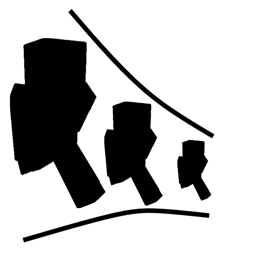
Shrink is a small mod for Minecraft that allows players to change their player's size.
 Fabric
 NeoForge
 Forge
ForgeO mode Shrink.
Shrink is a small mod that lets you change your player's size.
- By shrinking, you gain access to places that would normally be off-limits without breaking blocks.
- The mod introduces a single item called the Personal Shrinking Device.
- When you shift-right-click this device, your player magically shrinks down to about the size of a quarter of a block.
- The Personal Shrinking Device requires power from any RF/Forge Energy source, although you can disable this feature in the configuration file.

Use Cases
- Imagine infiltrating secret passages, exploring tiny nooks, or even hiding from mobs as a minuscule adventurer.
- Need to slip through a narrow gap? Shrink! - Want to experience the world from a bug's perspective? Shrink!
- Tired of towering over everything? Shrink!
- While small, you'll still pack a punch. Your tiny self can wield mighty weapons and armor.
- Be cautious some mobs might not appreciate your newfound compactness.
Ako nainštalovať Shrink.
With Millida Launcher
Install Millida Launcher
The launcher is free: download it at millida.net/launcher and sign in with any nickname.
Click “Install” on this page
The launcher opens and installs the mod for Minecraft 1.16.4–26.3 on Fabric, Forge or NeoForge automatically.
Launch the game
A profile with it appears in the launcher: click “Play”.
Manually
Install Fabric, Forge or NeoForge
The loader must match the game version of the mod file, for example Minecraft 26.3. After installing it, a separate profile appears in your launcher.
Download the file for your version
In the version list above, pick the file shrink-fabric-26.3-2.1.2.jar (56 KB) for your game version and loader.
Put it in the mods folder
The folder is inside .minecraft (Windows: %appdata%\.minecraft\mods). If it does not exist, create it.
Launch the loader profile
Open “Mods” in the main menu: Shrink. should be in the list.
Verzie
So závislosťami
| Minecraft | Loader | Súbor | Dátum | Akcie |
|---|---|---|---|---|
| 26.3 | Fabric | 26.3-2.1.2 [Fabric]55.9 KB 70 | ||
| 26.3 | NeoForge | 26.3-2.1.2 [NeoForge]56.4 KB 2 | ||
| 1.20.4 | Forge | 1.20.4-2.0.0.40 [Forge]54.9 KB 6 | ||
| 1.16.5 | — | Shrink-1.16.4-1.1.3.jar70.8 KB 3 | ||
| 1.16.5 | Forge | Shrink-1.16.4-1.1.2.jar68.1 KB |
FAQ
Which Minecraft versions does Shrink. work on?
There are files for 26.3, 1.20.4, 1.16.5, 1.16.4. The newest is 26.3.
Is Shrink. for Forge or Fabric?
There are files for Fabric: 26.3, for Forge: 1.16.5–1.20.4 and for NeoForge: 26.3.
Does Shrink. need other mods?
The author lists no required dependencies: the Fabric, Forge or NeoForge loader is enough.
Where can I download Shrink. safely?
On this page: the file shrink-fabric-26.3-2.1.2.jar (56 KB) is stored on Millida’s server, with no link shorteners. SHA-1 checksum: 9150e10e80482b4f24e825ae191e04bf7e8a5258.
Recenzie
Buď prvý, kto ohodnotí Shrink.


