
RFTools Mod pre Minecraft 1.12.2
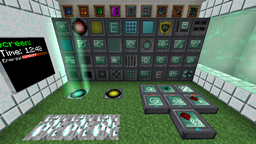
RFTools, blocks and items to help with Redflux (dimension builder, crafter, monitor, scanner, ...)
O mode RFTools
RFTools is a mod containing various tools that are related to RF (Redflux) or technology in general. The blocks and items that are in the current version are usable and feature complete. This mod is for 1.7.10, 1.8.9, 1.9 and 1.10.2. The major feature in this mod (since 2.00) is the Dimension Builder. With this device you can make your own dimensions for exploration, mining, building and so on.
Note! This mod no longer exists on 1.14 and higher. Instead it has been split into multiple mods starting with RFToolsBase!
Old Information
Note! RFTools requires McJtyLib!
Note! If you want to use dimensions then you have to get the RFTools Dimensions mod as the dimension builder has been moved there. Also check out RFTools Control which is another companion mod for RFTools adding powerful automation capabilities.
Note! Comments have been disabled because it is hard for me to check for this on too many places. If you want to submit a bug report then go to the 'Issues' tab or here: RFTools Issue Tracker. If you want to discuss RFTools in general you can do that here: RFTools on my discord
You can use RFTools in your modpacks without restrictions.
You can support me by pleding at https://www.patreon.com/McJty
Thanks!
RFTools spotlight from Direwolf20 (part one out of five):
Ako nainštalovať RFTools
With Millida Launcher
Install Millida Launcher
The launcher is free: download it at millida.net/launcher and sign in with any nickname.
Click “Install” on this page
The launcher opens and installs the mod for Minecraft 1.12–1.12.2 automatically.
Launch the game
A profile with it appears in the launcher: click “Play”.
Manually
Download the file for your version
In the version list above, pick the file rftools-1.12-7.73.jar (2.8 MB) for your game version.
Put it in the mods folder
The folder is inside .minecraft (Windows: %appdata%\.minecraft\mods). If it does not exist, create it.
Launch the loader profile
Open “Mods” in the main menu: RFTools should be in the list.
Minecraft 1.12.2 runs on Java 8: with a different Java version the game may close right after launch.
Verzie
So závislosťami
| Minecraft | Loader | Súbor | Dátum | Akcie |
|---|---|---|---|---|
| 1.12.2 | — | RFTools - 1.12-7.732.8 MB 2 | ||
| 1.12.2 | — | RFTools - 1.12-7.50-alpha2.7 MB | ||
| 1.12 | — | rftools-1.12-6.10beta4.jar2.9 MB |
FAQ
Which Minecraft versions does RFTools work on?
There are files for 1.12.2, 1.12. The newest is 1.12.2.
Which Java does RFTools need?
Minecraft 1.12.2 runs on Java 8. If the game closes right after launch, the usual cause is the wrong Java version in the profile settings.
Where can I download RFTools safely?
On this page: the file rftools-1.12-7.73.jar (2.8 MB) is stored on Millida’s server, with no link shorteners. SHA-1 checksum: 16a4e8c1907bdaac546ab3fd56904d202da427f3.
Recenzie
Buď prvý, kto ohodnotí RFTools


