
- stiahnutí
- 6 stiahnutí
- zobrazení
- 29 zobrazení
- Aktualizované
- Aktualizované 26.10.2026
- 1.12.2
 Forge
Forge
O mode Railcraft
Railcraft started off as a simple minecart mod, but it has since become much more than that.
It features a fully fleshed out tech tree, with great effort gone into providing a balanced gameplay.
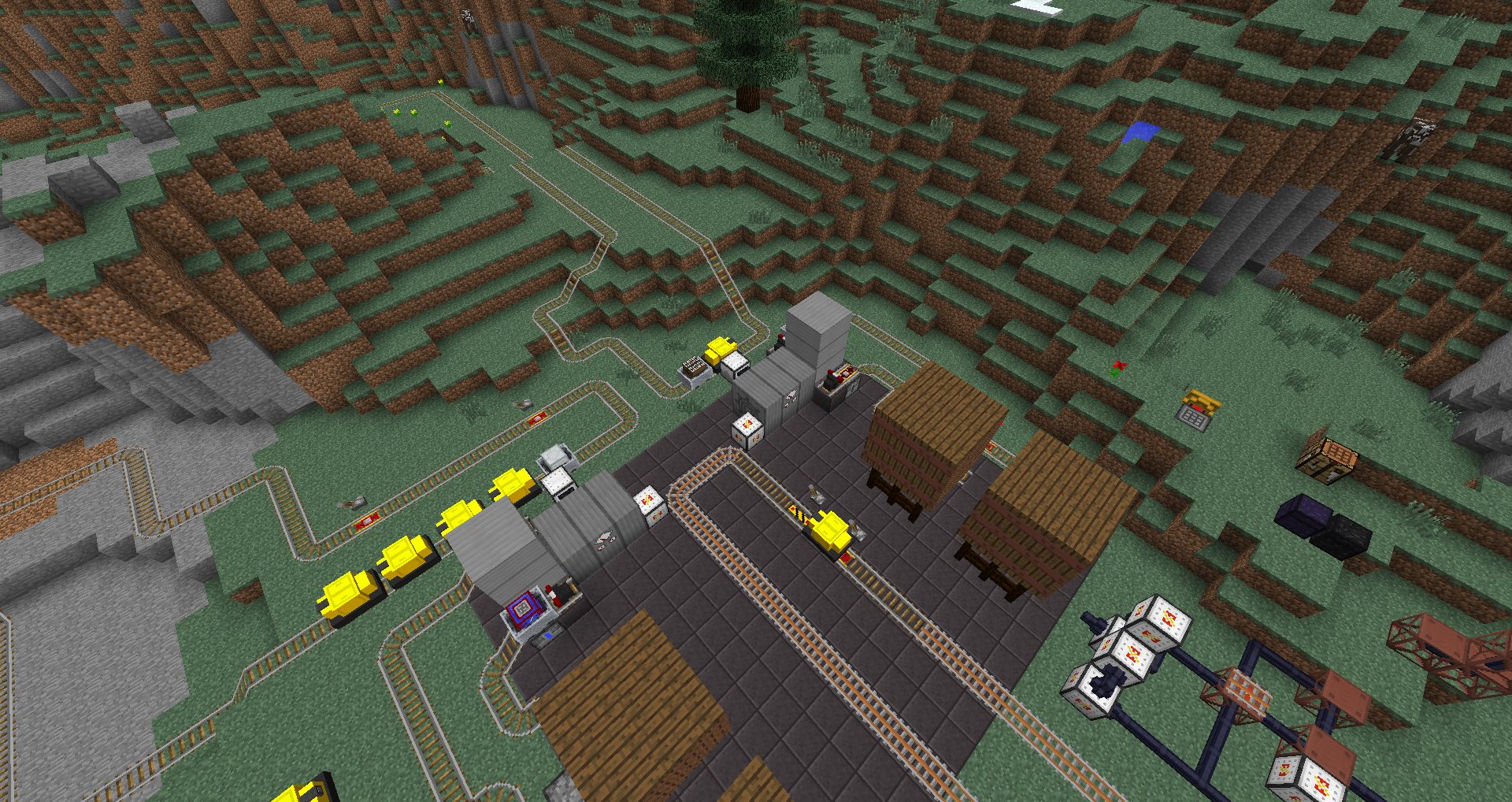
Railcraft was also one of the pioneer mods when it comes to Multi-Block structures. It features a whole slew of these structures, including the mighty Steam Boiler and the stunningly massive Iron Tanks.
For more detailed information regarding the mod, you should visit the website at http://railcraft.info
Features
General
- Crowbar - Rapid rail adjustment for the experienced rail engineer!
- Working Signalling System - Never experience another head-on collision again!
- Cart Linking & Locomotives - Make a real train!
- Multi-Block structures - For when magic blocks just won't cut it.
Tracks
- Boarding and Holding Rails - Never chase your minecart again!
- One Way Rail - Carts going the wrong way? Not anymore!
- Control Rail - Power entire sections of track to propel carts in the direction you want!
- Junction Rail - Putting the diamond in your rails (no actual diamonds required).
- Launch Rail - I can see my house!
- High Speed Rails - Get there faster! If you don't crash.
- Reinforced Tracks - For those nether railways.
- Wooden Rails - Jurassic Park style, only with creepers instead of dinosaurs.
- Elevator Rail - Go up, fast.
- And many more.
Carts
- Steam Locomotive - Chugging away all day long!
- TNT Cart - Explosive fun!
- Tank Cart - The easy way to transport Buildcraft liquids!
- Energy Cart - Convenience away from home, bring your IndustrialCraft2 power with you!
- Tunnel Bore - Avoid the monotony of digging perfect tunnels!
Blocks
- Detector Blocks - More freedom to control your carts!
- Loader/Unloader - Move items and liquids automatically!
- Cart Dispenser - Convenient storage for you carts!
- Iron Tanks - Massive Multi-Block Tanks for liquids.
- Steam Boiler - For all your energy needs.
- World Anchors - Automate things even when you are not around!
Fixes
- Rebalanced drag rates for carts - Now your storage carts will actually reach their destination!
- Completely new collision code - Carts can now push other carts, furnace carts are almost not useless!
- Names of default minecarts simplified.
- Improved lighting on minecarts.
- Minecart reversal recipes. Separate that chest from that cart.
- All rail recipes completely reworked to make an entire industry out of building a railroad. What good is Buildcraft with nothing to build? (config option)
- Minecarts now have a max stack size of three. (config option)
- Minecarts no longer break into separate parts when destroyed. (config option)
- Minecarts no longer collide with items at normal speeds. (config option)
Configurable
- Module based system that lets you remove the parts of the mod you dislike.
- Extensive configuration file that allows you to disable any block or item or change the way rails are crafted.
- Full Multilingual localization support.
Installation
- Backup Your World!
- Delete any old versions of the Railcraft zip files in the ".minecraft\mods" folder
- Install Minecraft Forge
- Download and drop the Railcraft zip file into the ".minecraft\mods" folder.
- Do not extract or attempt to place the contents into minecraft.jar!
This mod is dedicated to the living God and His son, Jesus. Without His support, this poor modder would have given up years ago. Learn to hear His voice, it will transform your life.
Ako nainštalovať Railcraft
With Millida Launcher
Install Millida Launcher
The launcher is free: download it at millida.net/launcher and sign in with any nickname.
Click “Install” on this page
The launcher opens and installs the mod for Minecraft 1.12.2 on Forge automatically.
Launch the game
A profile with it appears in the launcher: click “Play”.
Manually
Install Forge
The loader must match the game version of the mod file, for example Minecraft 1.12.2. After installing it, a separate profile appears in your launcher.
Download the file for your version
In the version list above, pick the file railcraft-12.1.0-beta-8.jar (5.5 MB) for your game version.
Put it in the mods folder
The folder is inside .minecraft (Windows: %appdata%\.minecraft\mods). If it does not exist, create it.
Launch the loader profile
Open “Mods” in the main menu: Railcraft should be in the list.
Minecraft 1.12.2 runs on Java 8: with a different Java version the game may close right after launch.
Verzie
So závislosťami
| Minecraft | Loader | Súbor | Dátum | Akcie |
|---|---|---|---|---|
| 1.12.2 | Forge | Railcraft 12.1.0-beta-8 - MC 1.12.25.5 MB 6 | ||
| 1.12.2 | — | Railcraft 12.0.0 - MC 1.12.25.3 MB | ||
| 1.12.2 | — | Railcraft 12.0.0-beta-5 - MC 1.12.25.3 MB |
FAQ
Which Minecraft versions does Railcraft work on?
Only Minecraft 1.12.2: there are no files for other versions.
Is Railcraft for Forge or Fabric?
Only for Forge: 1.12.2. There are no files for Fabric or NeoForge: a mod for another loader will not start.
Does Railcraft need other mods?
The author lists no required dependencies: the Forge loader is enough.
Which Java does Railcraft need?
Minecraft 1.12.2 runs on Java 8. If the game closes right after launch, the usual cause is the wrong Java version in the profile settings.
Where can I download Railcraft safely?
On this page: the file railcraft-12.1.0-beta-8.jar (5.5 MB) is stored on Millida’s server, with no link shorteners. SHA-1 checksum: 3f894220b478ac454b731642aaf118b3ac7097ae.
Recenzie
Buď prvý, kto ohodnotí Railcraft


