

Quality Tools Mod pre Minecraft 1.12.2
Adds random 'qualities' to tools, affecting their attack damage, dig speed, armor protection, etc.
O mode Quality Tools
Is your sword sharp? Maybe it's a bit longer than normal? Wait, is your helmet dented?
Introducing Quality Tools!
Description:
This mod gives tools, armor, and weapons random qualities when they enter your inventory, inspired by Terraria tools. All the qualities, as well as the tools that can get them, are completely configurable.
Here are a few more examples:
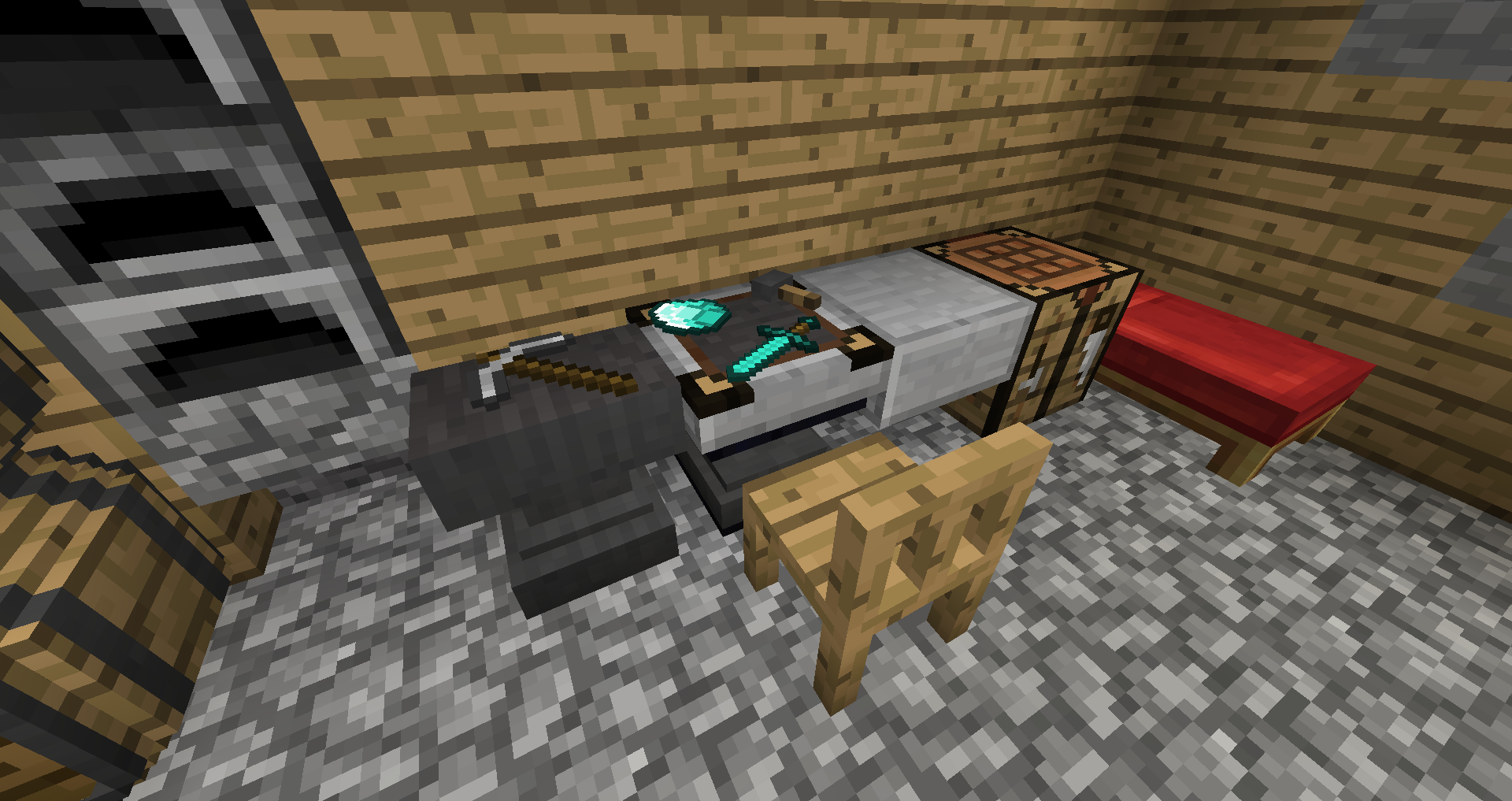
It also adds a 'reforging station', which you can use to change your tool's quality.
Use the reforging station by placing your tool in the top slot, and the material you would use to repair it in the bottom slot, then clicking the button.
If the tool isn't normally repairable, there is a config file that has custom reforging materials for it. For instance, iron ingots for shears. You can add materials there for modded tools that don't have repair items.
It should automatically use tools and their repair items from other mods as well, like these leggings from Botania.
There is also support for Baubles, so any items that can go in baubles slots can get qualities. As an example for this, and in case you don't have any other mods that use baubles, I added a simple emerald ring and amulet (which can be reforged using emeralds).
Crafting Recipes:
Reforging Station:
Emerald Ring:
Emerald Amulet:
Videos:
by Mischief Of Mice:
Installation Instructions:
Install this as a regular forge mod (there are many tutorials out there if you don't know how).
It also requires Potion Core as a coremod:
https://mods.curse.com/mc-mods/minecraft/242872-potion-core
And has support for baubles:
https://mods.curse.com/mc-mods/minecraft/227083-baubles
Optional: Resource pack that remodels the reforging station, made by kniggebrot/CREE7EN
https://minecraft.curseforge.com/projects/quality-tools-reforging-station-variant
That's about it! You can use this mod in modpacks if you like, and remember to report any bugs that you find. If you want to post a comment, you should do so on the minecraftforum page, as I will be more likely to see it.
Enjoy the mod!
Ako nainštalovať Quality Tools
With Millida Launcher
Install Millida Launcher
The launcher is free: download it at millida.net/launcher and sign in with any nickname.
Click “Install” on this page
The launcher opens and installs the mod for Minecraft 1.12.2 automatically.
Launch the game
A profile with it appears in the launcher: click “Play”.
Manually
Download the file for your version
In the version list above, pick the file QualityTools-1.0.7_for_1.12.2.jar (82 KB) for your game version.
Put it in the mods folder
The folder is inside .minecraft (Windows: %appdata%\.minecraft\mods). If it does not exist, create it.
Launch the loader profile
Open “Mods” in the main menu: Quality Tools should be in the list.
Minecraft 1.12.2 runs on Java 8: with a different Java version the game may close right after launch.
Verzie
So závislosťami
| Minecraft | Loader | Súbor | Dátum | Akcie |
|---|---|---|---|---|
| 1.12.2 | — | QualityTools-1.0.7_for_1.12.2.jar81.6 KB |
FAQ
Which Minecraft versions does Quality Tools work on?
Only Minecraft 1.12.2: there are no files for other versions.
Which Java does Quality Tools need?
Minecraft 1.12.2 runs on Java 8. If the game closes right after launch, the usual cause is the wrong Java version in the profile settings.
Where can I download Quality Tools safely?
On this page: the file QualityTools-1.0.7_for_1.12.2.jar (82 KB) is stored on Millida’s server, with no link shorteners. SHA-1 checksum: d48b86bfb5ca622a71332b7b3bffeff2b1729a04.
Recenzie
Buď prvý, kto ohodnotí Quality Tools


