
PackMenu Mod pre Minecraft 1.20.1, 1.21.1
A basic menu editor for modpacks.
 NeoForge
 Forge
ForgeO mode PackMenu
About
Pack Menu allows the user to change the way the Minecraft Main Menu looks. It was developed as a replacement to Custom Main Menu in Minecraft 1.14+.
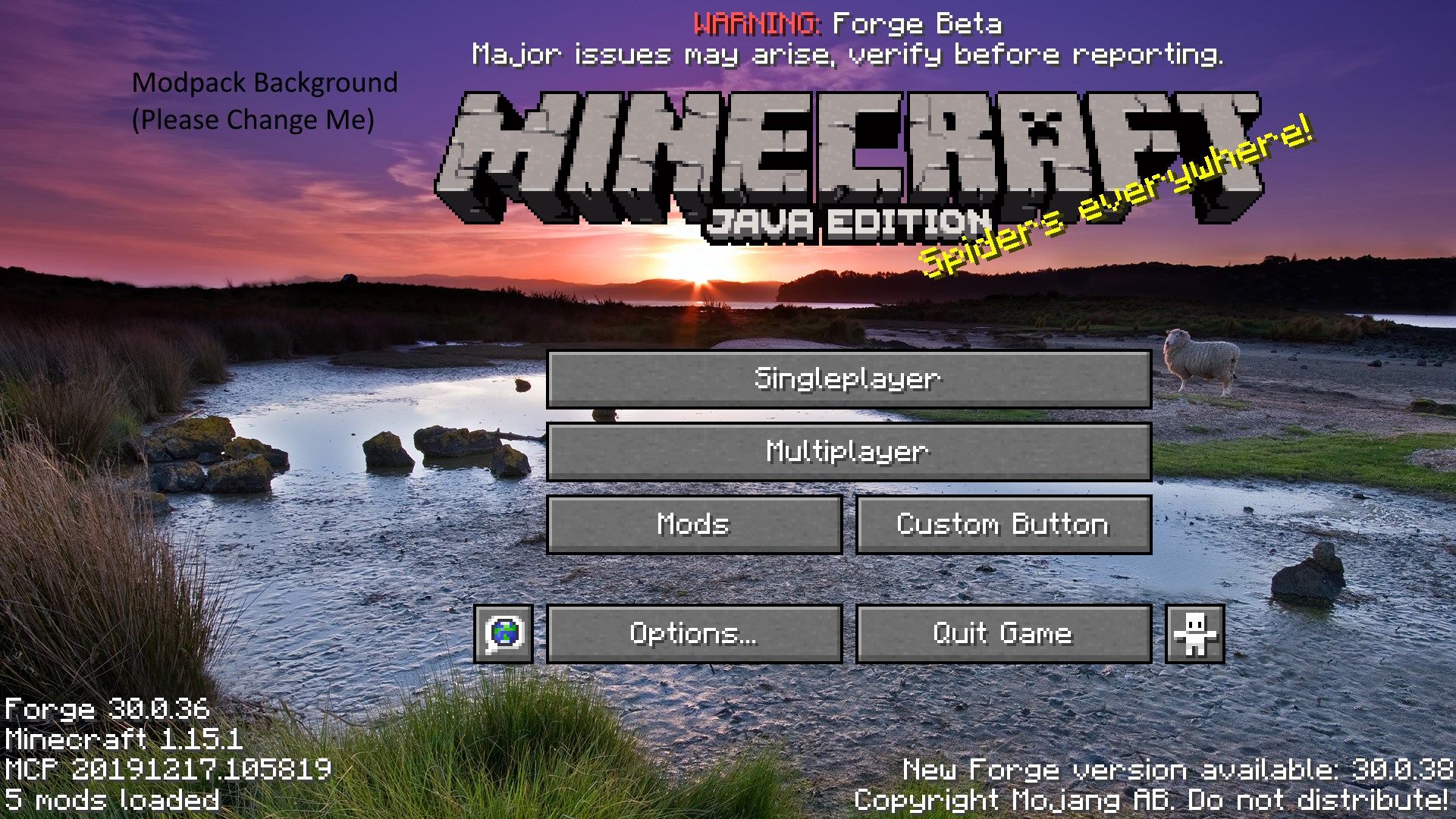
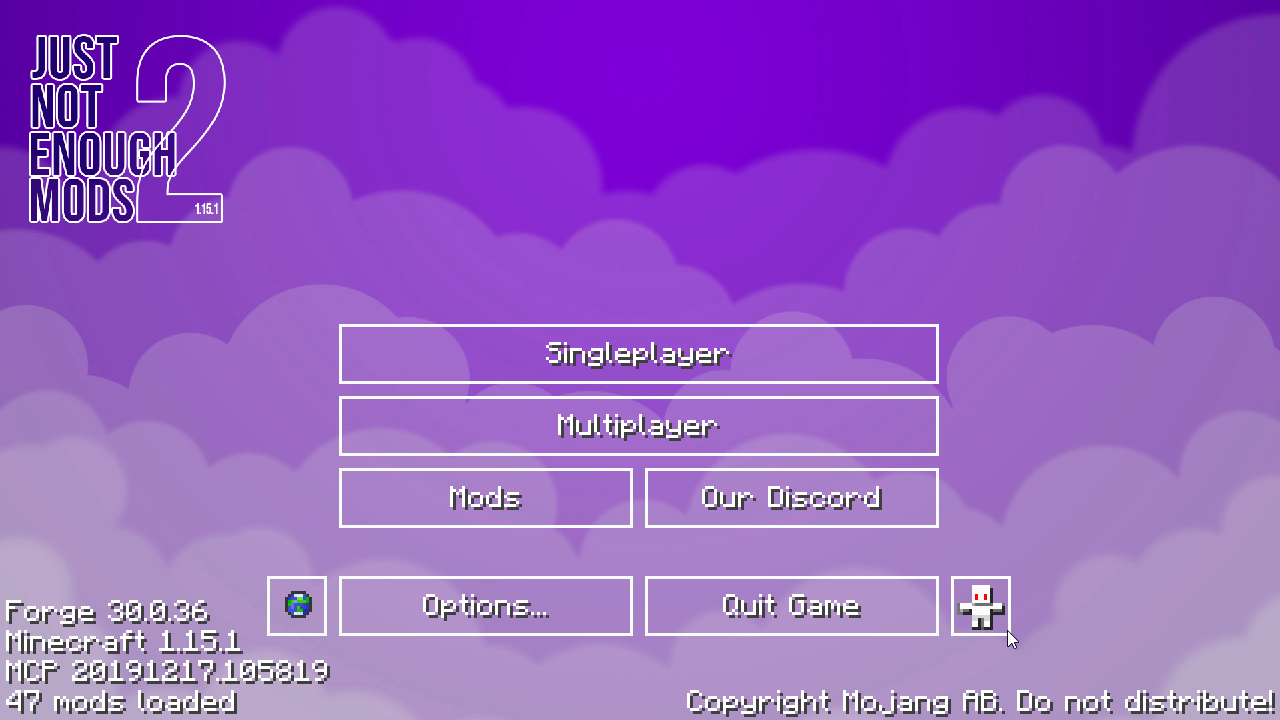
Pack Menu has the following features:
- Changing the background image of the Main Menu
- Rearranging or disabling any menu elements, such as the title image, splash text, and the panorama fade.
- Creation of custom buttons, and through that, the ability to completely overhaul the buttons on the menu. Buttons are created using JSON files, with the defaults shipped with the provided resource pack.
- Display of a custom logo separate from the background. This logo can have splash text attached to it, and can draw from a custom splash text list instead of the defaults.
Creation of a custom background slideshow, using any number of images.
- Creation of a custom panorama by overriding the vanilla panorama assets.
PackMenu uses a resource pack to load its textures. This resource pack is located at <gamedir>/packmenu/resources (as a folder).
This means you can also use PackMenu to load any assets that your modpack may require for any reason.
Please note that when asked for a "Resource Path", packmenu requires them in the vanilla resource format. Do not put absolute paths into these areas, and do not attempt to access assets that are not loaded as part of a resource pack.
For reference, this is how resource transformation works: The resource path minecraft:textures/gui/background.png translates to (in the resource zip) assets\minecraft\textures\gui\background.png.
Finally, PackMenu does not re-ship any vanilla assets. This means that you will not find any vanilla assets inside the generated packmenu resource pack. A list of common resource paths is provided below.
Important Resource Paths (for overriding things):
- The location of the Custom Background Image is packmenu:textures/gui/background.png. This image should be 1920x1080.
- Buttons, by default, use various files in the folder minecraft:textures/gui/sprites/widget.
- This is used by non-main menu buttons, so overriding it is not advisable. If you wish to override the button textures, you should first make a copy of the necessary files.
- Buttons are loaded from packmenu:buttons/. Any json files in this directory will be treated as if it were a button (similar to advancements or recipes, but in this directory). The JSON schema for buttons is available here.
- The path of the Minecraft Title Texture is minecraft:textures/gui/title/minecraft.png
- The path of the Java Edition Texture is minecraft:textures/gui/title/edition.png
Contact
Discord: Shadows' Mods
Ako nainštalovať PackMenu
With Millida Launcher
Install Millida Launcher
The launcher is free: download it at millida.net/launcher and sign in with any nickname.
Click “Install” on this page
The launcher opens and installs the mod for Minecraft 1.18–1.21.1 on Forge or NeoForge automatically.
Launch the game
A profile with it appears in the launcher: click “Play”.
Manually
Install Forge or NeoForge
The loader must match the game version of the mod file, for example Minecraft 1.21.1. After installing it, a separate profile appears in your launcher.
Download the file for your version
In the version list above, pick the file PackMenu-1.21.1-7.0.4.jar (524 KB) for your game version and loader.
Put it in the mods folder
The folder is inside .minecraft (Windows: %appdata%\.minecraft\mods). If it does not exist, create it.
Launch the loader profile
Open “Mods” in the main menu: PackMenu should be in the list.
Minecraft 1.21.1 runs on Java 21: with a different Java version the game may close right after launch.
Verzie
So závislosťami
| Minecraft | Loader | Súbor | Dátum | Akcie |
|---|---|---|---|---|
| 1.21.1 | NeoForge | PackMenu-1.21.1-7.0.4.jar524 KB 2 | ||
| 1.20.1 | NeoForge, Forge | PackMenu-1.20.1-6.1.2.jar531 KB 3 | ||
| 1.19.2 | Forge | PackMenu-1.19.2-5.0.2.jar565 KB | ||
| 1.18.1 | — | PackMenu-1.18-4.0.0.jar528 KB 1 |
FAQ
Which Minecraft versions does PackMenu work on?
There are files for 1.21.1, 1.20.1, 1.19.2, 1.18.1, 1.18. The newest is 1.21.1.
Is PackMenu for Forge or Fabric?
There are files for Forge: 1.19.2–1.20.1 and for NeoForge: 1.20.1–1.21.1. There are no files for Fabric: a mod for another loader will not start.
Does PackMenu need other mods?
The author lists no required dependencies: the Forge or NeoForge loader is enough.
Which Java does PackMenu need?
Minecraft 1.21.1 runs on Java 21. If the game closes right after launch, the usual cause is the wrong Java version in the profile settings.
Where can I download PackMenu safely?
On this page: the file PackMenu-1.21.1-7.0.4.jar (524 KB) is stored on Millida’s server, with no link shorteners. SHA-1 checksum: c54b788cf7fd6700efe8881e0bdf1b5dfaaba433.
Recenzie
Buď prvý, kto ohodnotí PackMenu


