
NuclearCraft Mod pre Minecraft 1.12.2
Brings complex nuclear engineering to Minecraft!
- stiahnutí
- 40 stiahnutí
- zobrazení
- 91 zobrazení
- Aktualizované
- Aktualizované 25.10.2026
- 1.11.2 — 1.12.2
 Forge
Forge
O mode NuclearCraft
A complex nuclear engineering mod for Minecraft!
Head here for NuclearCraft: Overhauled [1.12.2]! Head here for NuclearCraft: Neoteric [1.20.1]! Head here for NuclearCraft: Neohaul [1.21.1]! YouTube channel for help with the mod! Join the Discord server!

Features
- Forge Energy, RF, IC2 EU and GTCEu EU compatibility
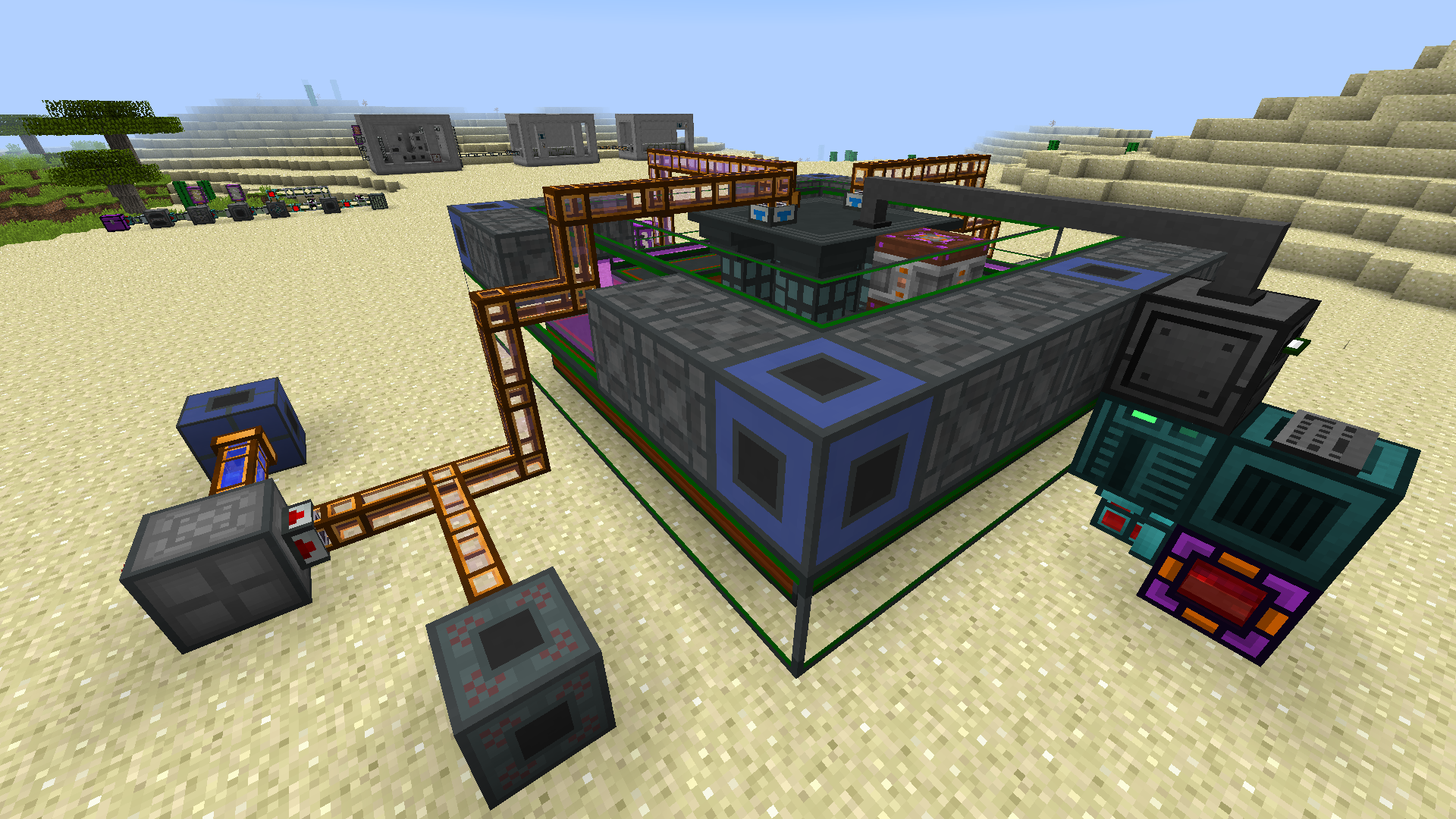
- Multiblock solid-fuel and molten salt fission reactors
- Multiblock heat exchangers, condensers and turbines
- Multiblock tokamak fusion reactors
- In-depth nuclear fuel system featuring many fuel types
- Complex fusion system of multiple fuel combinations
- Full JEI compatibility
- CraftTweaker recipe support
- Complete Mekanism gas support
- Fallout-style radiation system
- More materials, weapons, tools and armour
JEI, The One Probe and ConnectedTexturesMod are highly recommended! Changelog CraftTweaker Help
Permissions: feel free to go ahead and use this mod in your pack if you wish!
Head to the Wiki, the YouTube Channel or use the in-game tooltips for help with progression through the mod. Also feel free to just ask me directly if you need more info!
Thanks to QuantumTraverse for the mod logo!
Ako nainštalovať NuclearCraft
With Millida Launcher
Install Millida Launcher
The launcher is free: download it at millida.net/launcher and sign in with any nickname.
Click “Install” on this page
The launcher opens and installs the mod for Minecraft 1.11.2–1.12.2 on Forge automatically.
Launch the game
A profile with it appears in the launcher: click “Play”.
Manually
Install Forge
The loader must match the game version of the mod file, for example Minecraft 1.12.2. After installing it, a separate profile appears in your launcher.
Download the file for your version
In the version list above, pick the file nuclearcraft-1.12.2-2.19c.jar (6.6 MB) for your game version.
Put it in the mods folder
The folder is inside .minecraft (Windows: %appdata%\.minecraft\mods). If it does not exist, create it.
Launch the loader profile
Open “Mods” in the main menu: NuclearCraft should be in the list.
Minecraft 1.12.2 runs on Java 8: with a different Java version the game may close right after launch.
Verzie
So závislosťami
| Minecraft | Loader | Súbor | Dátum | Akcie |
|---|---|---|---|---|
| 1.12.2 | Forge | NuclearCraft-2.19c-1.12.26.6 MB 36 | ||
| 1.12.2 | — | NuclearCraft-2.17c-1.12.26.4 MB 4 | ||
| 1.12.2 | — | NuclearCraft-2.5a--1.12.25.5 MB | ||
| 1.11.2 | — | NuclearCraft-2.0a--1.11.21.1 MB |
FAQ
Which Minecraft versions does NuclearCraft work on?
There are files for 1.12.2, 1.11.2. The newest is 1.12.2.
Is NuclearCraft for Forge or Fabric?
Only for Forge: 1.12.2. There are no files for Fabric or NeoForge: a mod for another loader will not start.
Does NuclearCraft need other mods?
The author lists no required dependencies: the Forge loader is enough.
Which Java does NuclearCraft need?
Minecraft 1.12.2 runs on Java 8. If the game closes right after launch, the usual cause is the wrong Java version in the profile settings.
Where can I download NuclearCraft safely?
On this page: the file nuclearcraft-1.12.2-2.19c.jar (6.6 MB) is stored on Millida’s server, with no link shorteners. SHA-1 checksum: c1029408b188cdfff625e4bf9e7f91a00dde2ea0.
Recenzie
Buď prvý, kto ohodnotí NuclearCraft


