
NetherEx Mod pre Minecraft 1.12.2, 26.1.2
NetherEx is a nether content mod.
 NeoForge
 Fabric
 Forge
ForgeO mode NetherEx
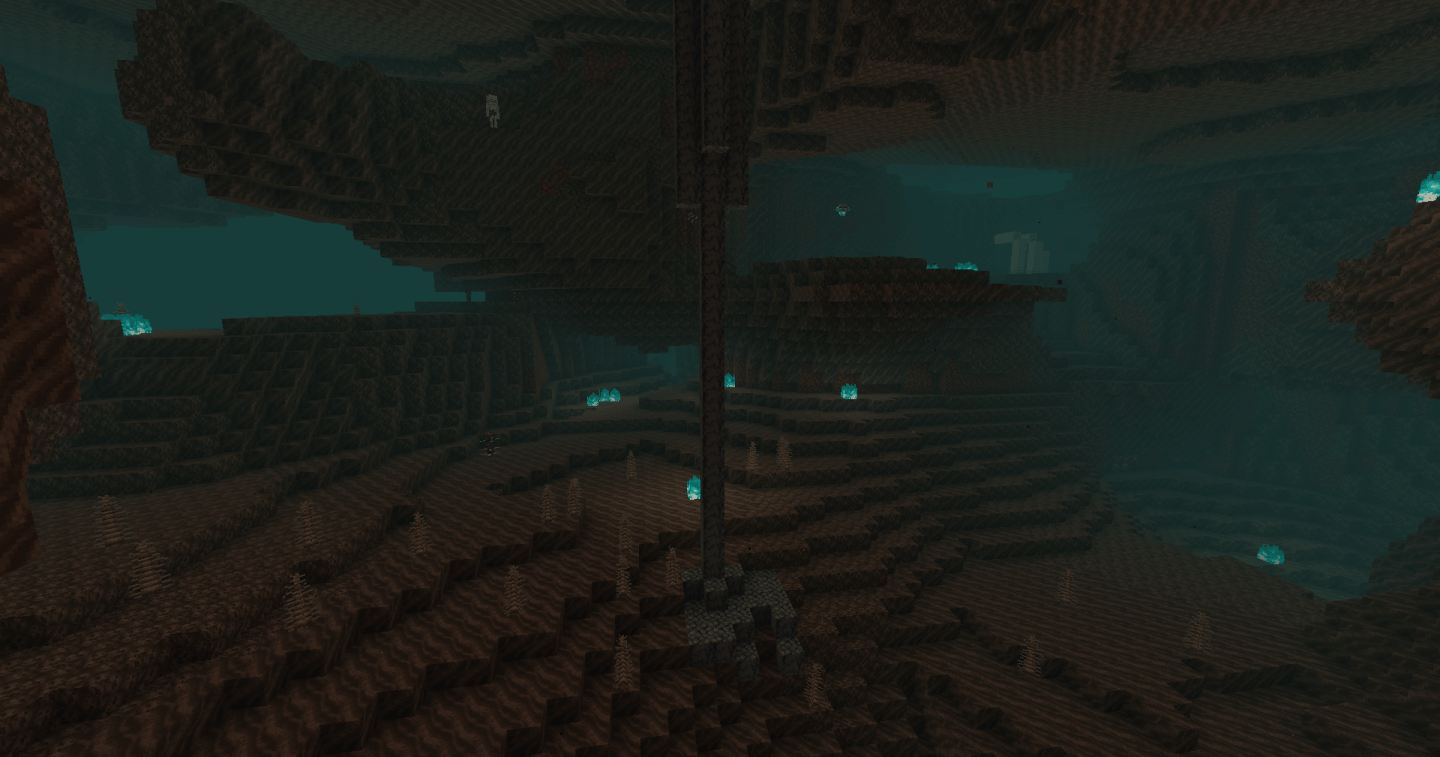
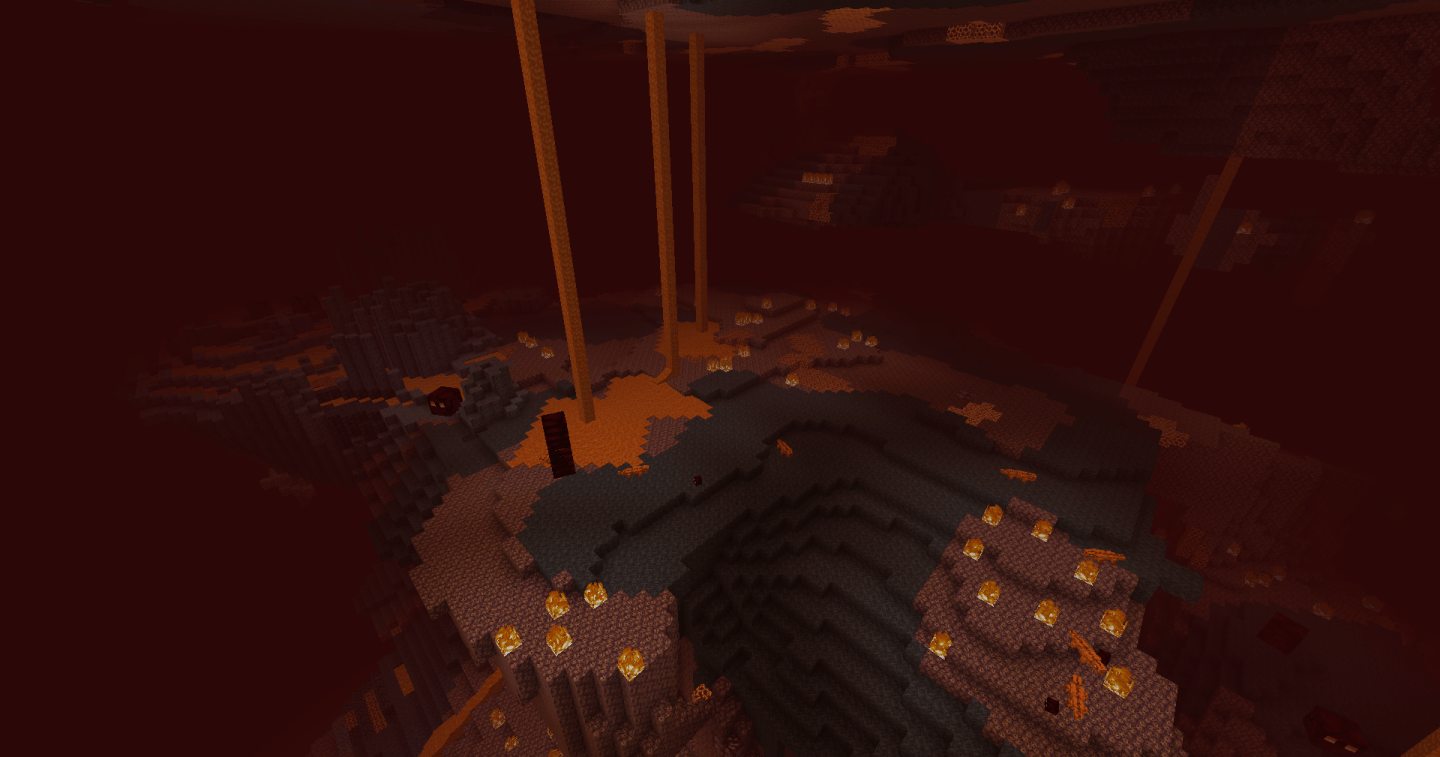
NetherEx is a mod designed to expand on and enhance the feel of the Nether. It adds new biomes that are filled with new blocks, items, and mobs. It also adds new content to the already exisiting Nether biomes.
If you have any questions or would like to discuss the mod, feel free to join the mod discord server here.
If you would like to support me, please visit my Ko-fi page here.
Click the banner below to get a server with BisectHosting! Use code 'Logic' to support me and get 25% off your first month. Don't see a banner? Then click this link: https://bisecthosting.com/logic
Versions prior to 1.21.4 require a library mod called LibraryEx which can be found here. Previous versions of NetherEx are compatible with Biomes O' Plenty (1.12, 1.14, and 1.15), Oh The Biomes You'll Go (1.15), and Extended Nether Backport (1.15).
Fish2, Eleazzaar, Nazenn, Angelz/Demonly, Vlakk, AnarchCassius, LapisWhovian, misterslime, Vivi, Cameron, rye, SnakeBlock, hatsondogs, Endergy, Farcr, Adeline, SirBaconFace, Yapetto, enri, crispytwig, Nitpick/Olive, ZucchiniByDay, JadenXgamer, and Jamiscus.
Ako nainštalovať NetherEx
With Millida Launcher
Install Millida Launcher
The launcher is free: download it at millida.net/launcher and sign in with any nickname.
Click “Install” on this page
The launcher opens and installs the mod for Minecraft 1.12.2–26.1.2 on Fabric, Forge or NeoForge automatically.
Launch the game
A profile with it appears in the launcher: click “Play”.
Manually
Install Fabric, Forge or NeoForge
The loader must match the game version of the mod file, for example Minecraft 26.1.2. After installing it, a separate profile appears in your launcher.
Download the file for your version
In the version list above, pick the file NetherEx-neoforge-26.1.2-1.2.4.jar (1.7 MB) for your game version and loader.
Put it in the mods folder
The folder is inside .minecraft (Windows: %appdata%\.minecraft\mods). If it does not exist, create it.
Launch the loader profile
Open “Mods” in the main menu: NetherEx should be in the list.
Verzie
So závislosťami
| Minecraft | Loader | Súbor | Dátum | Akcie |
|---|---|---|---|---|
| 26.1.2 | NeoForge | NetherEx 1.2.4 - NeoForge 26.1.21.7 MB | ||
| 26.1.2 | Fabric | NetherEx 1.2.4 - Fabric 26.1.21.7 MB 1 | ||
| 1.12.2 | Forge | NetherEx-1.12.2-2.2.5.jar2.5 MB 4 | ||
| 1.12.2 | — | NetherEx-1.12.2-2.0.15.jar2.6 MB |
FAQ
Which Minecraft versions does NetherEx work on?
There are files for 26.1.2, 1.12.2. The newest is 26.1.2.
Is NetherEx for Forge or Fabric?
There are files for Fabric: 26.1.2, for Forge: 1.12.2 and for NeoForge: 26.1.2.
Does NetherEx need other mods?
The author lists no required dependencies: the Fabric, Forge or NeoForge loader is enough.
Where can I download NetherEx safely?
On this page: the file NetherEx-neoforge-26.1.2-1.2.4.jar (1.7 MB) is stored on Millida’s server, with no link shorteners. SHA-1 checksum: 53c25315cc8193c5b6431b4f30bd24fd5a66952a.
Recenzie
Buď prvý, kto ohodnotí NetherEx


